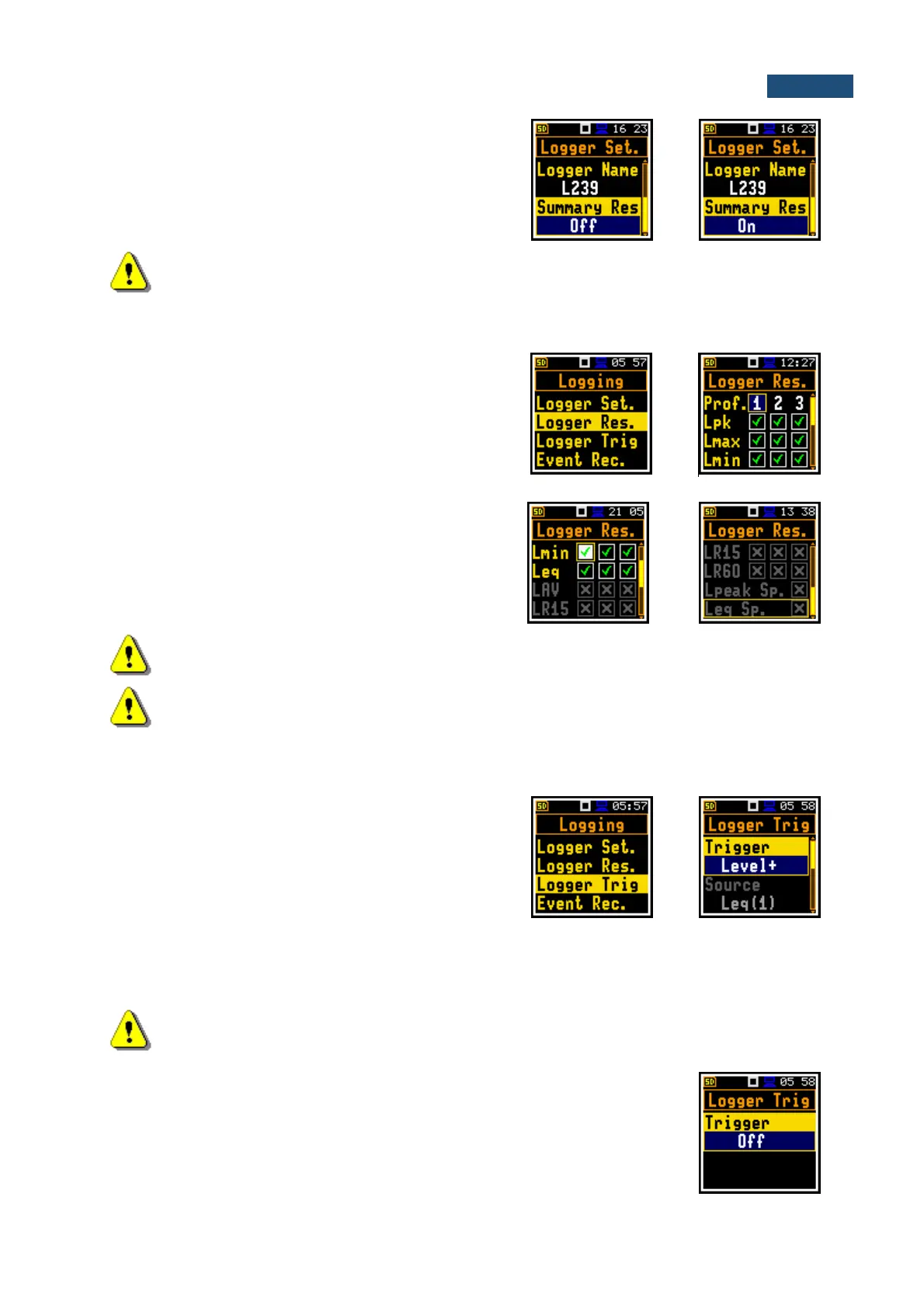
Summary Results saving
The Summary Results parameter switches on or off
saving the full set of Summary results that the instrument
measures with the Integration Period step: L, Leq, LE,
Lden, LEPd, Ltm3, Ltm5, Lnn, OVL, Lpeak, Lmax,
Lmin.
Note: In the Simple interface mode, the Summary Results parameter is hidden, but the
instrument will use settings previously defined in the Advanced mode or default settings (On).
5.5.2 Selection of results for logging – Logger Results
The Logger Results list you can select results for three
independent profiles, which will be logged in the logger
file during measurement with the Logger Step.
For the Lev. Met. function, it is possible to log next
results: Lpeak (Lpk), Lmax, Lmin and Leq. For other
measurement functions the list of active logger results will
be different.
Activation / deactivation can be done with the ◄ / ► key
pressed together with <Shift>. The position is changed
with the ◄ / ► or ▲ / ▼ key.
Note: When Logger is switched Off or no results for logging were selected, the logger plot
cannot be activated in Disp. Modes and therefore doesn’t appear on the display.
Note: In the Simple interface mode, the Logger Results position is hidden, but the
instrument will use settings previously defined in the Advanced mode or default settings (all
results are selected).
5.5.3 Logger trigger settings – Logger Trigger
In the Logger Trigger list, you can configure the way the
logger results will be registered in the logger file. It is a
context list in which the trigger can be switched Off or On
by selecting its type in the Trigger position. When the
trigger is selected, other parameters appear in the list: a
measured result that is checked for a trigger condition
(Source), a threshold level (Level) as well as a number
of results saved in the logger before the trigger condition
is met (Pre) and the number of the results saved in the
logger after the last trigger condition is met during logging
(Post).
Note: In the Simple interface mode, the Logger Trigger position is hidden, but the
instrument will use settings previously defined in the Advanced mode or default settings
(Trigger: Off).
Trigger disabling
The logger trigger (Trigger) can be switched Off with the ◄ key. The trigger is
switched on if the Level + or Level – mode is selected with the ► key.



 To Next Page