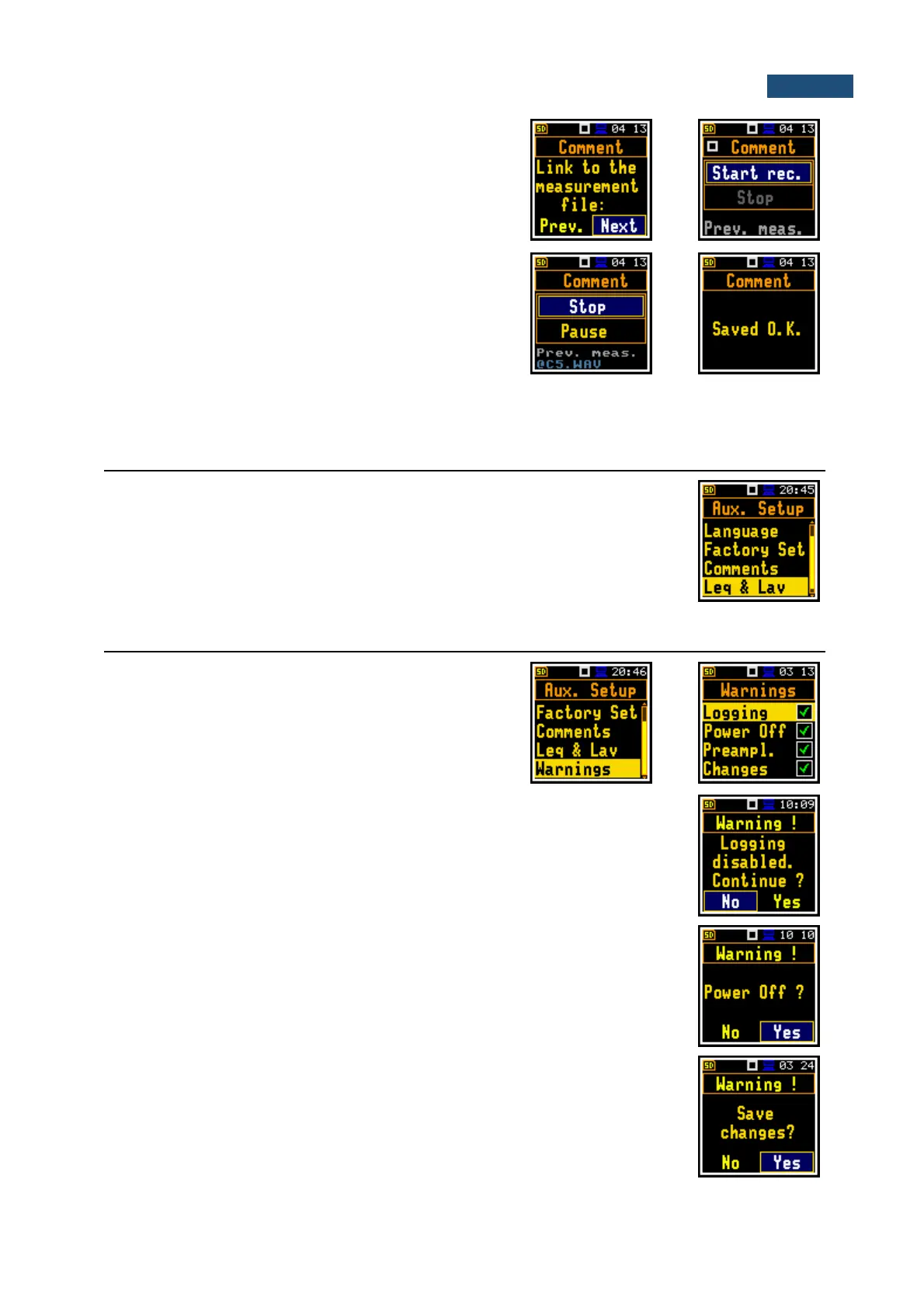
To record a comment, press simultaneously the ◄ / ►
key. This will bring up a window with a question to which
logger file to link a file containing the comment - to the
previous or the next one. After selecting an answer and
pressing the <Enter> key, the record command window
will open.
After starting the recording (Start rec.) with the <Enter>
key, red circle that indicates “recording in progress” will
start to flash at the top line of the screen. In this case, you
can comment the measurement. Press <Enter> to finish
recording. The recording end will be confirmed with the
message "Saved O.K.". The voice comment can be
recorded before or after the current measurement and
linked to the previous measurement (Prev.) or the next
one (Next).
9.4 DISPLAYING OF LEQ & LAV RESULTS – LEQ & LAV
The Leq & Lav position enables setting the mode of displaying the Leq and Lav
results.
This position is available only in the Dosimeter function and is described in the
DOSIMETER section of this manual.
9.5 WARNINGS SELECTION – WARNINGS
The Warnings position allows to activate messages,
which will be displayed during the normal operation of the
instrument.
If Logging is active, the instrument will generate a warning if the user tries to start
a measurement run without logging the previous results. The user can continue
working without saving the measurement results or activate the saving through
the File Manager.
If Power Off is active, then in the case the measurement is in progress, any
attempt to switch off the instrument will be warned "Measurement in progress".
The user then should stop the measurement to be able to turn off the unit. When
the measurement is completed the warning "Power Off" becomes active. Then, if
the user would like to turn off the instrument, he will be asked to confirm this.
If Preampl. is active, there will be warning if the instrument detects that there is
no preamplifier attached to the instrument’s input.
If Changes is active, the instrument displays the warning message in the case
when some parameters were changed, but the list of parameters was exit with
the <ESC> key.



 To Next Page