6.5 SETTING THE POWER SAVER - SCREEN SETUP
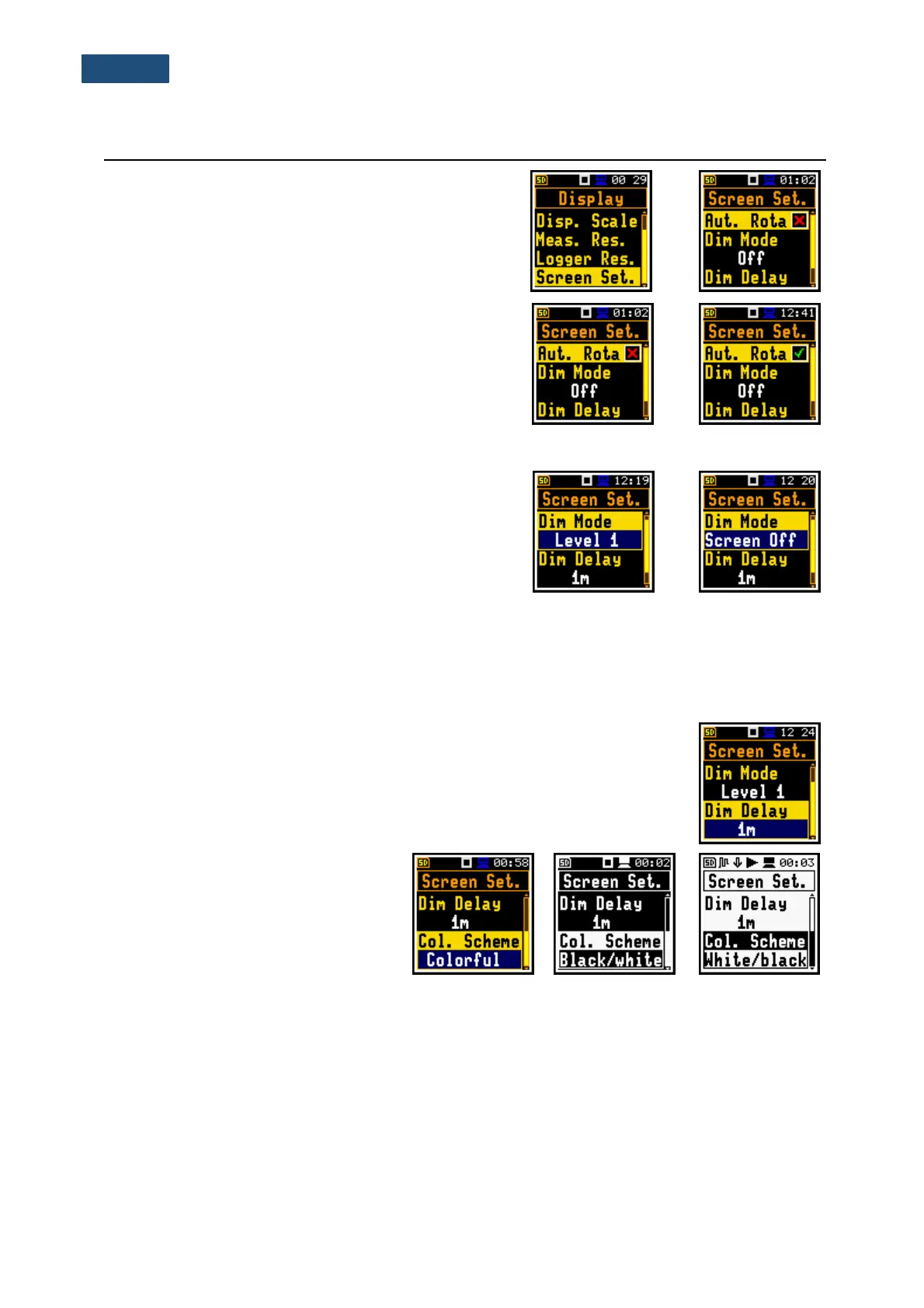
The Screen Set. position enables switching on the
screen auto-rotation and configuring the screen saver
function (Dim Mode). If Dim Mode is Off the screen will
stay bright all the time.
Screen auto rotation
The Aut. Rota position enables switching on the
adjustment of the screen image on the display according
to the instrument’s physical orientation in space. If the unit
is rotated upside down then the display also changes its
image orientation accordingly, so you can always see it in
normal upright view. The screen rotation also works if the
meter is in the horizontal position.
Power saver function
Consumption of the instrument’s internal source of power
can be minimising by reducing the brightness of the
screen when possible.
There are two options of power saver function
(Dim Mode). The screen may be switch off (Screen Off)
or dimmed with different levels (Level 1, 2 or 3). In the
case when any of these options is set, after a delay, set
by parameters Dim Delay, from pressing any key the
screen is dimmed or switched off. After it has happened,
pressing any key will cause the display to switch on
again.
Setting the power saver delay
The power saver delay defines the delay period from last use of any key to the
start of the power saver mode. This delay period can be set for active Dim Mode
from 5s to 60m. The <Enter> key must be pressed to confirm the selection, which
also closes the Screen Set. window.
Changing colour scheme
The Col. Scheme position enables
changing of the colour scheme of the
screen from Colorful to Black/white or
White/black.



 To Next Page