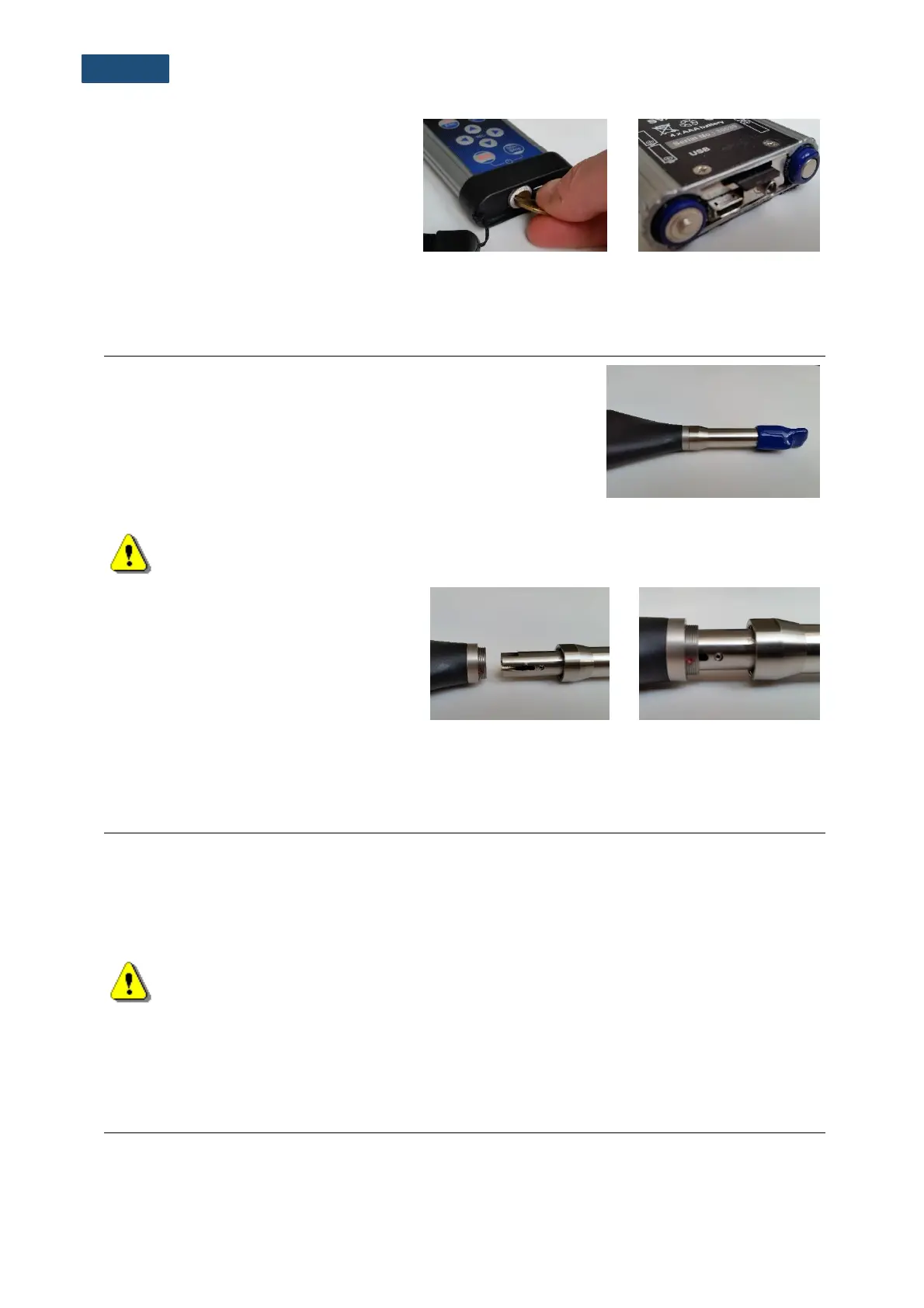
To extract the memory card from the
card-slot, switch off the instrument,
unscrew the bolt and remove the black
bottom cover of the instrument.
The card is installed in the slot. To
extract the card, push on the card and
then pull it out of the slot.
When an SD-card is inserted, a click should appear, indicating that the card is inserted properly. If
necessary, use a tool (e.g. pen) to push the card right in.
SVAN 971 is equipped with the special connector for the input of
the measured signal taken from the microphone preamplifier.
The SVAN 971 set includes prepolarised ½” microphone with
nominal sensitivity 38 mV/Pa (SV 7052) and microphone
preamplifier (SV 18). The instrument is delivered with the attached
preamplifier. Nevertheless, sometimes it is necessary to
disconnect the preamplifier (for example, in the case SVAN 971
should be used with the SV 271 monitoring station).
Note: The instrument set includes a protective microphone cap, which is recommended to
have always on the microphone, when the instrument is not used for measurements!
To connect the preamplifier (with the
microphone) to the instrument, position the
instrument socket and the preamplifier
plug in the way that the red point on the
instrument socket is in line with the pilot
slot on the preamplifier plug. Then insert
the preamplifier plug into the socket and
tighten the screw threaded ring.
To disconnect the preamplifier from the instrument, unscrew the screw threaded ring of the preamplifier
and pull the preamplifier out of the instrument.
14.4 RESETTING THE INSTRUMENT
• SYSTEM RESET: internal software reset clears any setup configuration and brings back the
default factory settings. See Factory Settings (path: <Menu> / Auxiliary Setup).
• HARDWARE RESET: internal hardware reset doesn’t change any settings. Make sure the battery
is not exhausted, and the unit is turned off. Hold down the <Shift> and <Start/Stop> keys for
10 seconds, and then release them. Turn on the instrument as usually.
Note: Hardware reset should only to be used in extreme situations such as an instrument
hang-up.
Be aware, that a hardware reset:
- will stop any pre-programmed auto-run modes,
- will stop measurement run!
SVANTEK is committed to continuous innovation path of development, and as such reserves the right
to provide firmware enhancements based on user’s feedback.



 To Next Page