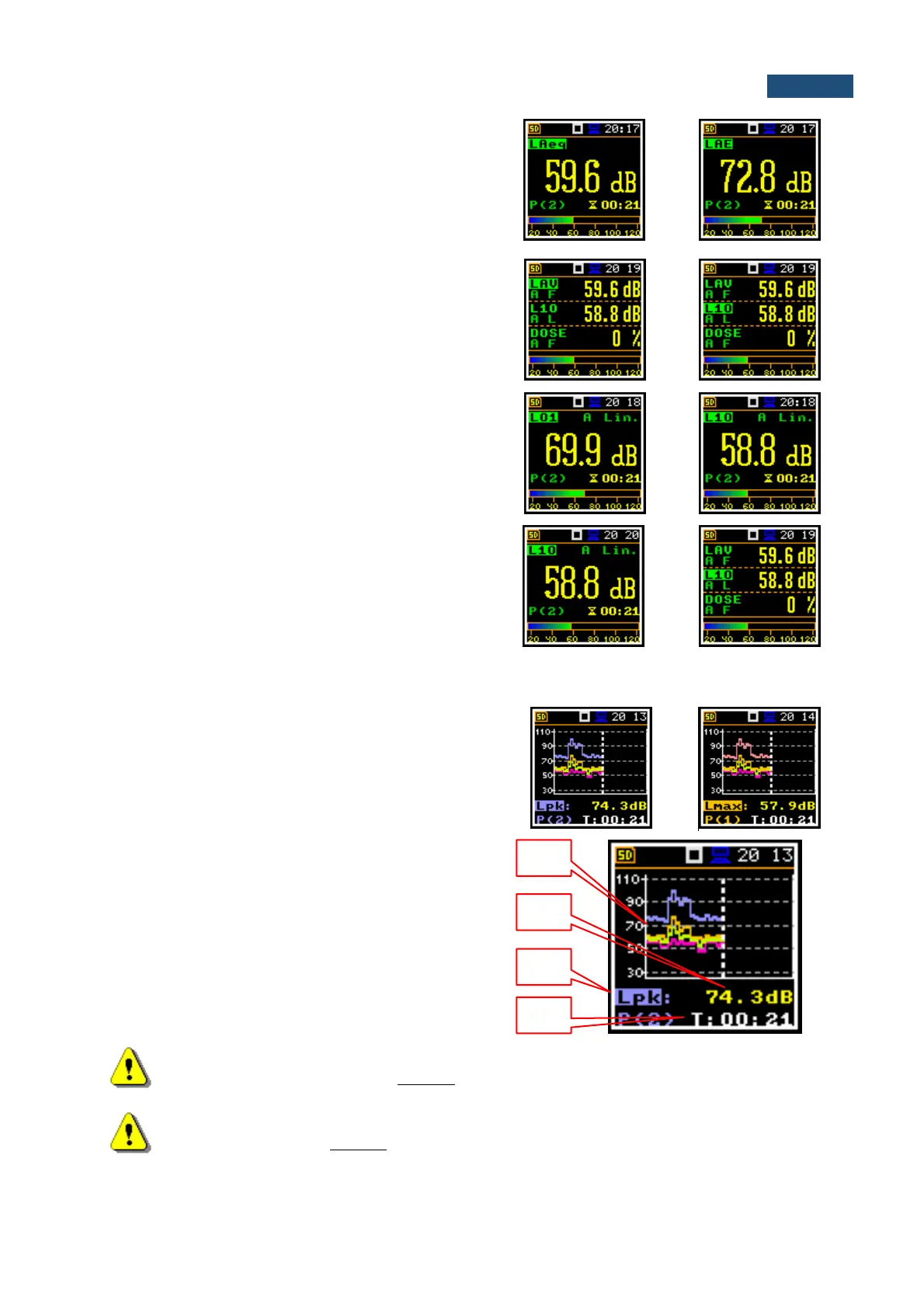
Changing measurement results
The content of some fields can be changed with the
◄ / ► key. The field should be active.
For example, if the measurement result field is selected
it is possible to change the result type with the
◄ / ► key.
Changing active fields
The fields can be changed with the ▲ / ▼ key pressed
together with <Shift>.
Changing statistical levels (Lnn)
The statistical levels, which are defined in the Stat. Lev.
list (path: <Menu> / Measurement / Stat. Lev.), can be
changed with the ◄ / ► key pressed together with
<Shift>.
Changing display modes
The presentation mode can be changed with the
▲ / ▼ key.
6.1.3 Logger display mode
In the Logger mode, the history results, selected in the
Logger View list, are displayed as a plot. You may
change viewed results by pressing the <Enter> key.
The cursor position can be changed with the ◄ / ► key.
Field description of the Logger mode
1. Logger Plot
2. Result value for cursor position
3. Result name (Profile number)
4. Cursor time position
Note: If Logger (path: <Menu> / Measurement / Logging /Logger Set.) is switched off the
Logger presentation mode is disabled! Therefore, to have this presentation mode active,
switch the Logger on!
Note: When Logger is switched on, but results were not selected for logging the Logger
presentation mode is disabled!



 To Next Page