The Slope - trigger starts an event recording under the condition: falling value of
the RMS result (Source) averaged by 0,5 ms passes below the threshold level
(Level).
This is a mirrored trigger to the Slope +.
Note: When an event recording is waiting for the slope trigger the
“trigger slope” icon superimposes on the grey „note-curve” icon.
Level type trigger
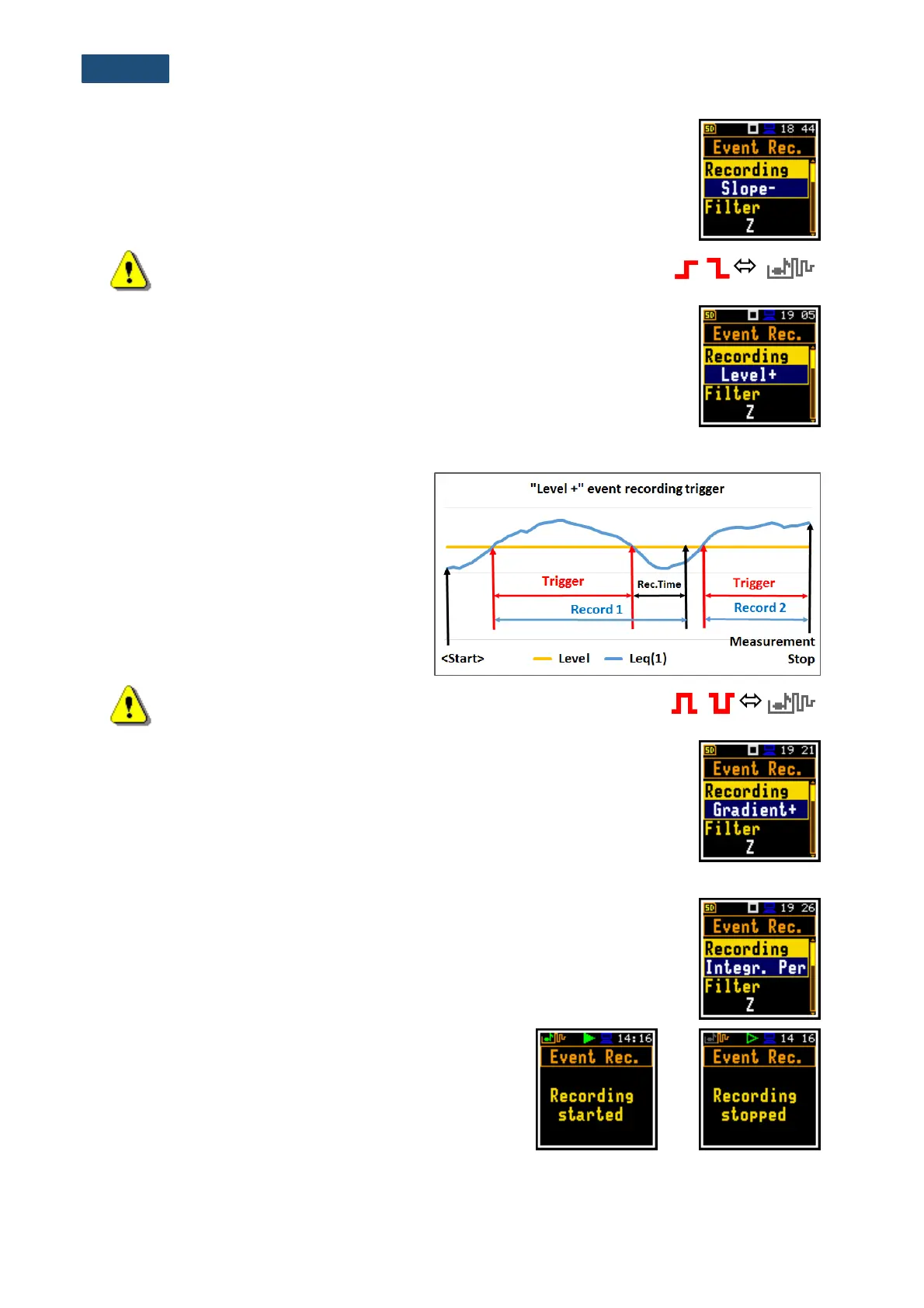
The Level +/Level - trigger starts an event recording which will last the Rec. Time
under the condition: the value of the Leq result (Source) integrated by 0,5 ms is
greater/lower than the threshold level (Level). In other cases, the recording
doesn’t start, but if it has been already started it can be continued until the
Rec. Time has elapsed.
If during the Rec. Time a trigger condition
is met, the recording will be prolonged for
another Rec. Time from the moment of
that trigger condition and so on.
Note: When an event recording is waiting for the level trigger the “trigger
level” icon appears alternatively with the grey „note-curve” icon.
Gradient type trigger
The Gradient + trigger starts an event recording for the Rec. Time under the
condition: the value of the Leq result (Source) averaged by 0,5 ms is greater than
the threshold level (Level) and the gradient of this Source is greater than the
gradient threshold level (Gradient). In other cases, the recording doesn’t start,
but if it has been already started it can be continued until the Rec. Time has
elapsed. The instrument checks the trigger condition also during the recording
and if the condition is met the recording will be prolonged for another Rec. Time.
Integration period trigger
When the Integr. Period trigger is selected, the signal recording is triggered every
time the measurement starts, and the recording will last minimum Rec. Time. If
the trigger condition appears during the recording (when Integration Period is
shorter than Recording Time), from this moment, the recording will be continued
for the next Rec. Time and so on.
Manual trigger
When the Trig.manual trigger is selected, the signal
recording starts and ends after pressing simultaneously
the ◄ and ► keys during the measurement. After
pressing these keys, the screen with the corresponding
message appears. The registration always stops after
period defined by the Rec. Time parameter.



 To Next Page