112 WEB Interface
CP560 DVB-T2 Gateway User’s Manual Rev. 2.2 (3686) ID: um_t2gateway
“Settings” tab
This button switches to a page showing what tables are being analysed.
“Table source settings” tab
This button switches to a page allowing the user to configure non-default source PID of
SI/PSIP tables.
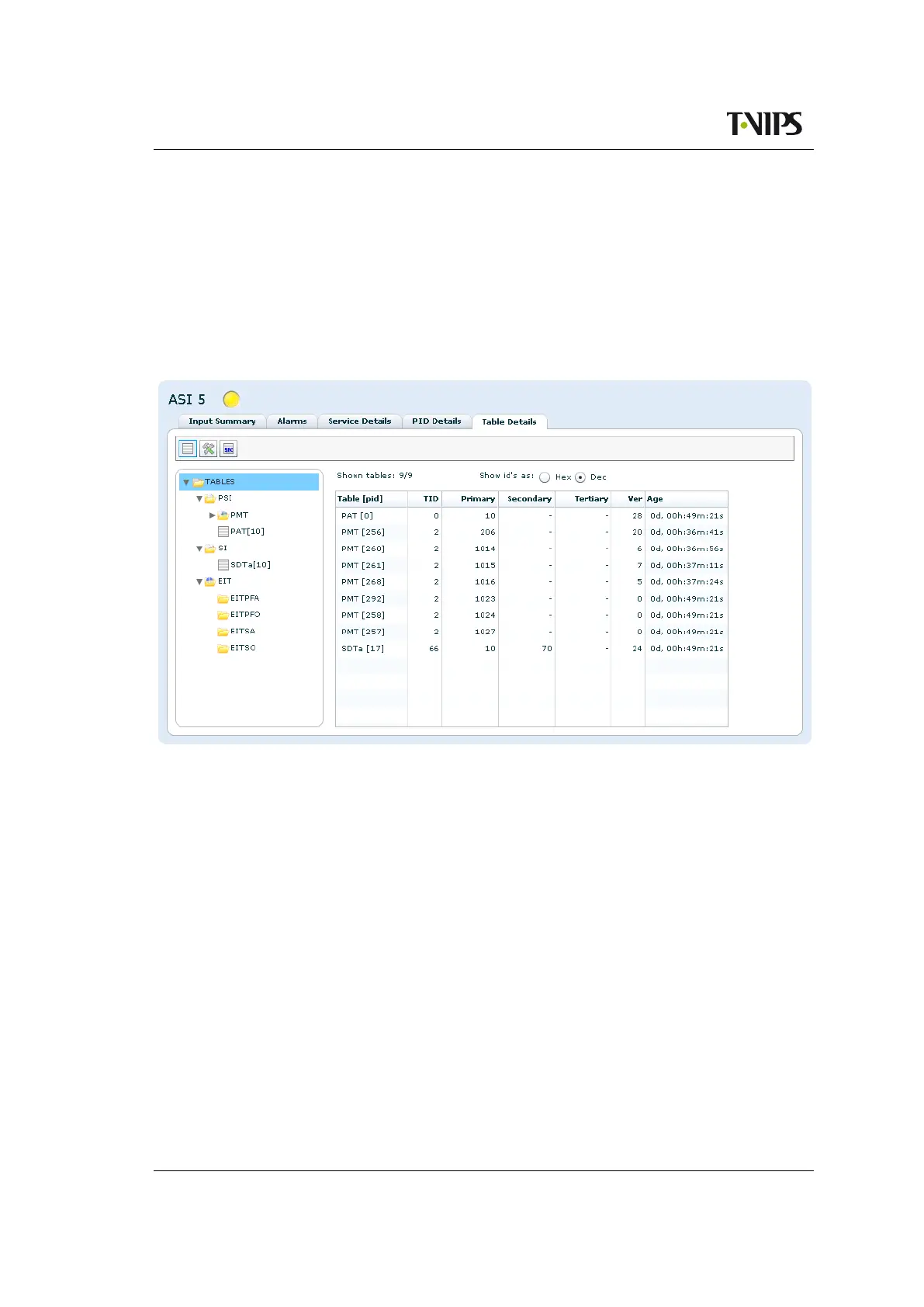
8.5.2.7 Tables
Figure 8.61 Table details, overview.
Figure 8.61 shows the table details in list view.
The left hand side of the page contains a tree showing the tables that are present on the input
and analysed by the device. The tables belonging to a specific folder are displayed to the right
by clicking on the folder.
Above the table the following information and buttons can be found:
Shown tables
The number of table that fall into the chosen folder compared to the total number of tables.
Shown size
The size(in bytes) of the tables that fall into the chosen folder compared to the total size
of the tables.
Show ID’s as
Configure to view id’s and keys in hexadecimal or decimal notation.
The right hand side table of the sub page has the following columns:



 To Next Page