WEB Interface 53
ID: um_t2gateway CP560 DVB-T2 Gateway User’s Manual Rev. 2.2 (3686)
8.4.4 Time Settings
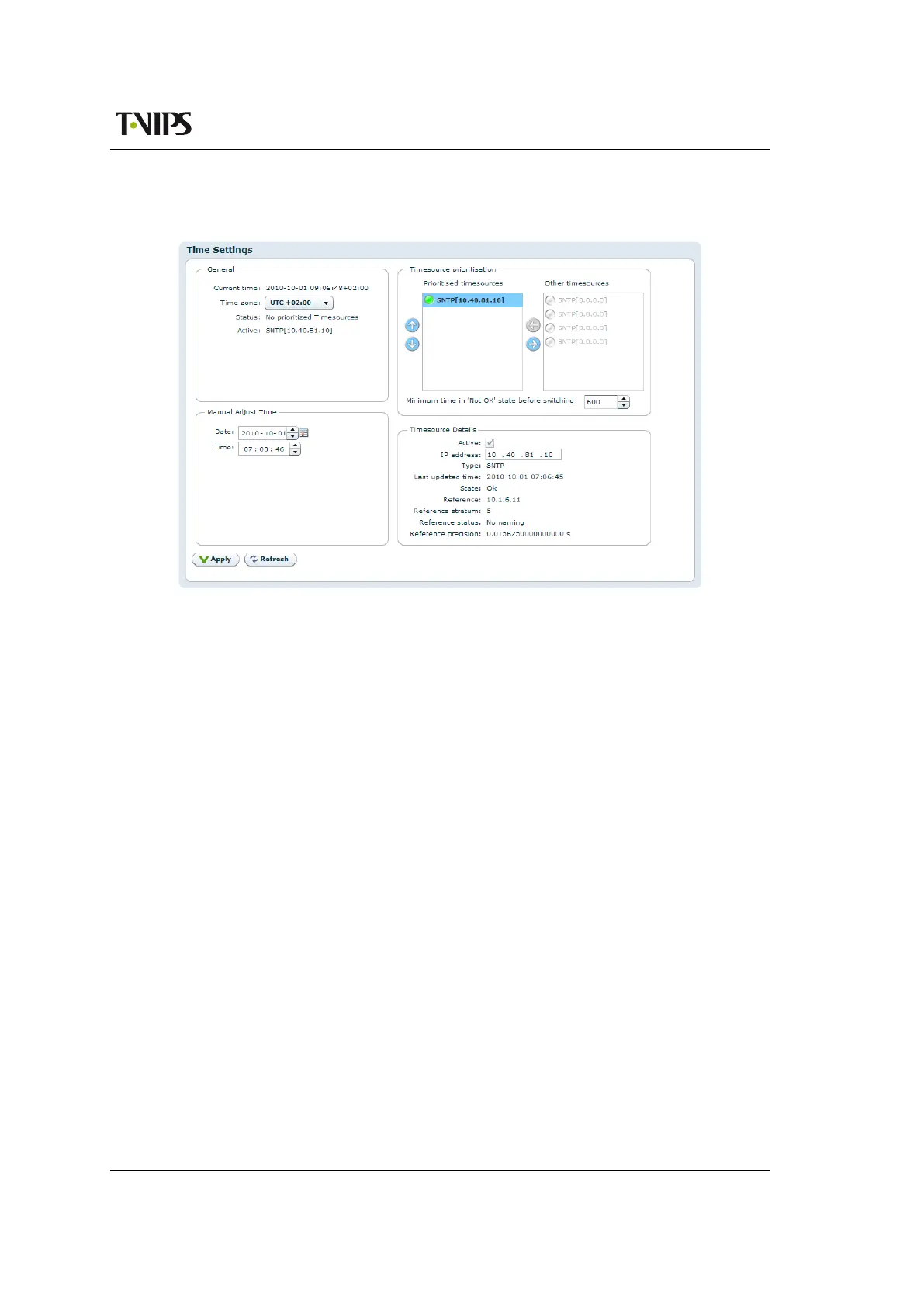
Figure 8.14 Time Settings
The time settings page lets the user configure time zone, the source for synchronising the internal
device time clock and set the internal clock in case of failure of all external sources of clock
synchronisation. The main use of the device time is stamping the entries of the alarm log.
The page consists of four main parts. Top left is the General box, containing the following
parameters:
Current time
The current time as reported by the device.
Time zone
Drop-down list to configure the time zone of the unit.
Status
The status of the time synchroniser.
Active
The time source currently in use by the time synchroniser.
The Manual Adjust Time field allows the operator to set the time. The manually configured
time will only be used when no other time sources are configured in the Prioritised time sources
list.
The Timesource prioritisation field contains two lists showing all available time sources. Disabled
time sources are greyed out. Enabled time sources are shown with an indication of the time
source status. The list to the right shows time sources that are not used by the time synchroniser.
Enabled time sources may be moved to the leftmost list by using the arrow-left button, and back
again by using the arrow-right button. Time sources in the left hand list are used by the time



 To Next Page