136 WEB Interface
CP560 DVB-T2 Gateway User’s Manual Rev. 2.2 (3686) ID: um_t2gateway
interface, double click on the appropriate line in the table. This opens the configuration page,
which may also be directly accessed by clicking on the IP output interface entry in the navigator
field (Figure 8.66). This is described in detail in Section 8.6.6.1.
Removing an IP output interface is accomplished by highlighting the appropriate line in the
table and clicking the Remove IP Dest button followed by Apply.
8.6.6 TS-OUT -> IP Destination
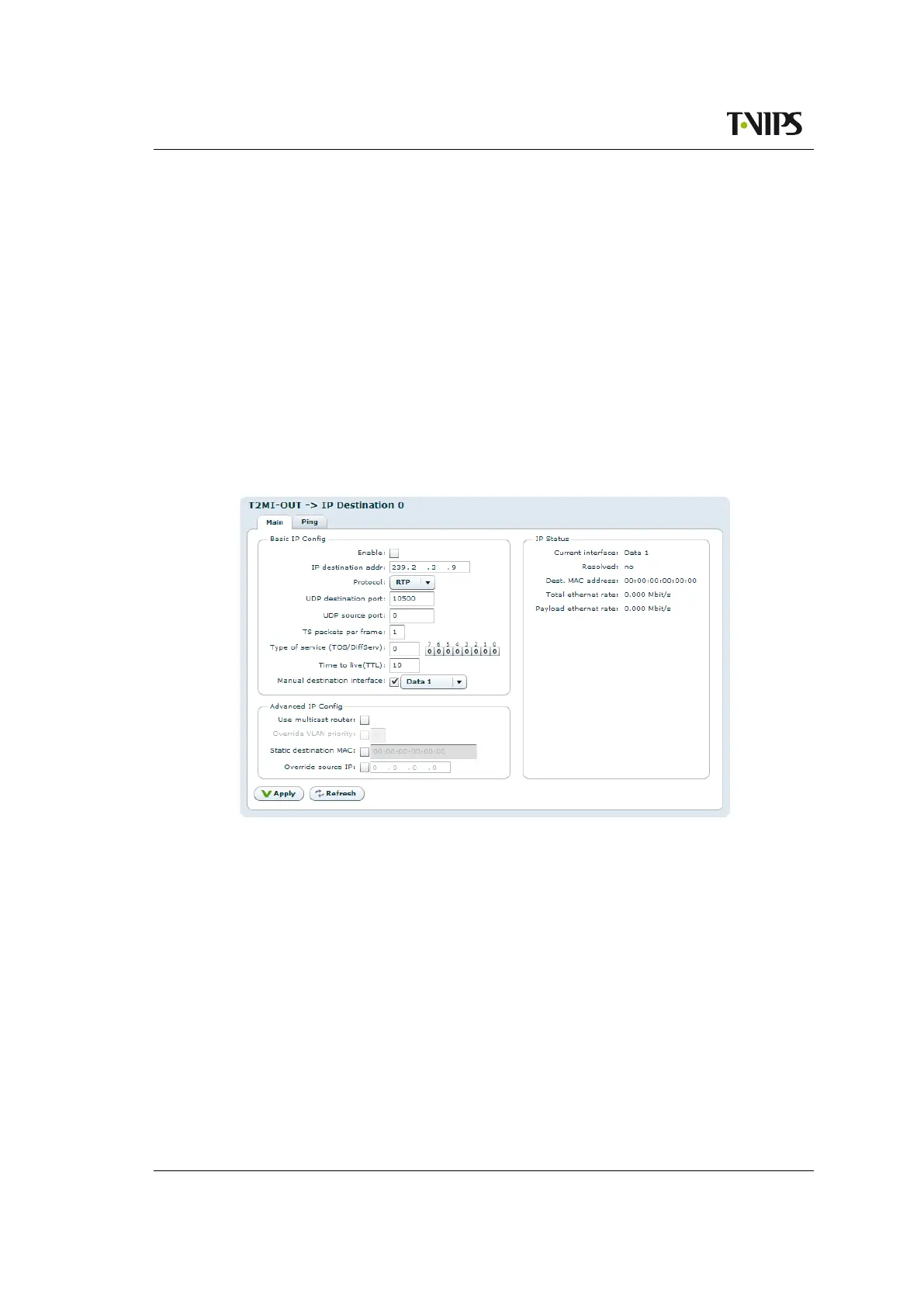
This page allows configuration of the IP output port. This page consists of the sub tabs Main
and Ping. If Forward Error Correction has been enabled the FEC tab is also visible.
8.6.6.1 Main
This page is shown in Figure 8.77.
Figure 8.77 IP Configuration.
The Basic IP Config field:
Enable
If this box is checked, the generated transport stream will be played out over IP using the
shown parameters.
IP destination addr
Enter the destination IP address to use when transmitting data over IP. The address may
be either a unicast address or a multicast address.
Protocol
Select UDP or RTP transmission mode. See Section 5.5.2 for more information on this.
UDP destination port
Enter the UDP destination port to use when transmitting data over IP. The UDP destination



 To Next Page