70 WEB Interface
CP560 DVB-T2 Gateway User’s Manual Rev. 2.2 (3686) ID: um_t2gateway
The Taffic Queues field allows mapping of network traffic queues to VLAN priorities. For
information on VLAN priority usage refer [7].
To aid troubleshooting while changing the configuration the Module Alarm and Module Error
Counters fields of the status page are replicated here.
At the bottom of the page are three buttons:
Apply
Writes changes to the SFP configuration file. Also initiates writing the configuration file to
the module if the Write to module box has been ticked.
Refresh
Cancels changes that have been entered.
Reset Factory Defaults
Only active if the Write to module box has not been ticked. Clicking this button returns
the module to factory default settings. This will not affect the settings of the configuration
page. The status of the SFP module is at all times displayed in the SFP Status sub-page.
8.4.5.2 IP Routing
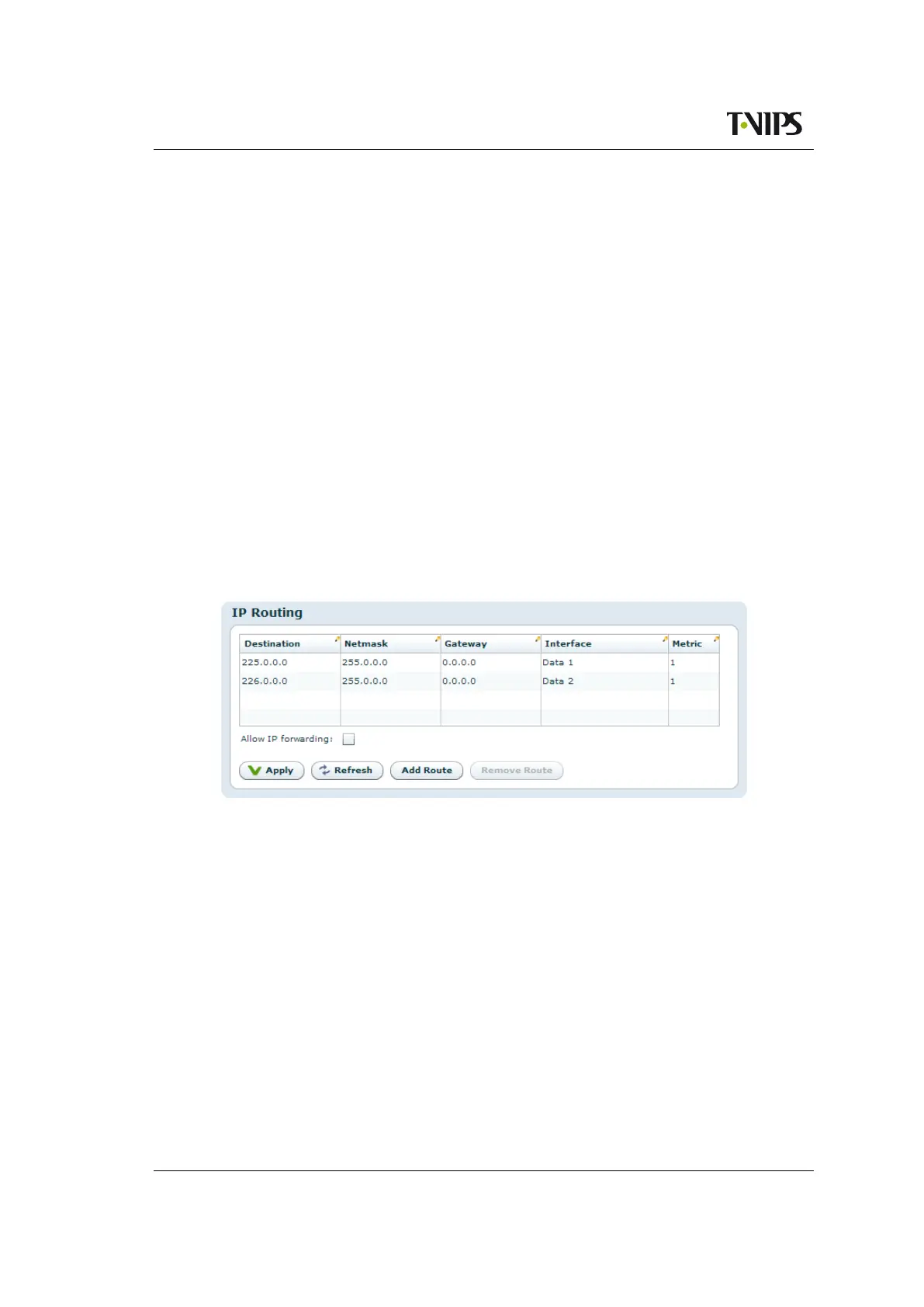
Figure 8.25 IP Routing
The IP Routing table lets the user configure IP routing rules for the unit. These rules tell the
unit which interface to send IP traffic to, based on the destination IP address of the traffic.
Destination
The destination IP address to use for matching against this routing rule.
Netmask
The subnet mask to use for matching against this routing rule.
Gateway
The IP destination to send a packet to if the destination address of the packet is on a
different subnet than the destination interface.
Interface
IP packets matching this rule will be sent through this interface.



 To Next Page