106 WEB Interface
CP560 DVB-T2 Gateway User’s Manual Rev. 2.2 (3686) ID: um_t2gateway
Number of re-synchs
Displays the number of re-synchronisations since the last unit power up, or since the Reset
Stats function was last used (see Section 8.5.2.1).
8.5.2.4 Services
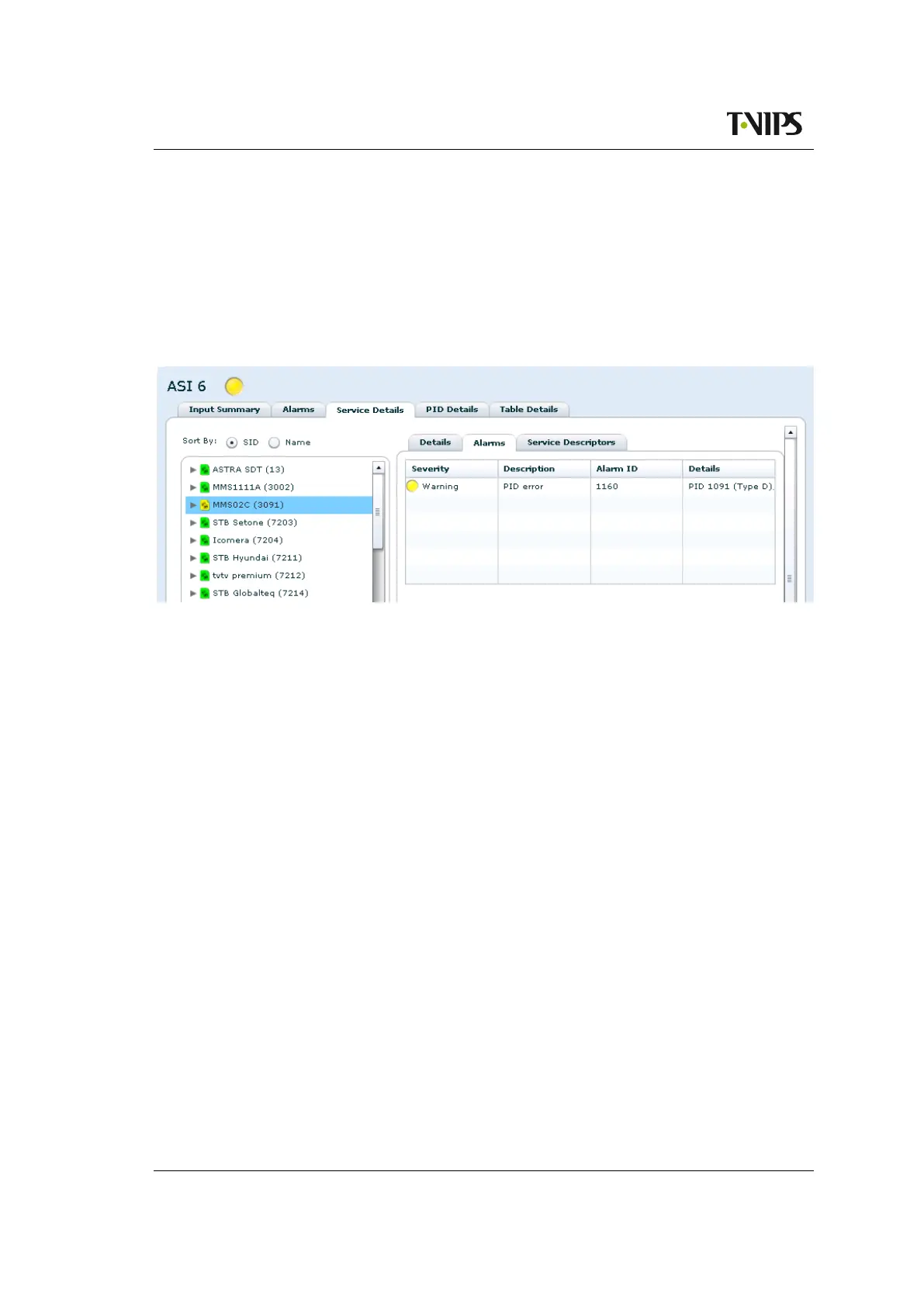
The Services page displays a list of services running in the selected input. Each service type is
represented by a symbol coloured to show the current alarm status of the service (figure 8.56).
Figure 8.56 Service details overview when service list is not expanded.
Sort by
Selecting the SID or Name radio button sorts the list by service ID or service name, re-
spectively.
Clicking on a service name (folder name) brings up a tab navigator to the right of the list con-
taining more information about the selected service. The Details tab shows detailed information
about the selected service. The service information may be presented in one or two sections.
The first section, Service Details, is always present and consists of the following parameters:
Service ID
The service id of the selected service.
PMT PID
The program map table PID of the service.
PCR PID
The PCR PID of the service.
Total rate
The current bitrate of the service. The service bitrate is the sum of the bitrates of the PIDs
pertaining to the service (PMT, PCR, ECMs and the component PIDs signalled in PMT).
If PIDs are shared between services, the displayed sum of the bitrates of all services may
exceed the total bitrate of the transport stream.
Min rate
The minimum bit rate measured for this service since the last reset. Resets when the PID
rates are reset.


 To Next Page