116 WEB Interface
CP560 DVB-T2 Gateway User’s Manual Rev. 2.2 (3686) ID: um_t2gateway
Default Src PID
The default PID used for this table type. Use this value if you want to go back to DVB
compliant input filtering.
After making the changes in the grid press Apply to activate the changes. You can then go back
to the table listing to see whether the expected tables are received on the new PID value.
Warning: Changing the PID values used in the input filtering must be
performed with care. If you specify a PID that contains a high bandwidth
PID it may cause the unit to malfunction.
8.5.3 Switch
This page has two sub-tabs; Main and Alarms. In all sub-pages for a switch a list of current
alarms is shown. This list is identical to the list displayed in the Current Status view, and
described in section Section 8.3.1.
8.5.3.1 Main
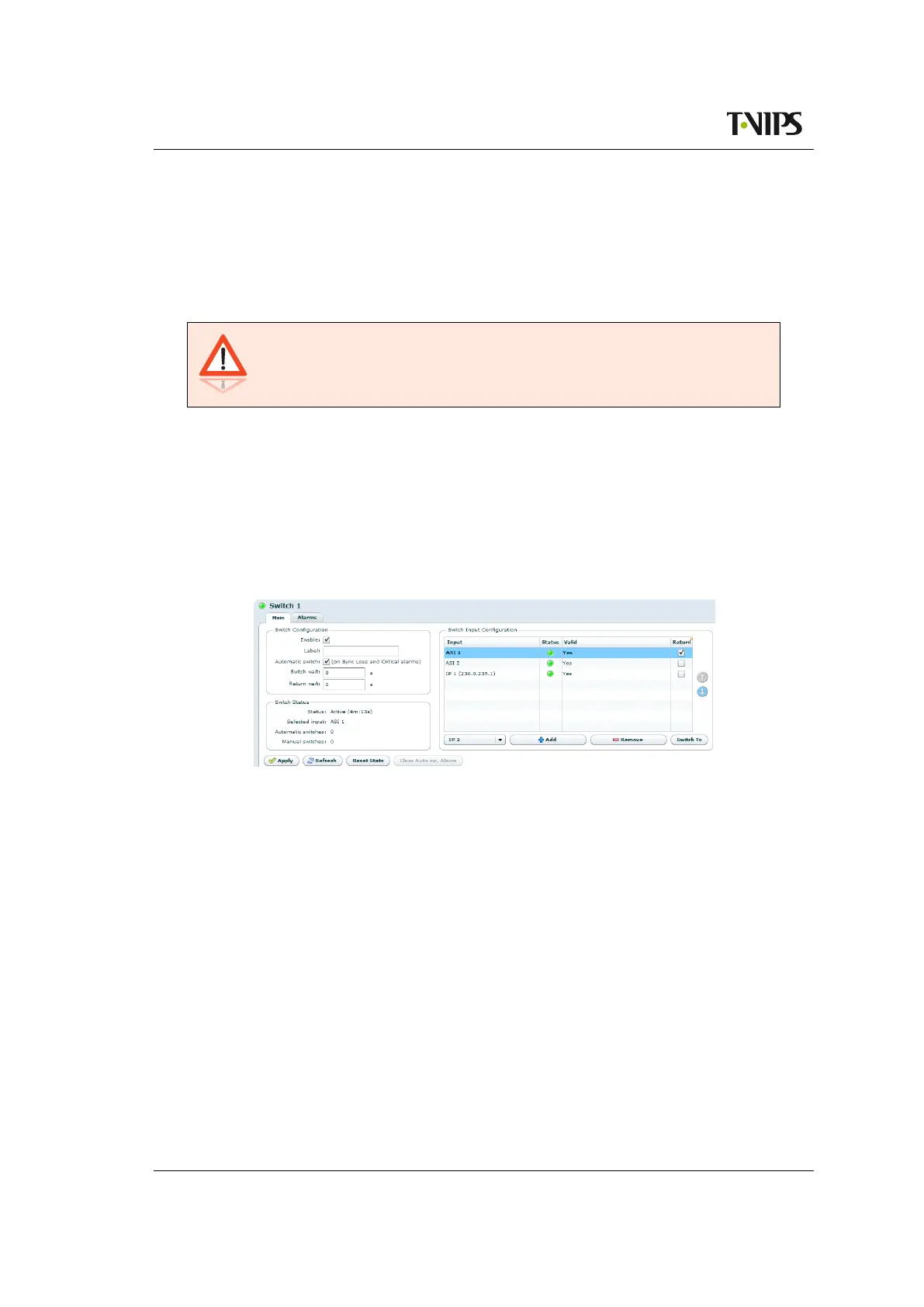
Figure 8.65 Input switch configuration
The Main sub page is used to configure input switching of a group of inputs. The page is
accessed by selecting a switch in the left hand side navigator on the Inputs tab, or by double
clicking the switch entry on the Inputs Overview > Switch Inputs page. See section Section
8.5.1.2 for instructions how to create a switch input.
The availability of input switching is determined by the SW licence key Input switching.
Ports can be added to the switch in two ways.
1. Drag physical ports in the left hand side navigator, dropping them into the switch
group at the wanted priority position.
2. Select the wanted port in the drop down in the Input switch configuration and press
the Add button. Press Apply to commit.
A physical port can only be used in one switch group. When a physical port is used in a switch
group, it cannot be used directly as a physical port when configuring services and PIDs.
Switch configuration



 To Next Page