WEB Interface 47
ID: um_t2gateway CP560 DVB-T2 Gateway User’s Manual Rev. 2.2 (3686)
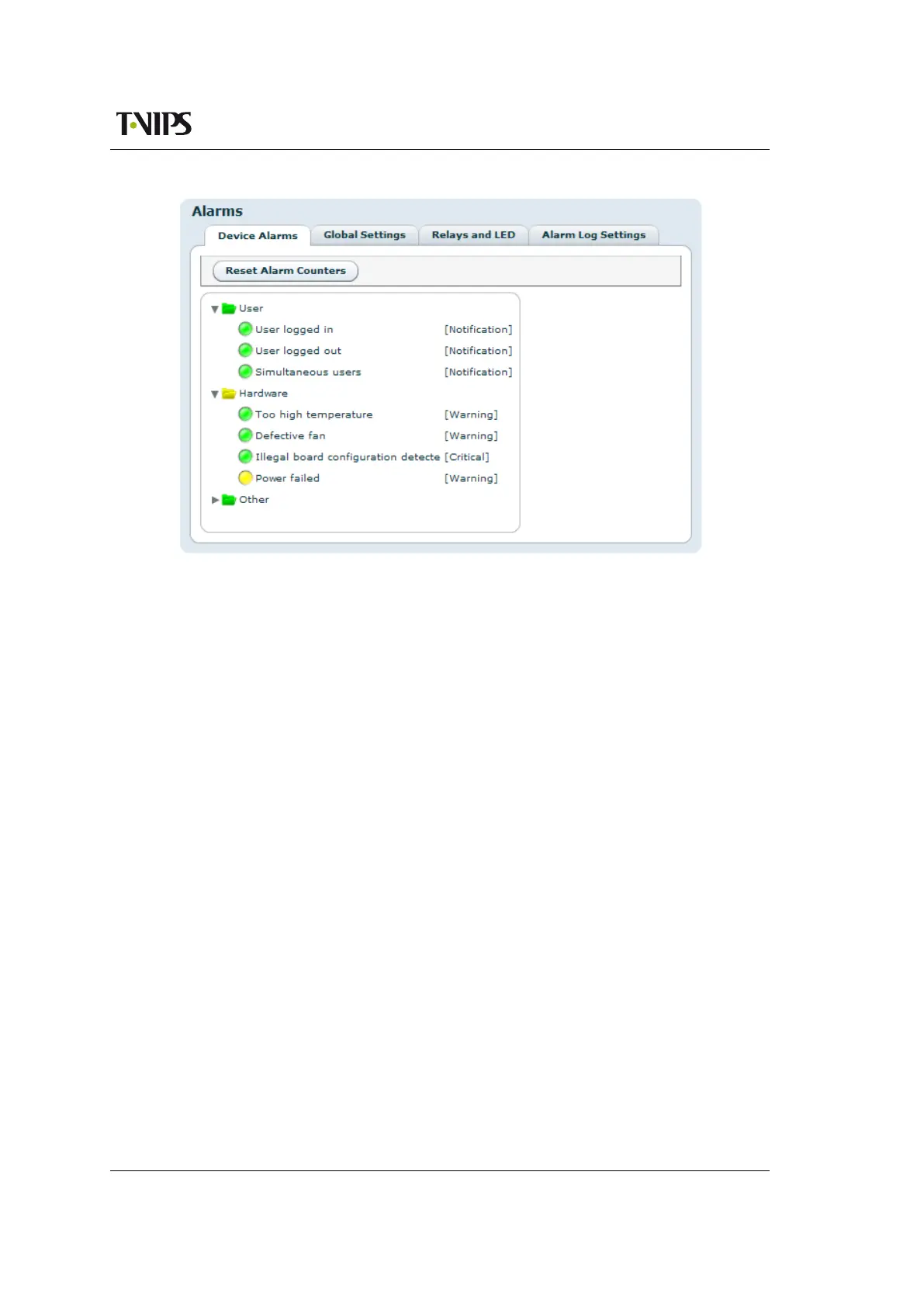
Figure 8.9 Alarm configuration
• Relay and LED configuration
• Alarm Log Settings
8.4.2.1 Device alarms
The page shown in
Figure 8.9 provides the administrator with an interface to view the status
and configure the behaviour of all alarms related to the system. At the top the Reset Alarm
Counters button allows resetting all alarm counters simultaneously.
The page is divided into two parts. On the left is a tree that shows all the alarms. The colour
of the folder icon and the specific indicator represents the current status of the alarm. The text
to the right of the tree shows the currently configured severity of the alarm.
The right hand side of the page displays the Alarm Details field when an alarm is selected:
Alarm ID
The internal numerical ID of the selected alarm.
Description
Brief description of the alarm.
Severity
A configurable option defining the severity of the alarm. Options in the pull-down box
range between Filtered (meaning ignored) to Critical. The text in brackets represents the
default setting.
Alarm turned on
The number of times the alarm has transitioned from off to on since last reset of the alarm
counter.



 To Next Page