48 WEB Interface
CP560 DVB-T2 Gateway User’s Manual Rev. 2.2 (3686) ID: um_t2gateway
Error count
Not used.
’Reset Counters’ button
When clicked, clears the alarm counters for the current alarm.
The right-click context menu of the device alarm page provides an option to reset the counters
of all the alarms in the Device Info tree.
8.4.2.2 Global configuration
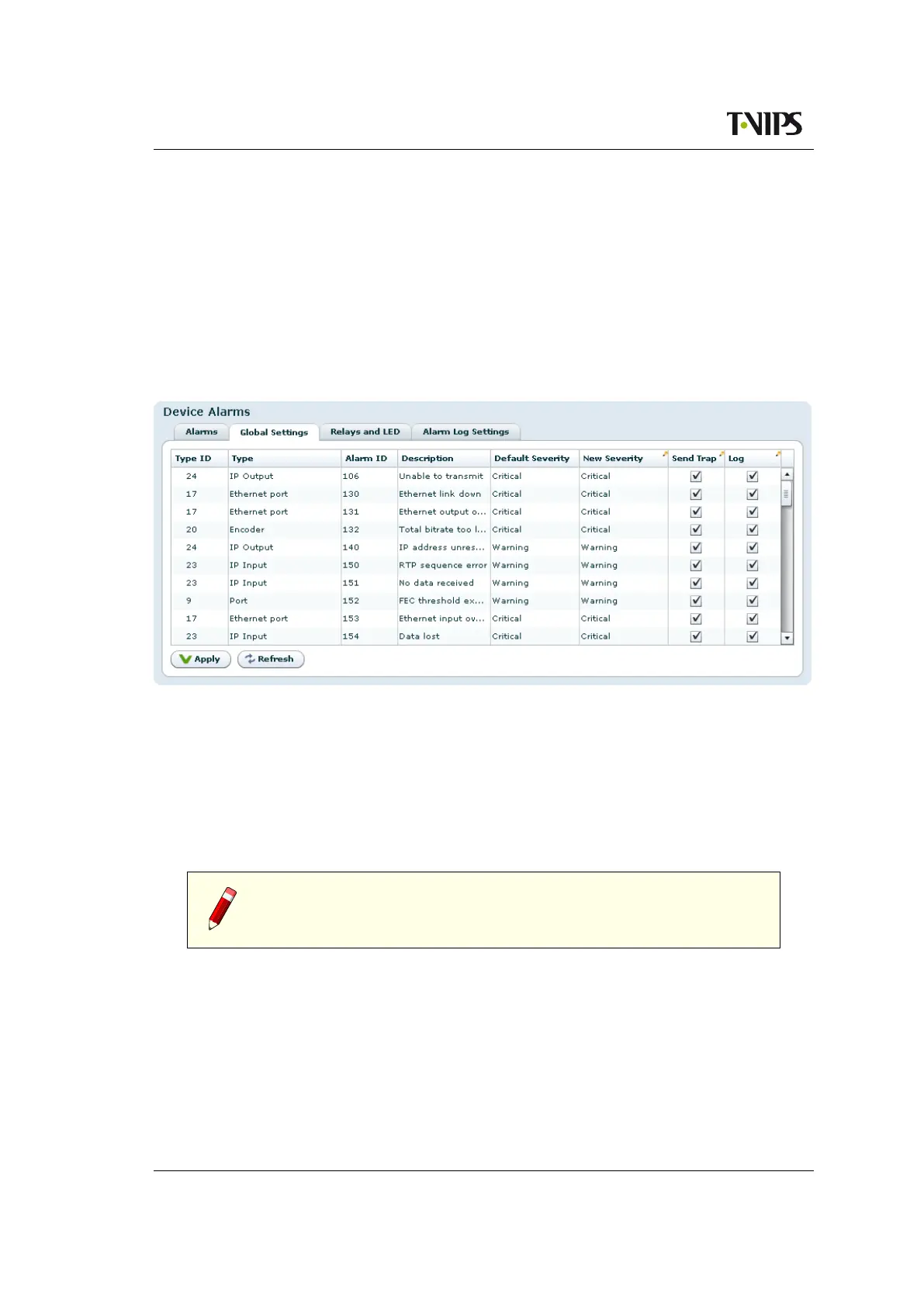
Figure 8.10 Global alarm configuration
This page provides an interface to configure globally the behaviour of all alarms. By default
ports use the global configuration settings but each port alarm can be configured individually
to override these settings.
For each alarm a custom severity level can be configured. In addition the alarms can be omitted
from the alarm log and trap transmission.
Edited rows are highlighted until changes have been applied.
Tip: For the Log and Send Trap columns, you can quickly select/deselect
all items by right-clicking on the header fields in the columns.
8.4.2.3 Relays and LED
This page lets the user configure the alarm severity level that shall turn the relays and alarm LED
on. The behaviour of Alarm relay 1 and Alarm relay 2, and the Alarm LED may be configured
individually for each alarm severity level. Note that the Alarm relay 1 and the Alarm LED will
always be enabled for alarm severity level Critical, as indicated by the disabled check boxes in
the Relay and LED level triggers field. The current state of the relays and LED is indicated
inside the associated brackets.



 To Next Page