WEB Interface 93
ID: um_t2gateway CP560 DVB-T2 Gateway User’s Manual Rev. 2.2 (3686)
Tables
This page shows which tables are present on the input and allows selecting tables that
should be analysed by the unit.
In all sub-pages for a selected input a list of current alarms for that input is shown. The list is
identical to the list displayed in the Current Status view, described in section Section 8.3.1.
8.5.2.1 Main
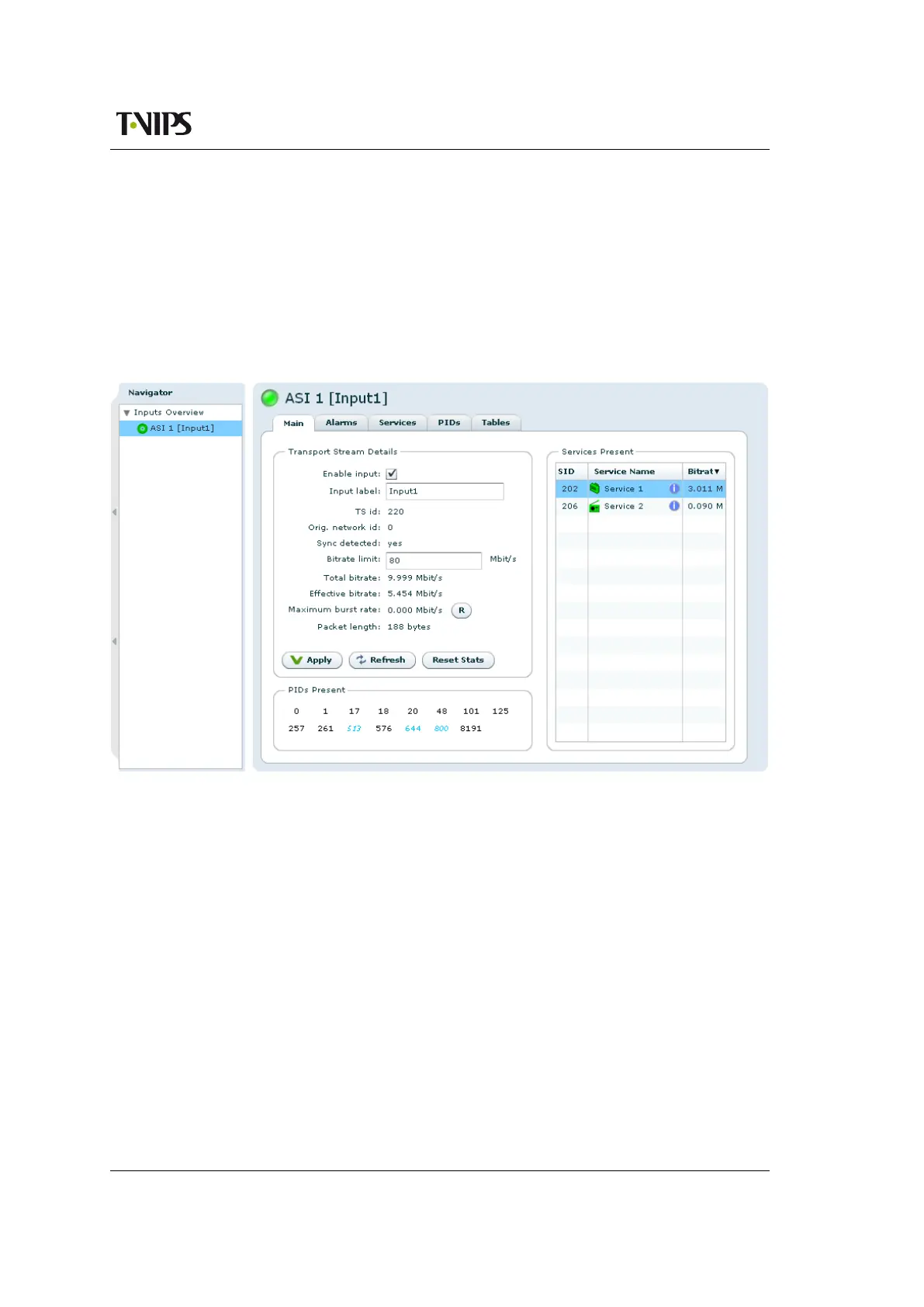
Figure 8.47 Main
The Main page is divided into three sections, the first one being the Transport Stream De-
tails field. This field contains information and some configuration parameters concerning the
transport stream:
Enable input
This shows whether the input is currently enabled. The input is enabled or disabled by
clicking the check box and then Apply.
Input label
This is the user defined name of the input port, which can be changed by typing a new
label and hitting Apply. It is only used in the WEB GUI to identify the port.
TS id
The transport id of the transport stream currently received on the input. The value of this
depends on PAT being present and decoded on the input.



 To Next Page