78 WEB Interface
CP560 DVB-T2 Gateway User’s Manual Rev. 2.2 (3686) ID: um_t2gateway
Partial configuration files are supported to allow a subset of configuration options to be changed
instead of the entire unit configuration. Partial configuration files are validated as differences
from the current running configuration upon import before being made active.
8.4.7.2 Boot Log
This page shows the configuration database status log from the configuration loading at last
re-boot. If the configuration is rejected at boot the previous configuration will not be replaced.
This page may then be inspected to find the reason for rejection.
8.4.7.3 Stored Configs
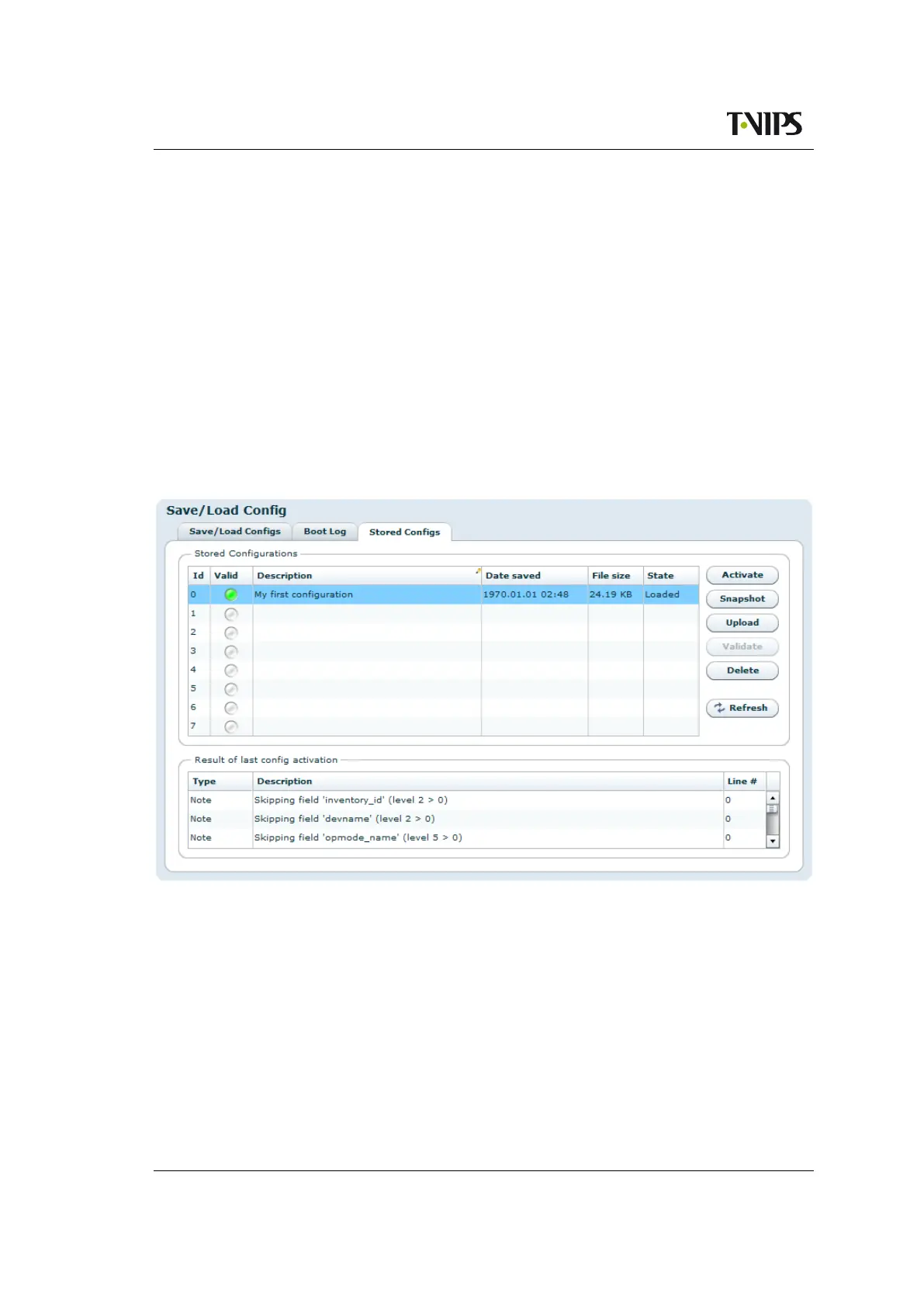
This page provides an interface to management on-device stored configuration snapshots. Up
to 8 full system configuration snapshots can be stored.
Figure 8.32 Locally stored configuration files
The table lists the currently stored snapshots, and columns in the table provide information
specific to each snapshot as follows:
Id
Each entry in the table has an id in the range from 0 to 7.
Valid
Indicates if the uploaded config has a valid XML syntax or not. Valid syntax is indicated
by a green indicator and a invalid syntax is indicated by a red indicator. A silver indicator
in this column signifies that the slot is empty and available.



 To Next Page