84 WEB Interface
CP560 DVB-T2 Gateway User’s Manual Rev. 2.2 (3686) ID: um_t2gateway
The choices are:
DVB
DVB transport streams only are accepted.
ATSC+DVB
Both ATSC and DVB streams are accepted.
Caution: When switching mode from DVB to ATSC+DVB (or vice versa),
the unit configuration is set back to factory defaults and it is then rebooted.
The Operational Modes frame is visible if the SFP Module SW licence key is installed. This
provides the option Electrical/SFP as shown in figure 8.37. This option is used to allocate the
Data-2 IP input to operate through the Electrical Ethernet data interface, or through the SFP
slot.
Figure 8.37 SFP and Electrical Ether-
net select
When switching mode the unit will automatically reboot. The device configuration is kept but
references to Data-2 will be invalid.
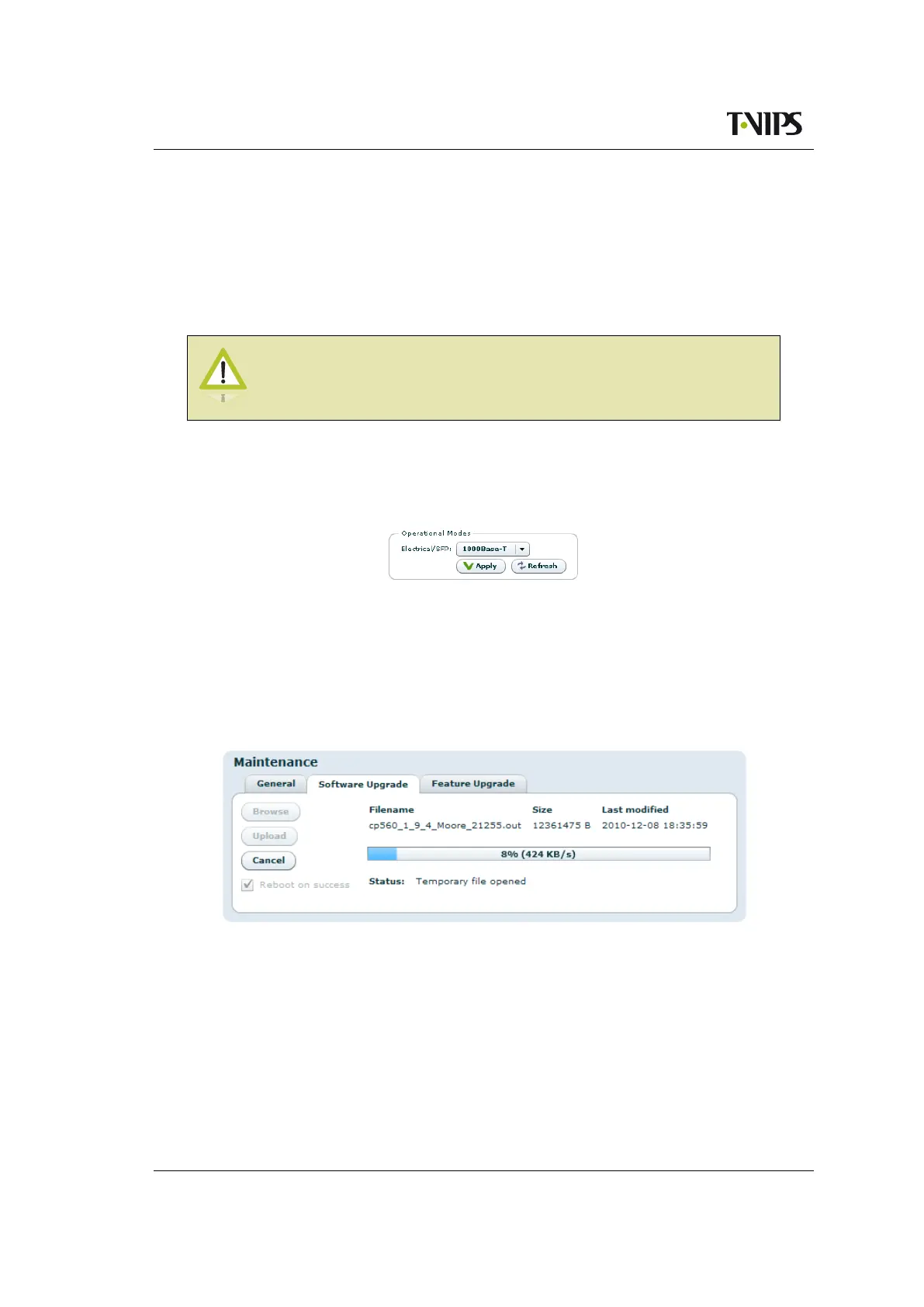
8.4.8.2 Software Upgrade
Figure 8.38 Software Upgrade
The Software Upgrade sub-page lets the user upgrade the software of the device. The page
contains three buttons and a checkbox:
Browse
Prompts the administrator with a standard system Open file dialogue to specify the new
software image file to install.
Upload
Once an image file is specified by using the Browse button, the Upload button is used to



 To Next Page