WEB Interface 83
ID: um_t2gateway CP560 DVB-T2 Gateway User’s Manual Rev. 2.2 (3686)
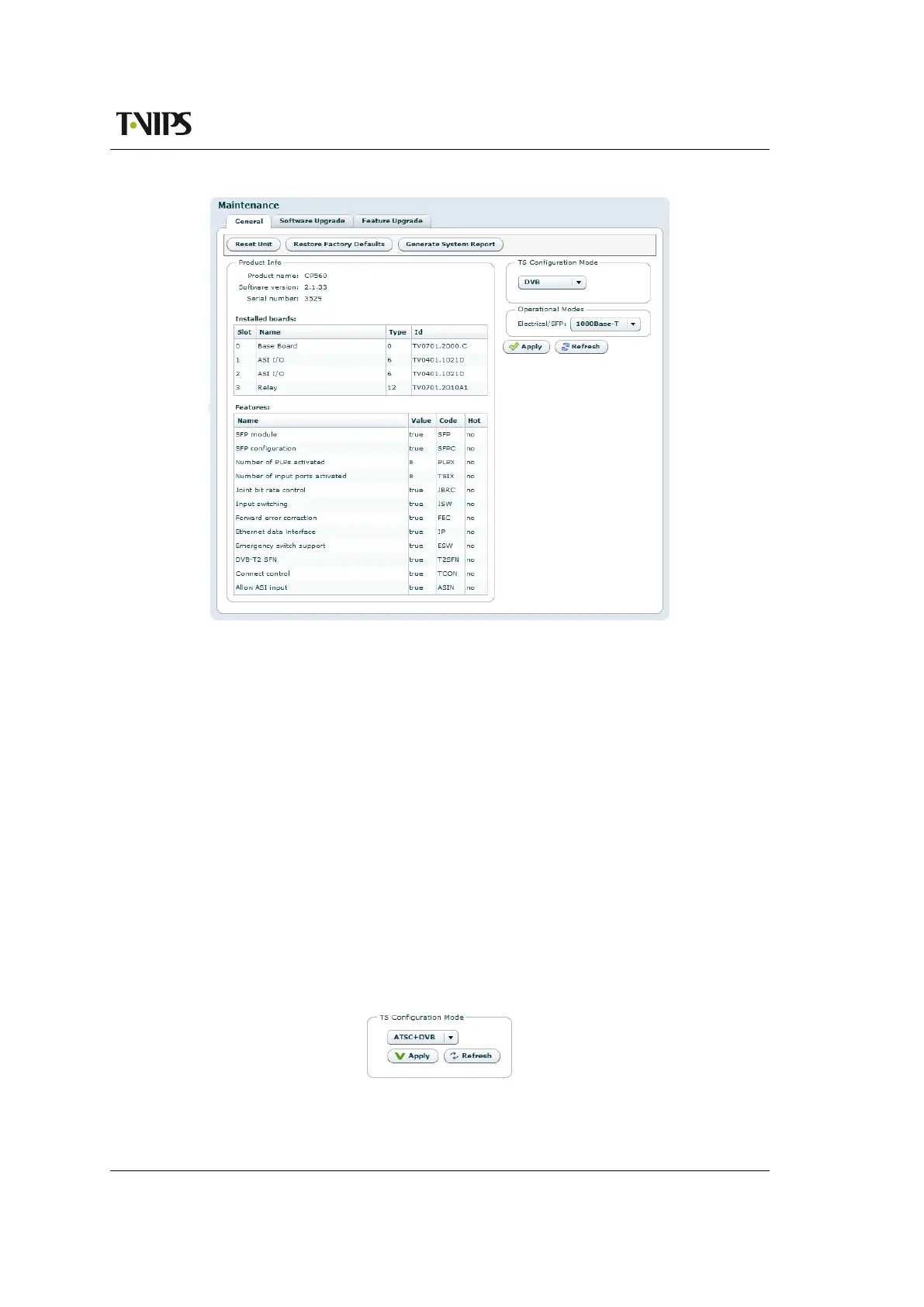
Figure 8.35 Maintenance
The Product info field provides the following information:
Product name
This is the product model name.
Software version
The version of the firmware image installed in the unit.
Serial number
The manufacturer assigned serial number used for warranty and software licensing.
Installed boards
The name and serial numbers of the circuit boards installed in each of the internal interface
slots of the unit.
Features
A list of features relevant to the device and their state (e.g. true, false or the number of
ports supported).
The TS Configuration Mode field allows the user to select DVB or ATSC operational mode.
Figure 8.36 TS
Configuration Mode



 To Next Page