88 WEB Interface
CP560 DVB-T2 Gateway User’s Manual Rev. 2.2 (3686) ID: um_t2gateway
8.5 Inputs
The Inputs page contains all information and settings that apply to the input ports of the device.
The navigation list to the left lets the user select which input to view, or select Inputs Overview
to view a summary of all the inputs to the device. In addition the list also includes the input
switchers and their corresponding inputs, if configured.
The labelling of the inputs is a combination of the user defined name of the input and the
physical number of the input port.
8.5.1 Inputs Overview
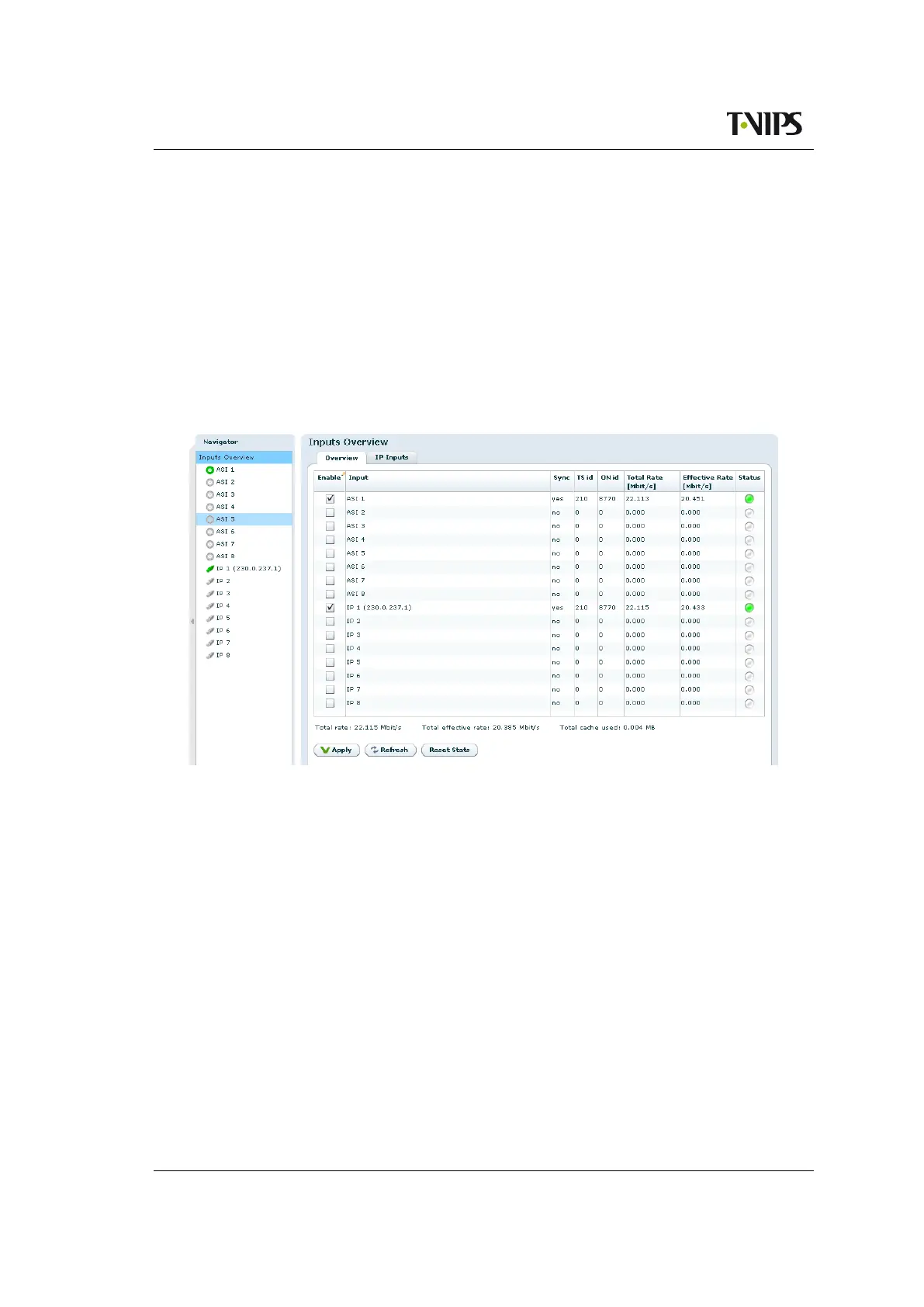
Figure 8.42 Inputs Overview
The Inputs Overview page shows a short table summary of all the inputs of the device. The
table has the following columns:
Enable
This shows whether the input is enabled or not. An input is enabled or disabled by clicking
the check box and hitting Apply.
Input
The name of the input, consisting of the factory defined label with the physical port number
and the user defined name.
Sync
Displays “yes” if the unit has synchronised to this transport stream input.
Total Bitrate
The total bitrate in Mbit/s of the transport stream currently received on the input.



 To Next Page