52 WEB Interface
CP560 DVB-T2 Gateway User’s Manual Rev. 2.2 (3686) ID: um_t2gateway
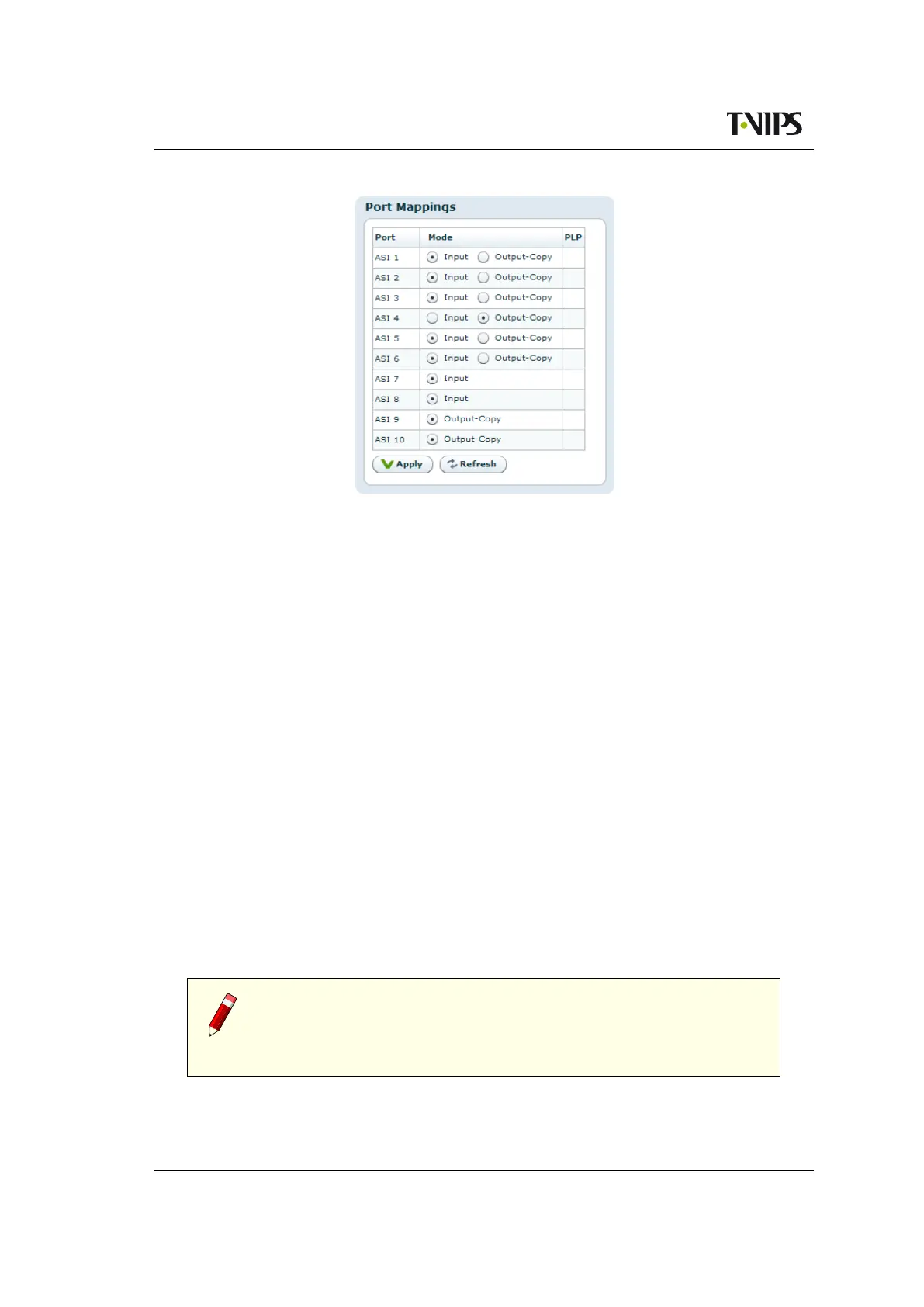
Figure 8.13 ASI
port direction control
Mode
Direction of the port, with two choices:
Input
Use the port as an ASI input to the multiplexer. All input ports can be used, but the
number of inputs that can be enabled simultaneously is limited by the licence key
Number of input ports activated.
Output-Copy
Use the port as an ASI output, transmitting the multiplex generated by the unit.
The valid selections are also documented in
Section 6.1.2.
PLP
If an ASI port is currently being used as input source for a PLP, the PLP id will be listed
in the PLP column. ASI inputs used as source for a PLP may not be port mapped to ASI
outputs until it has been removed as source for the specified PLP. This must be done as
shown in chapter 8.6.4.3.
Configure the mapping that best matches your needs and press apply to activate the new matrix.
Re-configuration does not require re-booting. The choices made will be reflected in the logical
block diagram of the device on the status screen (see also Section 8.3.1)
Note: The port map settings are tagged to follow the device (see Section
5.7.2, and even though the parameters are exported in the configuration
file format, they are not overwritten when loading a configuration file via
the GUI to another device.



 To Next Page