Chapter 7: Field Service Components 00.053.204, Revision A SonixTouch Q+ Service Manual
7-28
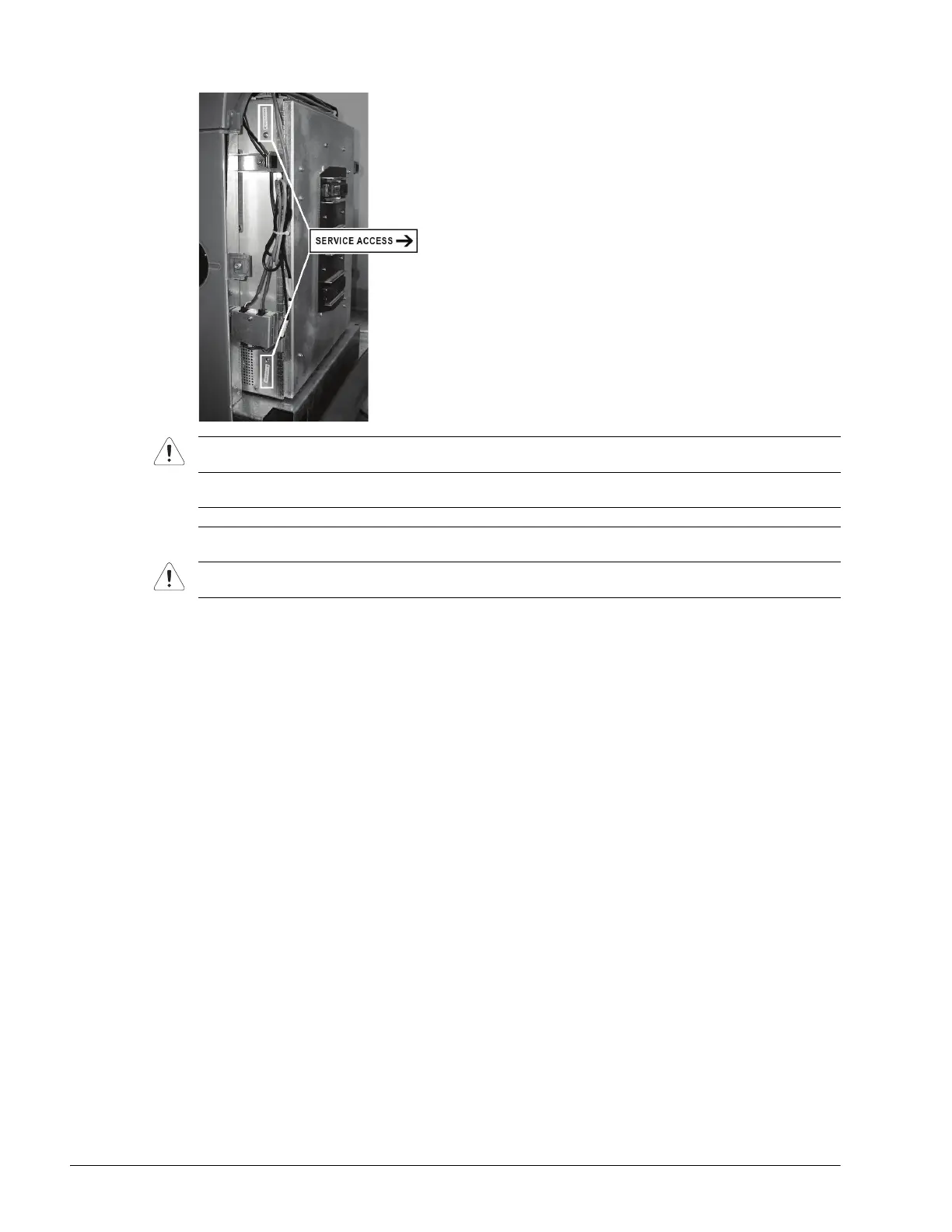
5. From the back, gently push the modulo forward until the "Service Access" screws are revealed.
6. Using the #2 Phillips screwdriver, unfasten the two screws securing the Front Block.
7. Swing open the Front Block/Ultrasound Module to expose the interior.
Caution: When pushing the modulo forward, take care to ensure that the cabling is protected from nicks and
cuts.
Note: The screws will be labeled with a Service Access sticker.
Caution: Only open the door far enough to view inside and locate the cable tie securing the PCI cables to the
inside of the door.



 To Next Page