51
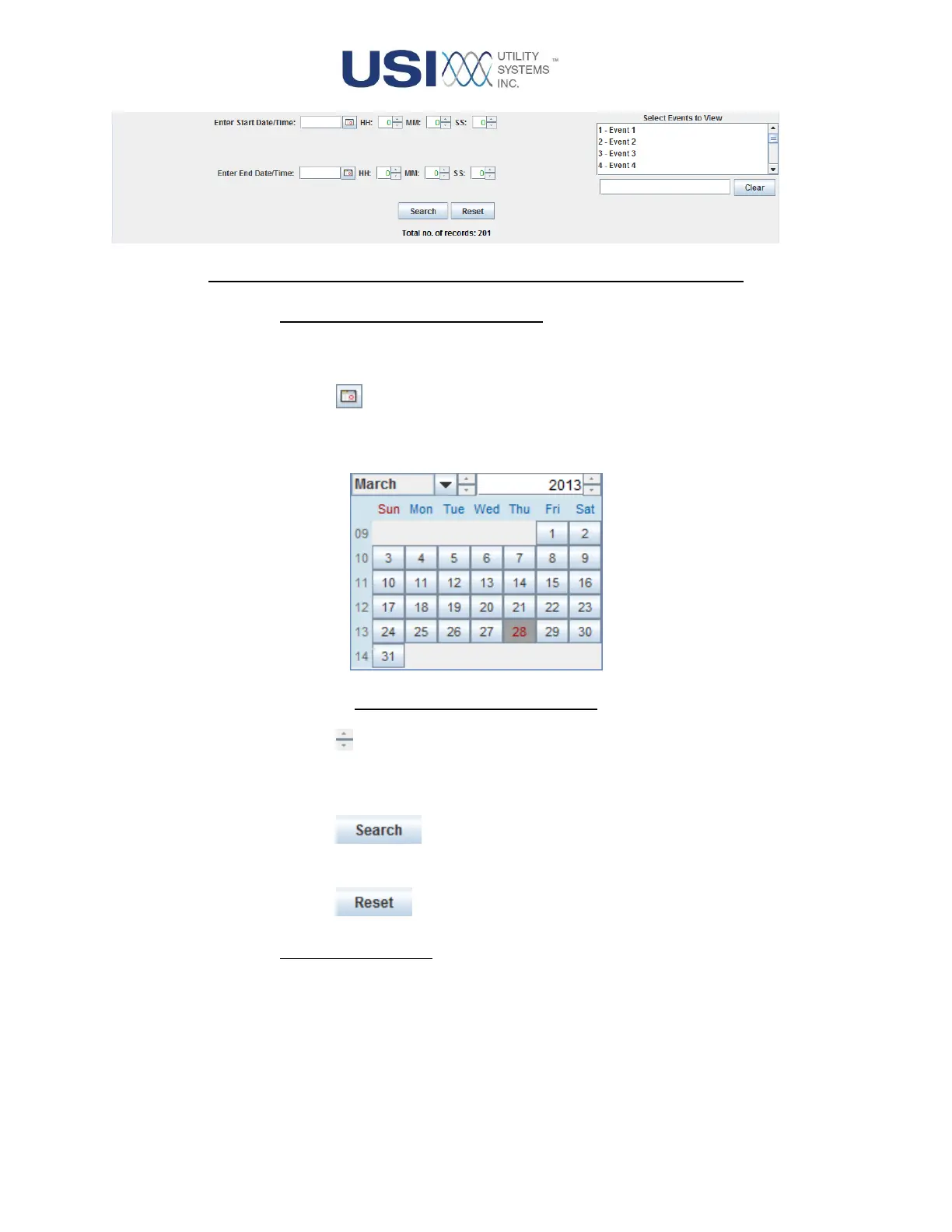
Figure 2-13 SER Data Screen Detail – Start/End Date/Time Entries
o Enter Start Date/Time, End Date/Time:
These fields are used to select the begin and end dates and times to be displayed
on the SER Data table.
▪ Calendar button
This button displays the calendar window. This window is used to select
dates for the Start Date and End Date fields.
Figure 2-14 Calendar Window
▪ Up/Down buttons
These buttons are used to select times for the Start Time and End Time
fields (HH=Hours, MM=Minutes, SS=Seconds).
▪ This button is used to search the SER data for events within
the time period selected in the Date–Time Filter.
▪ This button is used to zero the entries in the Date-Time Filter.
o Select Events to View:
This sub-panel is used to select the digital inputs to be displayed on the SER Data
table. All digital inputs are displayed on a scrolling list. Select inputs to display by
Ctrl+Left-click or Shift+Left-click. The input numbers for the selected events
display in the field to the left of the Clear button.



 To Next Page