86
Note: The DME network contains only the DME system chassis. This network is not used for
remote access to the USI M9000 Master. There is a separate network connection for this
purpose (Section 1.3).
o Select Channels Config:
This drop-down menu displays the combinations of analog and digital inputs which can be
selected for each chassis. This menu is used to tailor each chassis to its physical location.
o Button:
This button returns the display to the New Station Details page.
o Button:
This button adds a new chassis to the DME system configuration. Chassis ID and Chassis
IP address are automatically assigned. The channel configuration is manually selected.
o Button:
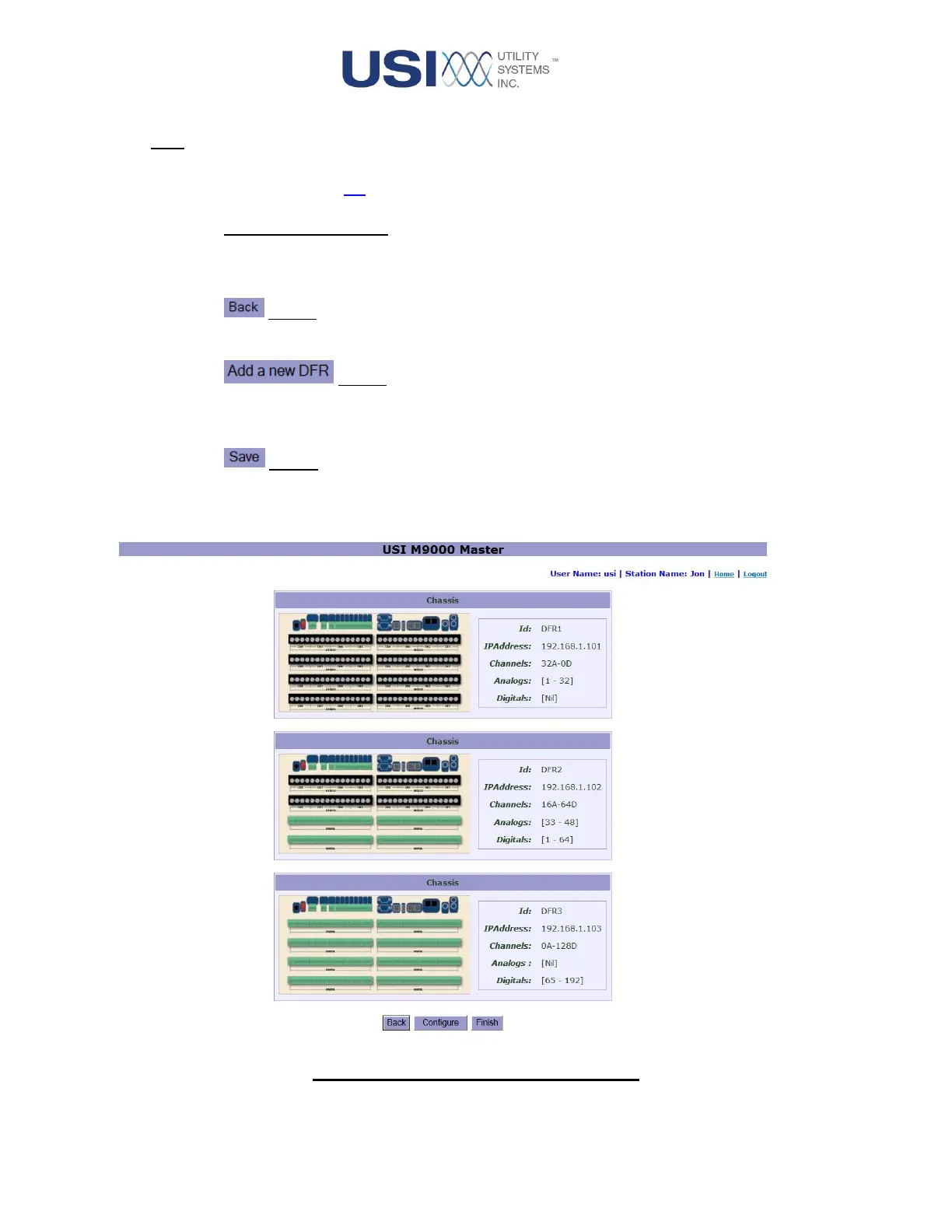
This button saves and displays the chassis assignment portion of the DME system
configuration (Figure 3-12).
Figure 3-12 Saved Chassis Configuration



 To Next Page