76
o External Calibration:
This panel is used to calibrate selected analog channels to an externally applied signal.
This function is only intended to be exercised when there is an external auxiliary device
between the input of the DME System and the output of the device being monitored. This
feature is used to calibrate out any inaccuracy of the auxiliary devices.
Caution: External calibration overwrites the internal calibration factors. A valid external
calibration requires the use of a precision source and an accurate meter with certified
calibration.
▪ At Secondary Field
This field is used to enter the value of the signal level applied to the auxiliary
device connected to the selected analog channels.
▪ Offset Correction
This checkbox is used to compensate for a DC bias from an auxiliary device (e.g.
Hall Effect Sensor). When this checkbox is selected, the External Calibration
routine will also measure the DC bias present on the input and apply an offset
coefficient to zero out the bias applied by the auxiliary device.
▪ Run Button
This button runs the external calibration routine. This feature measures the applied
input signal and compares this reading to the value entered in the At Secondary
field and then applies calculated calibration factors.
Note: When multiple channels are selected, external calibration will be applied to all.
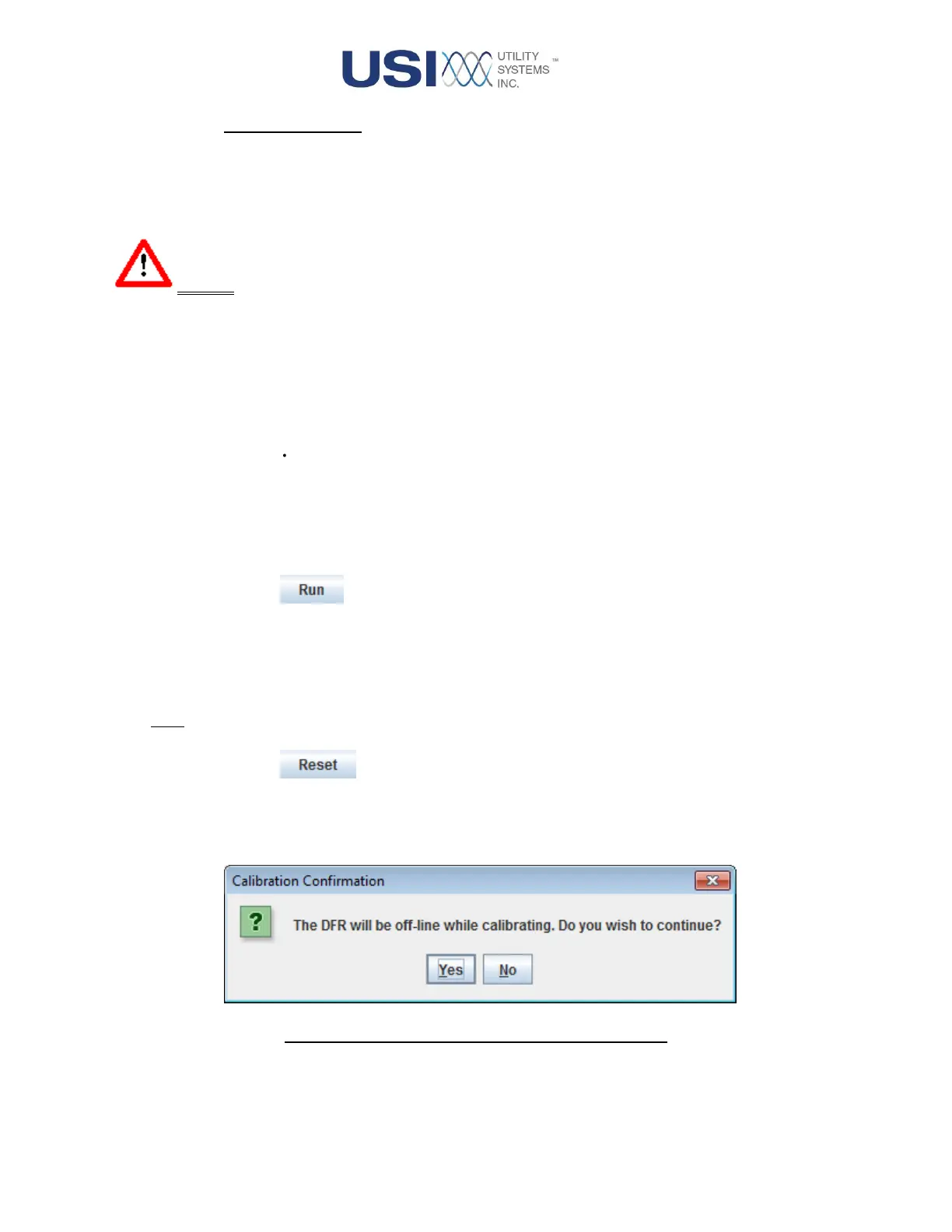
▪ Reset Button
This button displays the external calibration reset confirmation window. This
feature is used to reset the external calibration for the selected analog channels
reverting it back to the last applied internal calibration factors.
Figure 2-44 External Calibration Reset Window


 To Next Page