HP10E / HP12E / HP15E / HP20E - Dairy design 6. Graphical control
6-57© VEMAG 2013
6.6.4.62 Hopper level (optional)
Display: Hopper level
Unit: Off / Automatic / Signal+Stop / Signal / Stop / Speed control
Application: Monitoring level of hopper (optional)
• Enter the mode in which hopper level is to be monitored.
• Press Enter.
To use this function, a tick needs to be in the appropriate eld on Service
page 2. The following modes are possible.
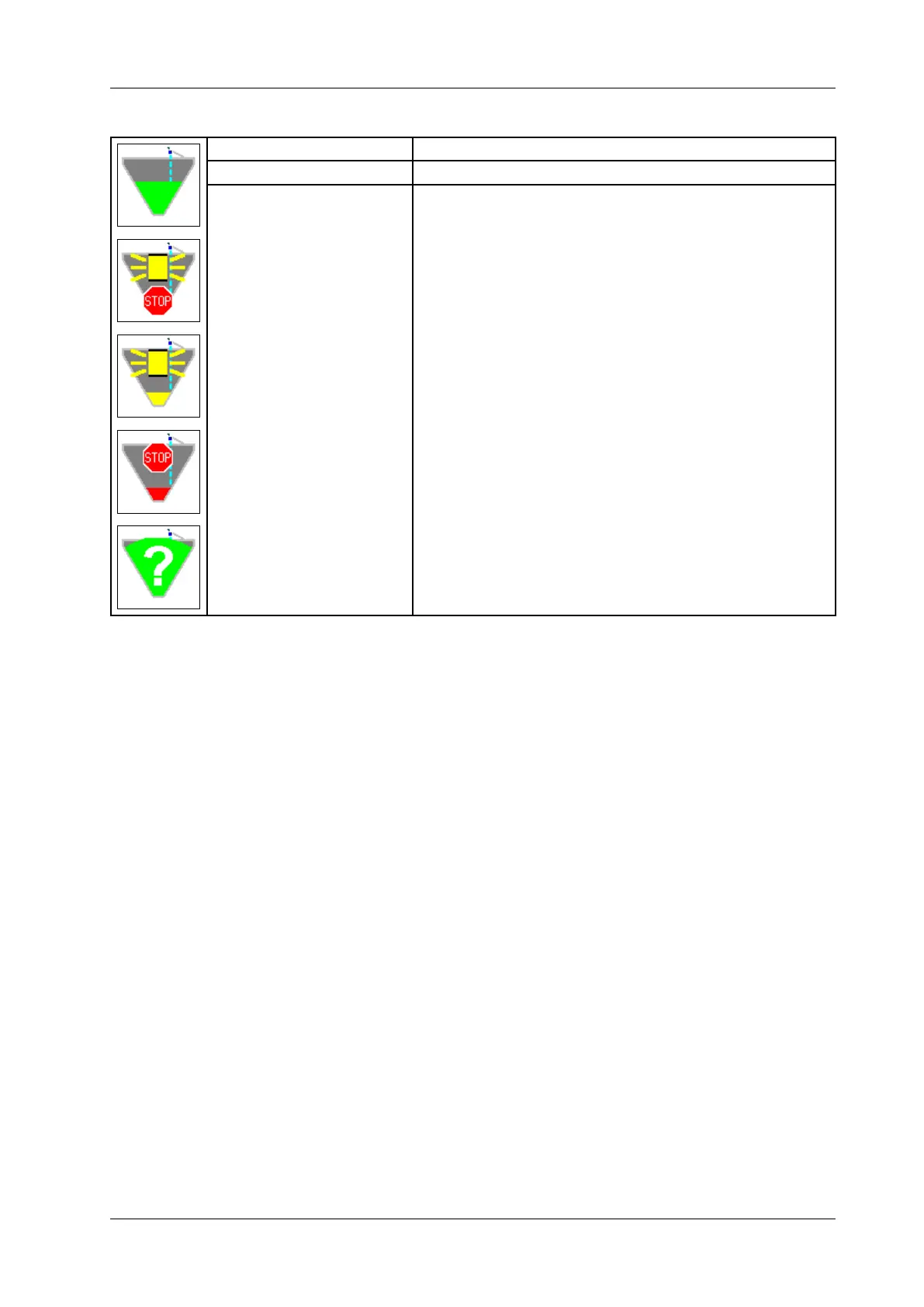
Off: level monitoring is switched off
Automatic: The hopper is automatically lled when the lling level is
undershot (lower limit). When the upper limit is reached,
lling stops.
(only possible with external hopper lling)
Signal+Stop: if the level is undershot (top limit), a signal is output.
If the level is undershot (bottom limit) the machine stops.
Signal: if the level is undershot, a signal is output.
Stop: If the level is undershot, the machine stops.
Speed control: The machine runs at the set speed (max., normal, min.)
regardless of the hopper‘s lling level.
If the product is too close to the sensor (as a consequence of contamination,
for example), the corresponding message appears in the display
(sensor in undened state).



 To Next Page