Videojet DataFlex 6530 Service Manual - Rev AA 4-3
Installation
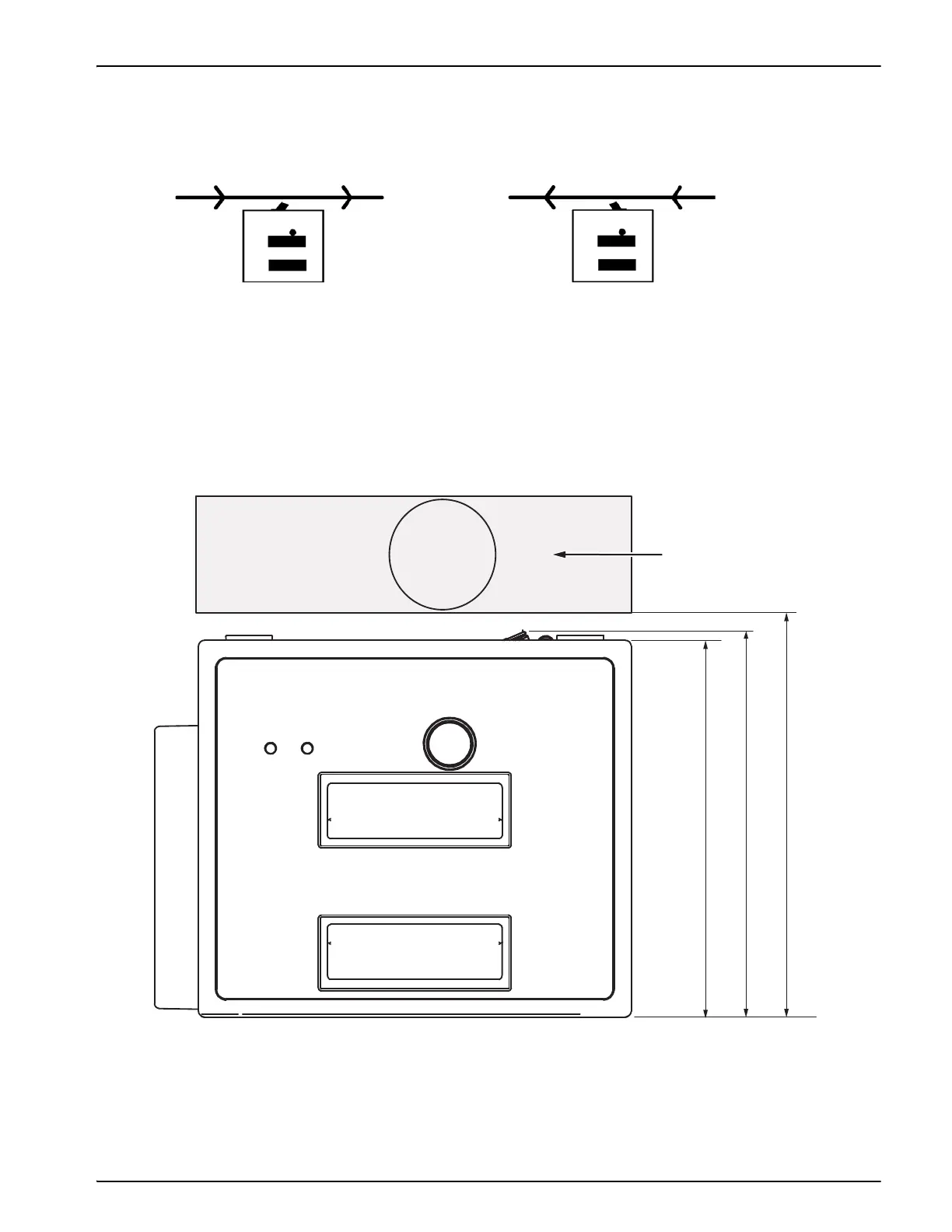
Mount the printer using four M6 screws. Consider the direction of travel of the target material
relative to the printer, when you mount the printer on a continuous motion packaging machine.
This determines whether the printer in use is left-handed or right-handed (Figure 4-2).
The print platten rubber (for printers in intermittent mode) or the roller (for printers in
continuous mode) should be positioned such that it is at 184 mm and 185.5 mm (7.25 inches to
7.30 inches) distance from the back edge of the printer (Figure 4-3). Also, print platten rubber or
the roller should be adjusted such that there is a nominal gap of 2 mm (0.07 inch) between the
printhead and the roller/platten rubber when the printhead is in the Ready to Print position.
Figure 4-2: Right-handed and Left-handed Printer
Right-handed Printer
Left-handed Printer
178 mm
7 inches
184 mm
7.2 inches
185.5 mm
7.3 inches
Printer Pad or Roller
Figure 4-3: Printer Pad or Roller Position



 To Next Page