ELECTRICAL SYSTEM
B2420, WSM
9-S31
(2) Alternator
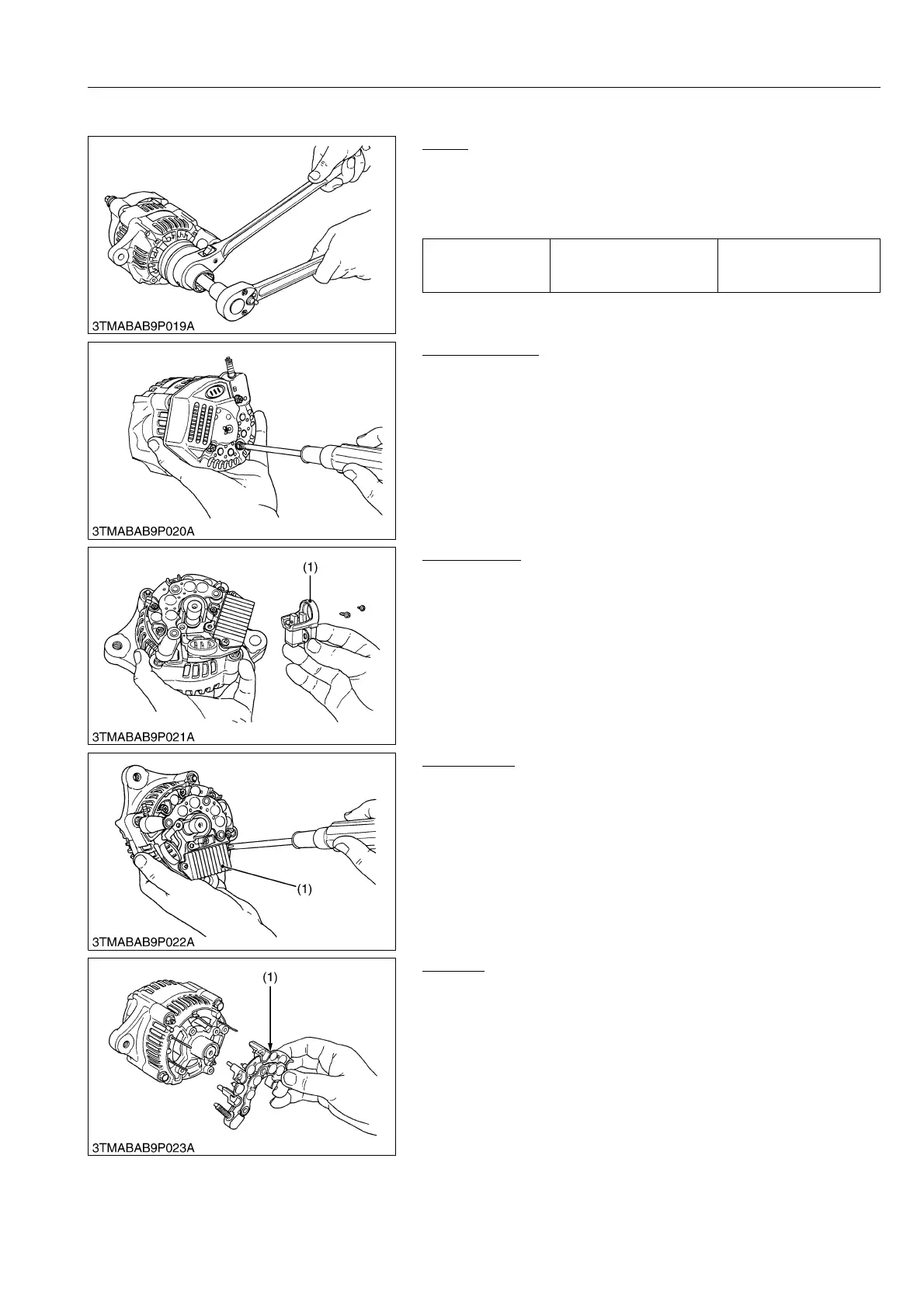
Pulley
1. Secure the hexagonal end of the pulley shaft with a
double-ended ratchet wrench as shown in the figure, loosen the
pulley nut with a socket wrench and remove it.
(When reassembling)
9Y1210436ELS0004US0
Rear End Cover
1. Unscrew the three rear end cover screws and the B terminal
nut, and remove the rear end cover.
9Y1210436ELS0005US0
Brush Holder
1. Unscrew the two screws holding the brush holder, and remove
the brush holder (1).
9Y1210436ELS0006US0
IC Regulator
1. Unscrew the three screws holding the IC regulator, and remove
the IC regulator (1).
9Y1210436ELS0007US0
Rectifier
1. Remove the four screws holding the rectifier and the stator lead
wires.
2. Remove the rectifier (1).
9Y1210436ELS0008US0
Tightening torque Pulley nut
58.4 to 78.9 N·m
5.95 to 8.05 kgf·m
43.1 to 58.2 lbf·ft
(1) Brush Holder
(1) IC Regulator
(1) Rectifier



 To Next Page