CHAPTER ONE
1-6
To latch the Instrument Shoe:
1. Simply close the shoe to the instrument. The latch is
spring-loaded and automatically latches to the shoe catch.
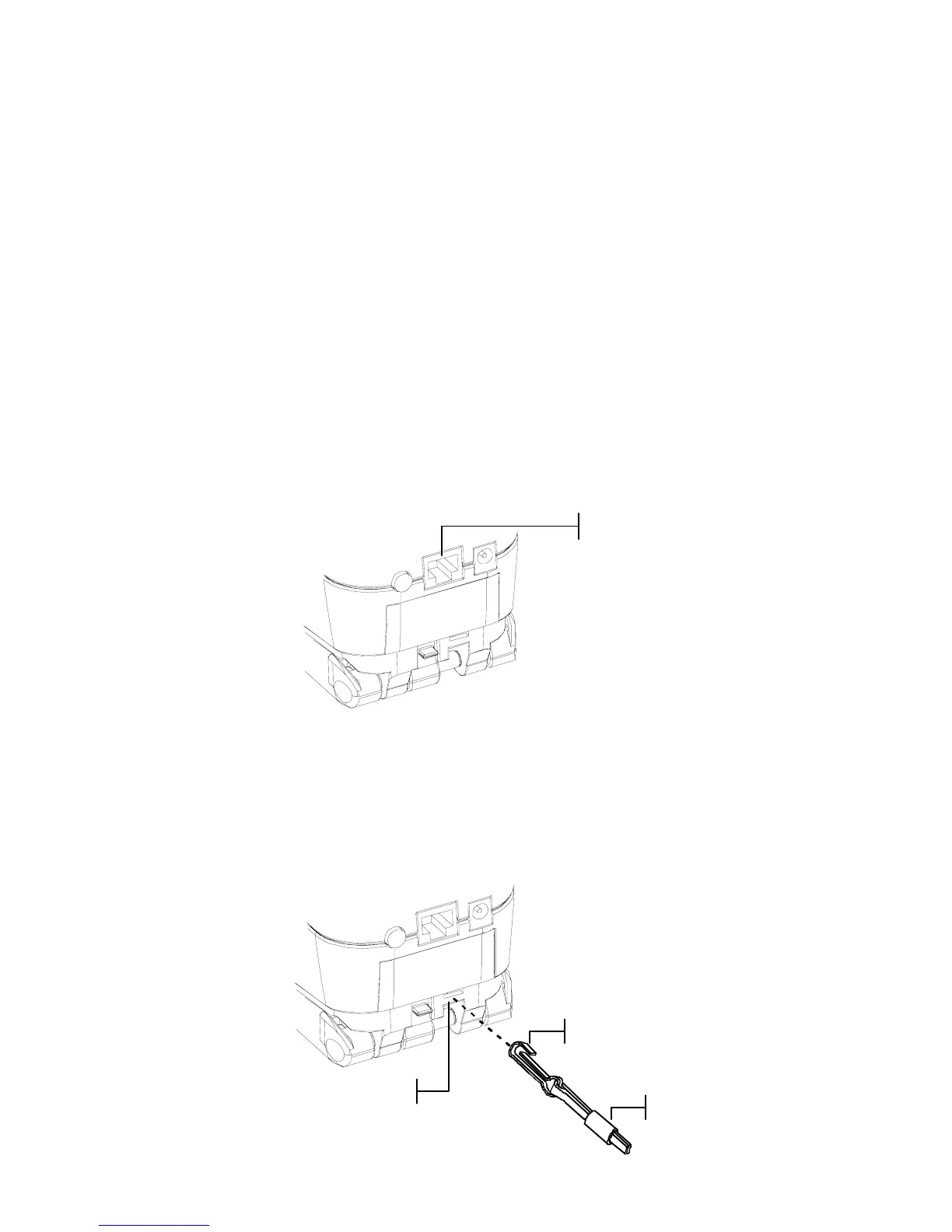
Instrument I/O Serial Interface
Your instrument can be connected to a computer or printer
using a serial RS-232 interface cable and adapter. X-Rite
carries a variety of adapters to meet your requirements.
To install the interface cabling:
1. Insert the modular end of the interface cable into the I/O
port located on the back of the instrument. The cable
connector “clicks” when properly attached.
2. If required, attach an additional adapter to the other end of
the cable.
Attaching the Wrist Strap
A security wrist strap is included to safeguard against
accidentally dropping of the instrument. The strap is attached to
the instrument by simply securing the clasp to the designated
location on the back of the housing. Adjust the strap by sliding
the sleeve to tighten around your wrist.
Connection Location
Strap Clasp



 To Next Page