CHAPTER FIVE
5-26
Opacity Measurement
The Opacity function displays the percent opacity of a drawn
down sample on an opacity card. Color difference data is also
displayed if difference is activated in the configuration.
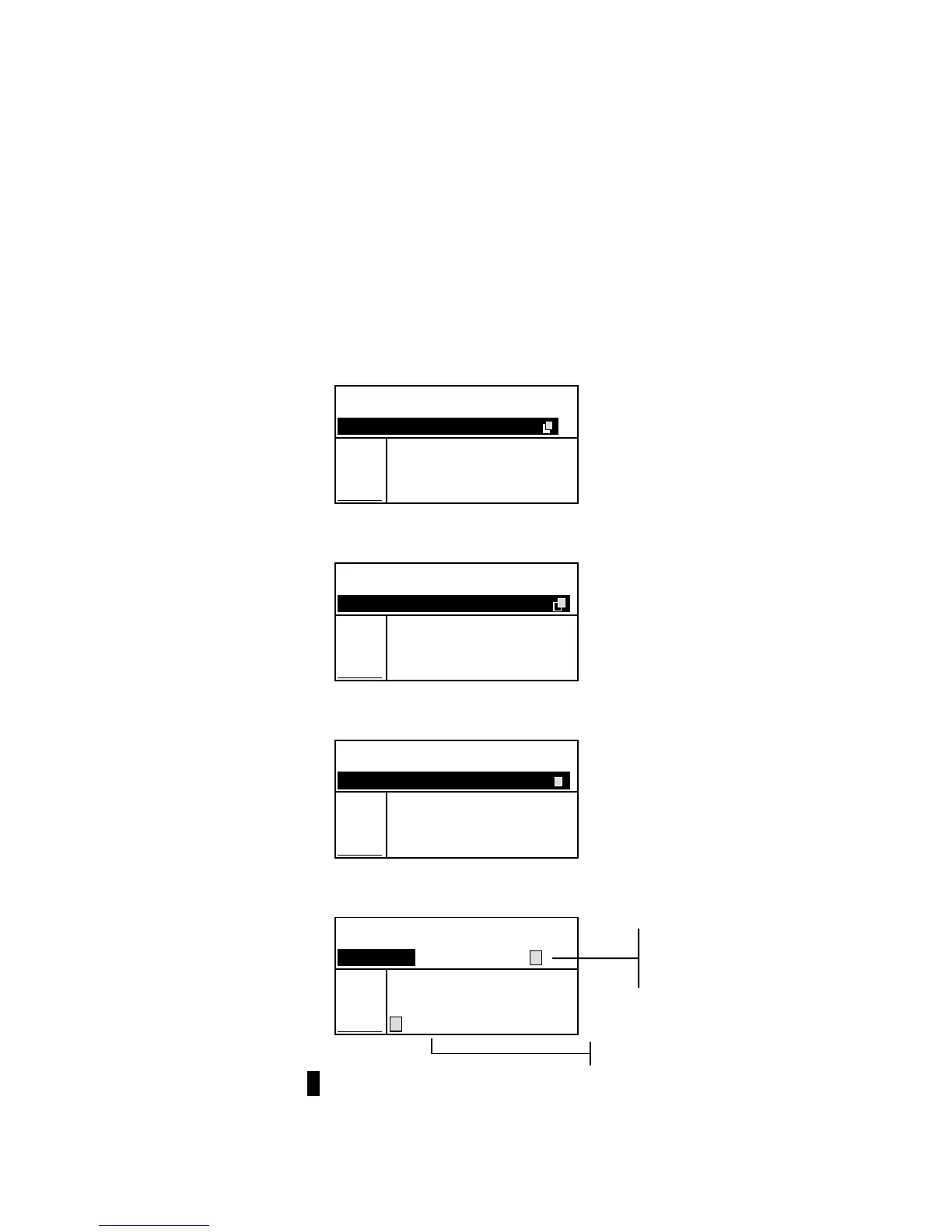
To perform an opacity measurement:
1. Select the project location and standard location (if
required) as discussed in the QA function.
2. Close the instrument to the shoe, then release to activate
the opacity measurement sequence.
Proj 1: PROJECT A
Std 1: STANDARD A
Measure over BLACK
L*a*b*
D65/10
.
.
..
.
.
.
...
3. Measure the sample over the black portion of the opacity
card. Release the instrument after data is displayed.
Proj 1: PROJECT A
Std 1: STANDARD A
Measure over WHITE __
L*a*b*
D65/10
.
.
..
.
.
.
...
L* 81.15
a* +4.50
b*+81.00
4. Measure the sample over the white portion of the opacity
card. Release the instrument after data is displayed.
Proj 1: PROJECT A
Std 1: STANDARD A
Measure white BACK __
L*a*b*
D65/10
.
.
..
.
.
.
...
L* 81.76
a* +6.17
b*+82.03
5. Measure the white backing of the opacity card. Release the
instrument after the opacity value is displayed.
Proj 1: PROJECT A
Std 1: STANDARD A
Sample: #1 8:50
L*a*b*
D65/10
.
.
..
.
.
.
...
ΔL* +1.00
Opacity Δa* —0.26
97.93% Δb* —0.79
@100%→ ΔE* 1.30
NOTE:. When data is stored, only one illum/obs is saved with the data.
Color at 100%
Symbol indicates
color at 100%
data type.



 To Next Page