INSTRUMENT OPERATION MODES
5-7
10. When editing is completed, use the Tab keys $@ to
highlight Save & Exit and press the Enter # key.
11. Continue with additional attribute editing for the selected
tolerance type.
12. When all attributes have been edited for the selected
tolerance type, highlight Save and press the Enter key #.
13. If additional tolerance type editing is required, repeat Steps
2 through 12.
NOTE: Highlighting Next and continually pressing the Enter key #
pages through the tolerances that you have set.
Setting Shade Sort Options
NOTE: The Shade Sort option does not appear for a standard with
manually entered data.
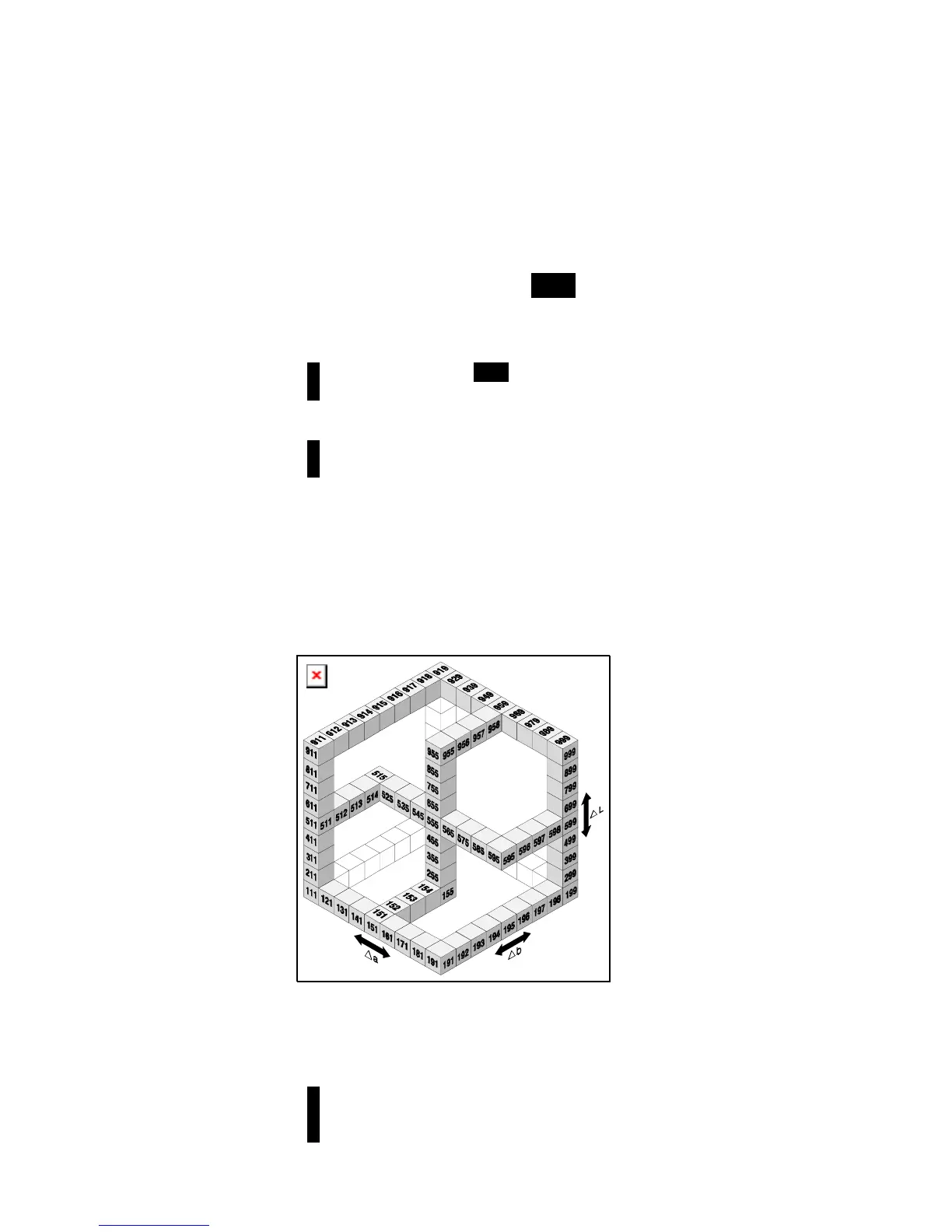
The shade sort size is based on the dimensions placed on the
color space attributes. The value represents a three-dimensional
box in space. These boxes are layered nine deep on each axis
and at the center is the 555 reference box. This box represents
your reference color. The value in the L*, a*, and b* fields
determine the reference box size. A smaller value is entered for
a tighter tolerance. Values range from .01 to 9.99
The shade sort range determines the range of the 555 shade tag
boxes to be used and displayed. The range can be set from 1 to
9 in the three dimensional space.
The 555 indication appears on the QA mode when set.
NOTE: The Shade Sort options cannot be edited if the standard is
locked. Refer to Locking/Unlocking Standard later in this section for
additional information



 To Next Page