INSTRUMENT OPERATION MODES
5-15
QA (Quality Assurance)
The QA measurement function can be used in conjunction with
an X-Rite quality assurance software package, such as
X-RiteColor® Master program. Sample measurements are
compared to stored standards and the results displayed. Stored
measurement data can then be uploaded to the software
program for further analysis. The measurement results
displayed depend on how the instrument configuration is set.
Measurement results can display as measured or color
difference compared to a standard. Difference data can have
pass/fail tolerancing applied along with 555 shade sort. This
section covers all the functions available in the QA mode.
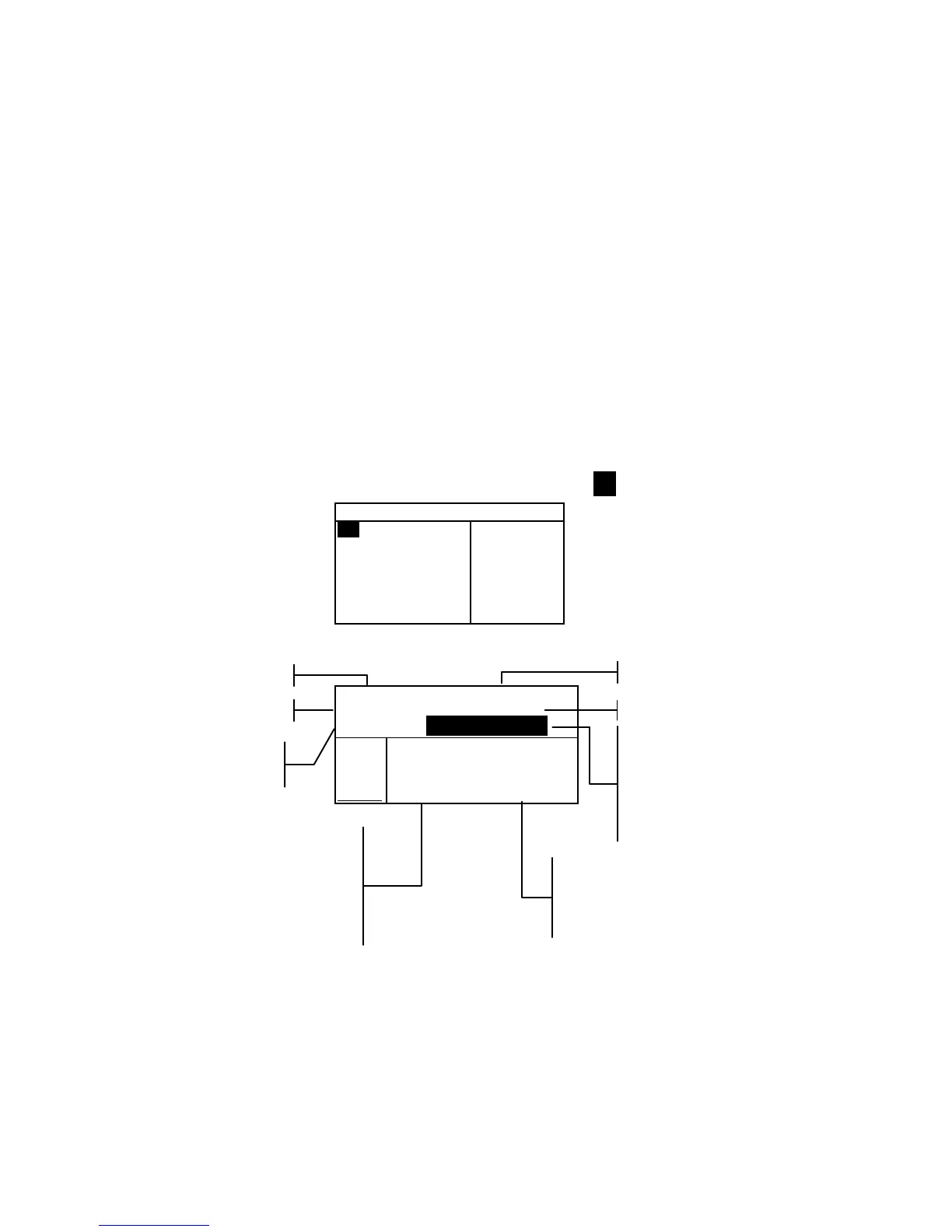
To access the QA function:
1. Use the Tab keys $@ to highlight QA.
–MAIN MENU–
QA
Analyze
Compare
Strength
Opacity
↓
X—Rite
964
——————
XXXX
******
2. Press the Enter key # to access the QA function.
Proj 1: PROJECT A
Std 1: STANDARD A
Sample: < Last Meas>
L*a*b*
D65/10
.
.
..
.
.
.
...
ΔL* +0.05
L* 88.25 Δa* —0.03
a* —4.71 Δb* —0.14
b*+36.64 ΔE* 0.16
Project Name
Standard Name
Project Location
Standard Location
This field always displays
<Last Meas> when samples
are not stored. When
samples are stored, a
sample # and time stamp is
displayed.
Accesses
Sample Tools
Sample difference values or
words appear indicating
color direction compared to
the current standard.
This area displays sample
measurement values.
Pass/Fail and 555 Shade
Sort indication appears
here when they are
activated.



 To Next Page