CHAPTER FIVE
5-28
Compare
The Compare function is a quick method for comparing
measurements without storing the data. After entering the
mode, the first measurement is set as the standard and each
measurement thereafter is compared to it. The standard can be
remeasured whenever desired. Measured data can be
automatically transmitted from the RS-232 port if Auto Xmt is
activated in the Instrument Configuration.
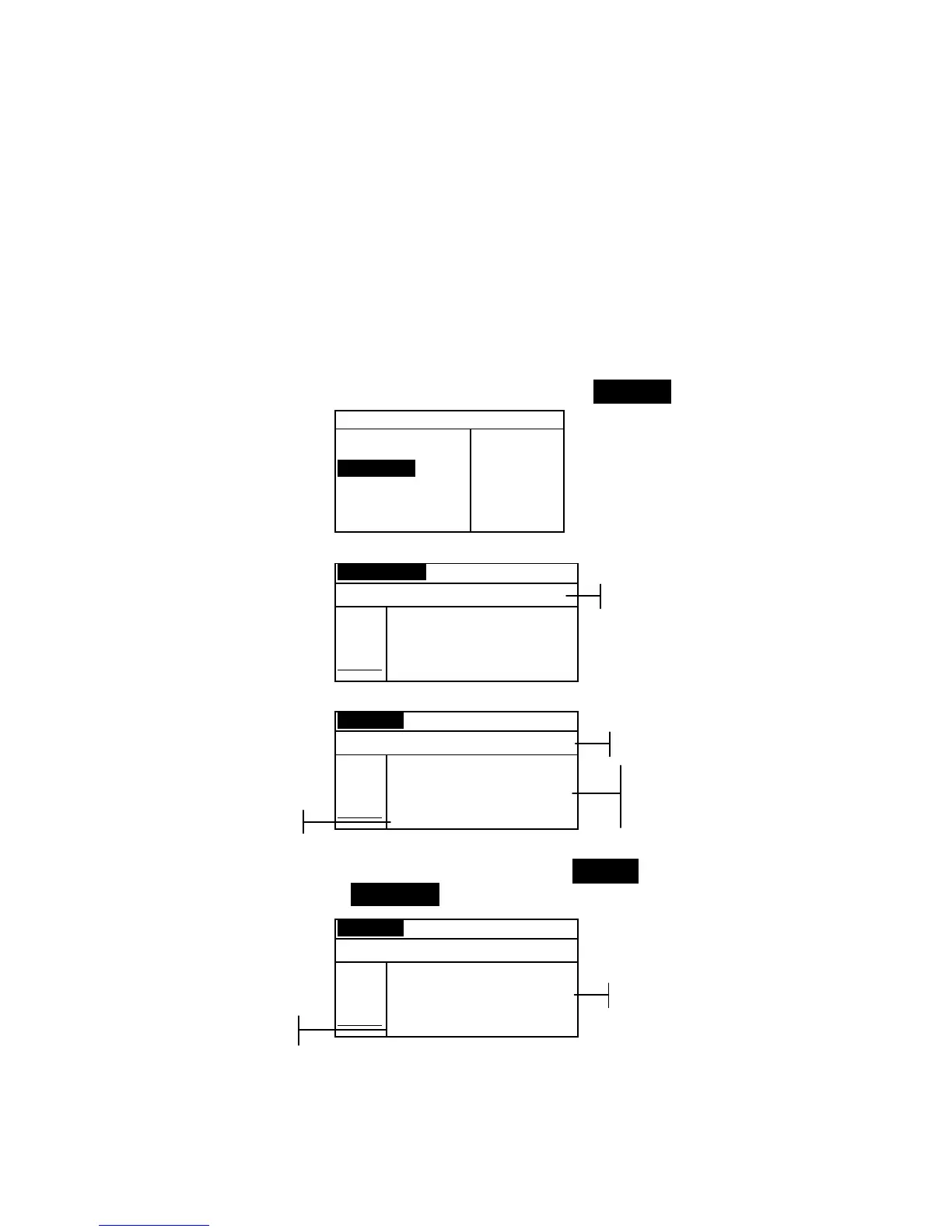
To access the Compare function:
1. Use the Tab keys $@ to highlight Compare.
–MAIN MENU–
QA
Analyze
Compare
Strength
Opacity
↓
X—Rite
964
——————
XXXX
******
2. Press the Enter key # to access the Compare function.
Standard Compare
<Measure Standard>
L*a*b*
D65/10
.
.
..
.
.
.
...
L* 0.00
a* 0.00
b* 0.00
3. Measure the standard to be used for comparison.
Sample Compare
<Measure Sample>
L*a*b*
D65/10
.
.
..
.
.
.
...
ΔL* +0.00
L* 81.17 Δa* —0.00
a* +6.39 Δb* +0.00
b*+83.05 ΔE* 0.00
4. Standard measurement data is displayed. Measure the sample
or press the Enter key # with Sample highlighted to toggle
to Standard. Another standard can then be measured.
Sample Compare
<Measure Sample>
L*a*b*
D65/10
.
.
..
.
.
.
...
ΔL* –0.08
L* 81.09 Δa* —0.00
a* +6.39 Δb* –1.08
b*+81.97 ΔE* 1.08
Measurement instruction
Difference Data
Sample Data
Difference data appears
as all zeros before
measuring a sample
Measurement instruction
Standard Data



 To Next Page