166
ZIP2x2 User’s Manual
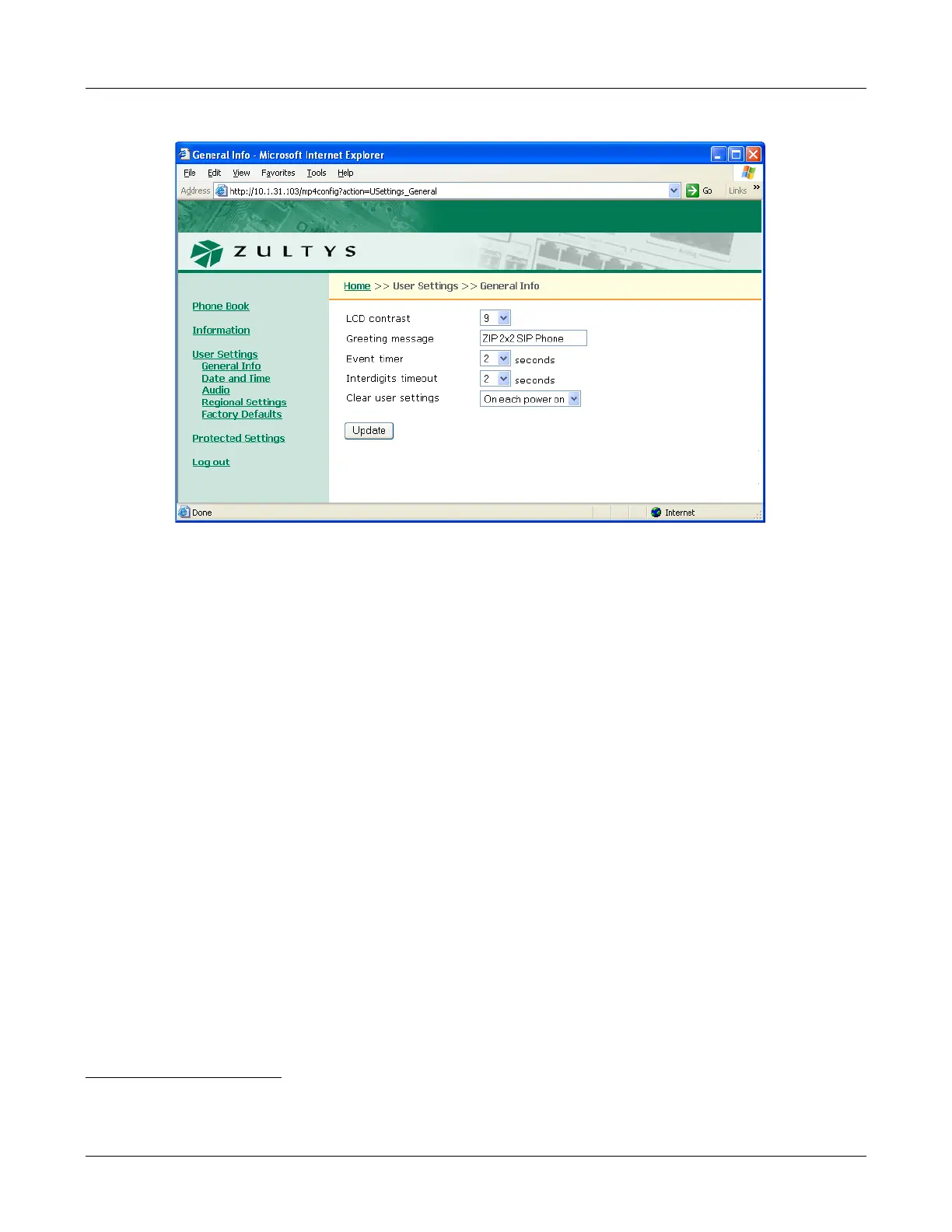
Event timer. The Event Timer parameter determines the period that the phone displays status
messages. The combo box contains the current value. Section 8.4.6.1 on page 99 describes the
equivalent menu command.
Interdigits Timeout. The Interdigits Timeout parameter determines the period that the phone
waits after the last digit is dialled before sending the number to the SIP server if the # button is
not pressed. Section 8.4.6.2 on page 99 describes the equivalent menu command.
Clear user Settings. The Clear user settings parameter determines the settings that the phone
uses each time it powers up. The data entry box contains the current value. Section 8.4.3 on page
90 describes the equivalent menu command. Valid parameter settings include:
• Never: Each time the phone powers on, it retains the user settings that were previously
entered. This parameter is typically set to never in most situations.
• On next power on: The next time that the phone powers on, it takes its user settings from the
configuration file saved on the TFTP site.
1
After the phone takes its settings from the
configuration file, it sets this parameter to never, and will not take the settings from the
configuration file again.
This is very useful if a telephone is being transferred to a different person of if the person is
changing locations. The administrator can maintain the default setting (within the
administration UI) and change this parameter on the phone to on next power on. The next time
the phone boots up it will take the default configuration. This will eliminate any undesirable
settings and the user of the phone can now configure his or her own preferences.
Figure E-11 User Settings – General Info panel
1. See section 4.1 on page 25 for a description of the mechanism by which this takes place.



 To Next Page