E. Web Interface Configuration Utility
177
E.6.4 Audio
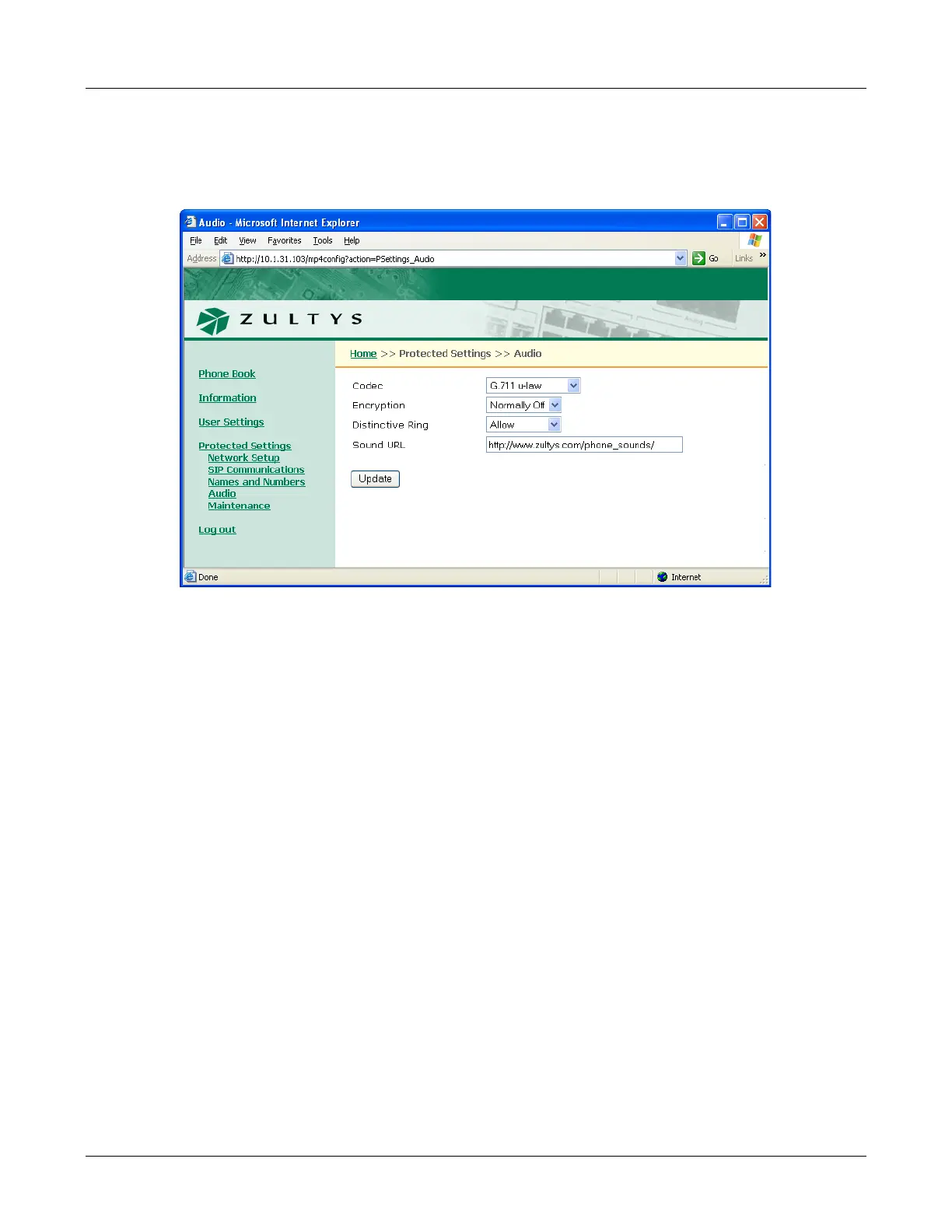
The Audio panel, as shown in figure E-21, controls the way that the phone handles speech and
ringing tones. The Audio panel displays the configuration options for the following parameters:
Codec. This parameter defines the way that the phone encodes speech. Normally, you should
select G.711-µ law for North America and Japan, and G.711-A law everywhere else. The phone
also provides G.729A and G.729AB for networks where bandwidth may be restricted. Section
8.5.6.1 on page 117 describes the equivalent menu command.
Encryption. This parameter determines if encryption must be used by the phone. Section 7.4 on
page 73 describes encryption and the encryption options provided by this panel. Section 8.5.6.2
on page 117 describes the equivalent menu command.
Distinctive Ring. This parameter allows the user to select a single ring tone for all incoming calls
or different ring tones for internal and external calls. Section 8.5.6.3 on page 118 describes the
equivalent menu command.
Sound URL. This setting specifies the location of WAV files that are used for custom ring tones.
Section 8.5.6.4 on page 119 describes the equivalent menu command.
E.6.5 Maintenance
E.6.5.1 Change Password
The Change Password panel, as shown in figure E-22, allows you to change the phone password.
When the phone is shipped from the factory, its default password is 985897. Section 8.5.1 on page
103 describes the equivalent menu command.
Figure E-21 Protected Settings – Audio panel



 To Next Page