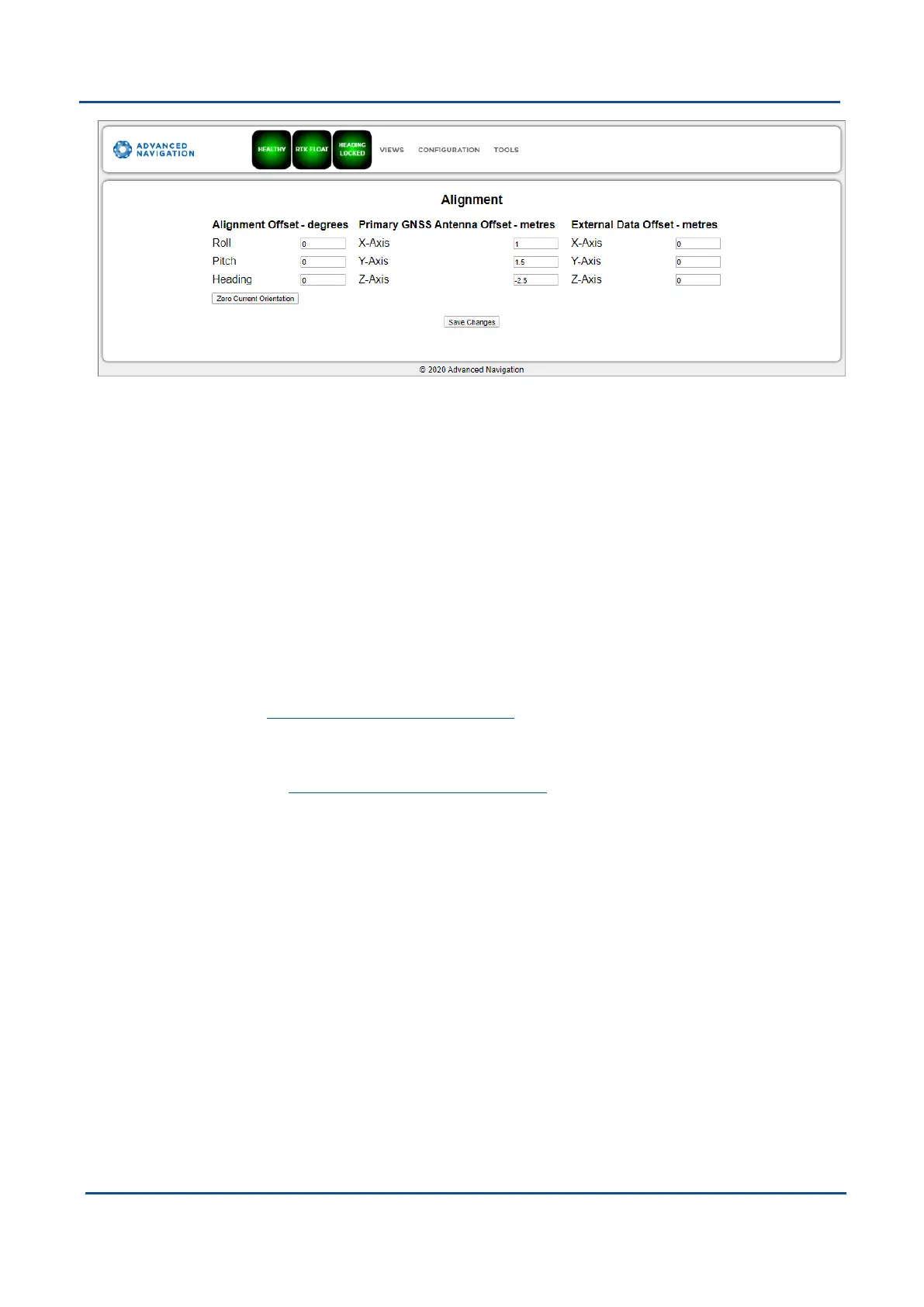
Figure 39: Boreas Web UI Alignment Page
Alignment Offset
If Boreas is installed into the vehicle with the positive X axis pointing forwards and the positive Z axis pointing
down, then no alignment offset is required and the roll, pitch and heading offset values can remain at the factory
defaults of zero.
If the unit is installed in a different orientation then the roll, pitch and heading offset must be entered. For
example, if the unit is installed on its side with the X axis pointing up and the Z axis pointing forwards and no
change to the Y axis, then this would result in a pitch offset of +90 degrees with roll and heading remaining zero.
If there is a small misalignment due to mechanical mounting error this can be compensated for by setting the
vehicle stationary on a level surface and clicking the Zero Current Orientation button. Note that this will only
correct for roll and pitch offsets, the Heading offset must be entered manually and saved after using this
function.
Primary GNSS Antenna Offset
The primary GNSS antenna offset is measured from the centre of the Boreas unit to the phase centre of the
primary GNSS antenna in 12.3 The Body Co-ordinate Frame (X positive forward, Z positive down).
External Data Offset
These values are only required for speciality applications operating with an external source of velocity and
position data. Please contact support@advancednavigation.com for assistance.
9.1.3.4 Baud Rates
This page is for setting the baud rates for the GPIO, primary and auxiliary ports. The factory default baud rate
value for these ports is 115200 bps.
The primary and auxiliary ports can be set to RS232 or RS422. The factory default is RS232 for both ports.
v1.2 Page 61 11 Oct 2022
Boreas Reference Manual • Configuring and Monitoring Boreas


 To Next Page