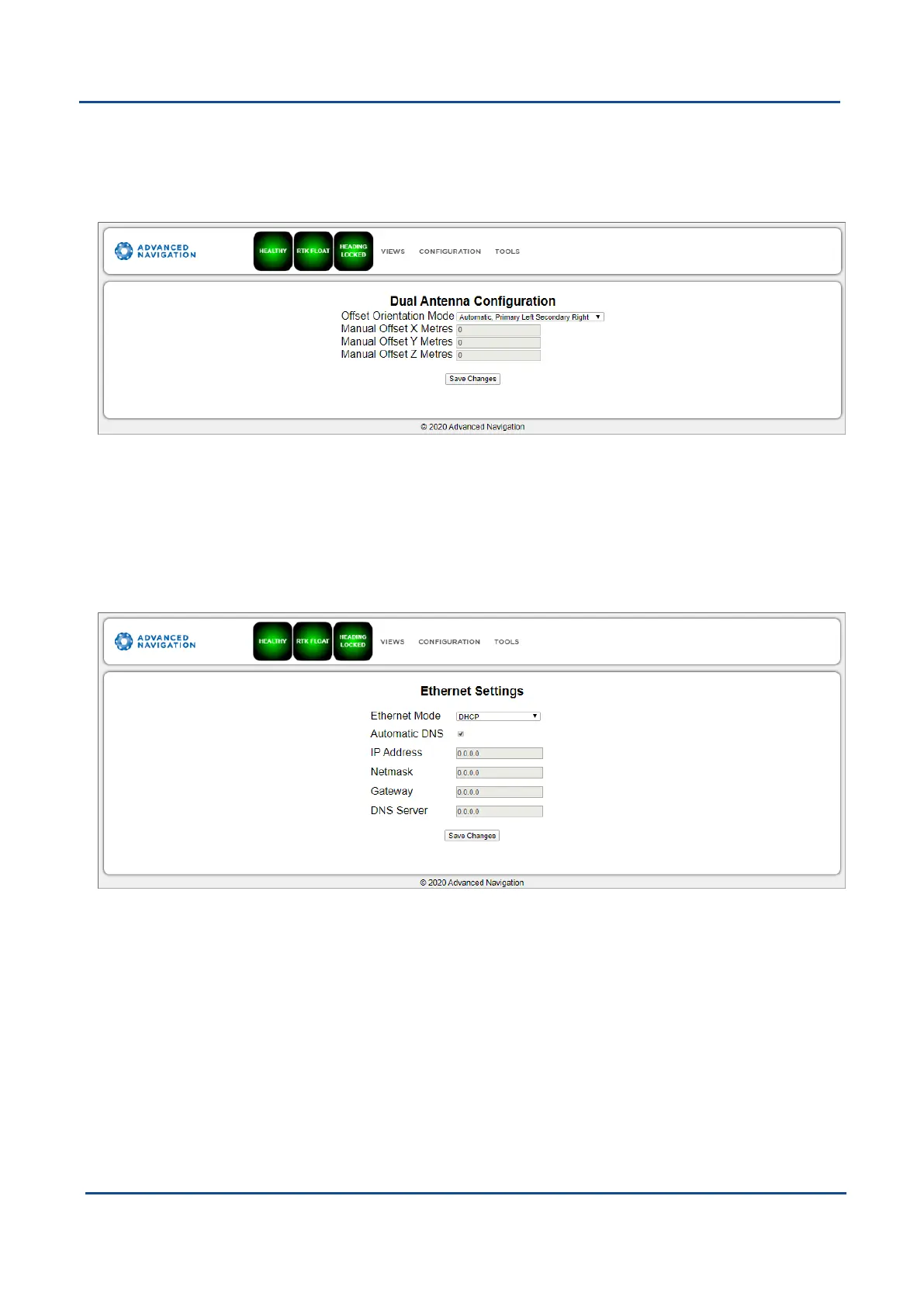
When using an automatic offset, the manual offset values are ignored.
When using a manual offset, the automatic offset selection is ignored.
When using automatic offset, the manual offset values will show the distance that Boreas has automatically
measured.
Figure 46: Boreas Web UI Dual Antenna Page
9.1.3.11 Ethernet Settings
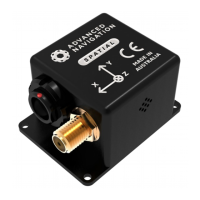
The Ethernet Settings page allows you to enable or disable the DHCP Client. When the DHCP Client is disabled
you need to enter the TCP/IP settings if you wish to access the web UI.
If you are only connecting to Boreas via the primary port these settings can be ignored.
The default is for the Ethernet mode to be set to DHCP.
Figure 47: Boreas Web UI Ethernet Settings page
9.1.3.12 NTRIP Client
The NTRIP client built into Boreas can be used to connect to a network DGPS (Differential GPS, a older
standard for GNSS corrections of lower performance than RTK) or RTK service to stream correction data to
Boreas for DGPS or RTK. The NTRIP client requires that Boreas has an available internet connection to the
NTRIP Caster to function.
The source of the corrections data can be either your own base station, configured as an NTRIP Caster, or a
third-party service. Either way, you will need the login details for connecting to and authenticating with the
NTRIP Caster, and identifying the nearest mountpoint.
These steps are required:
v1.2 Page 65 11 Oct 2022
Boreas Reference Manual • Configuring and Monitoring Boreas


 To Next Page