Modemmanager can also sometimes cause problems on Linux installations. If you are not using a modem, it is
recommended to remove modemmanager with the command:
sudo apt-get remove modemmanager
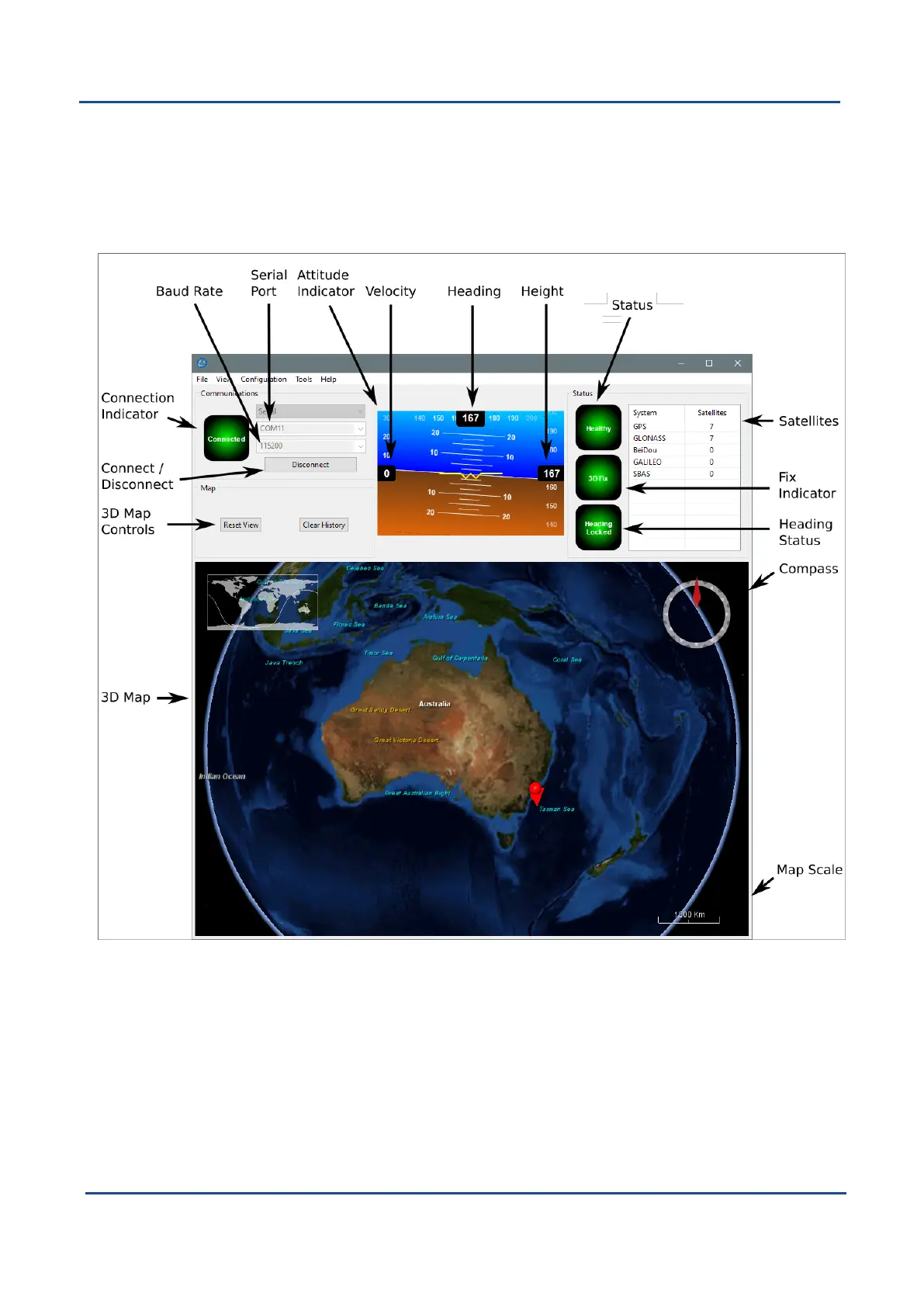
9.2.5 Main View
Figure 58: Boreas Manager Main View
9.2.5.1 Serial Port
The Serial Port dialogue is used to connect to Boreas. Select the serial port and baud rate and click Connect.
The default baud rate of Boreas is 115200. The Connection Indicator displays whether there is communication
with a Boreas unit.
9.2.5.2 Baud Rate
This displays the current and available baud rates options for the serial connection.
v1.2 Page 77 11 Oct 2022
Boreas Reference Manual • Configuring and Monitoring Boreas


 To Next Page