1. Navigate to the Firmware Update page under the Tools menu.
2. Click Choose File and select the firmware file.
3. Click Upload File.
4. Wait for the system to restart.
9.2.8.3 Log Converter
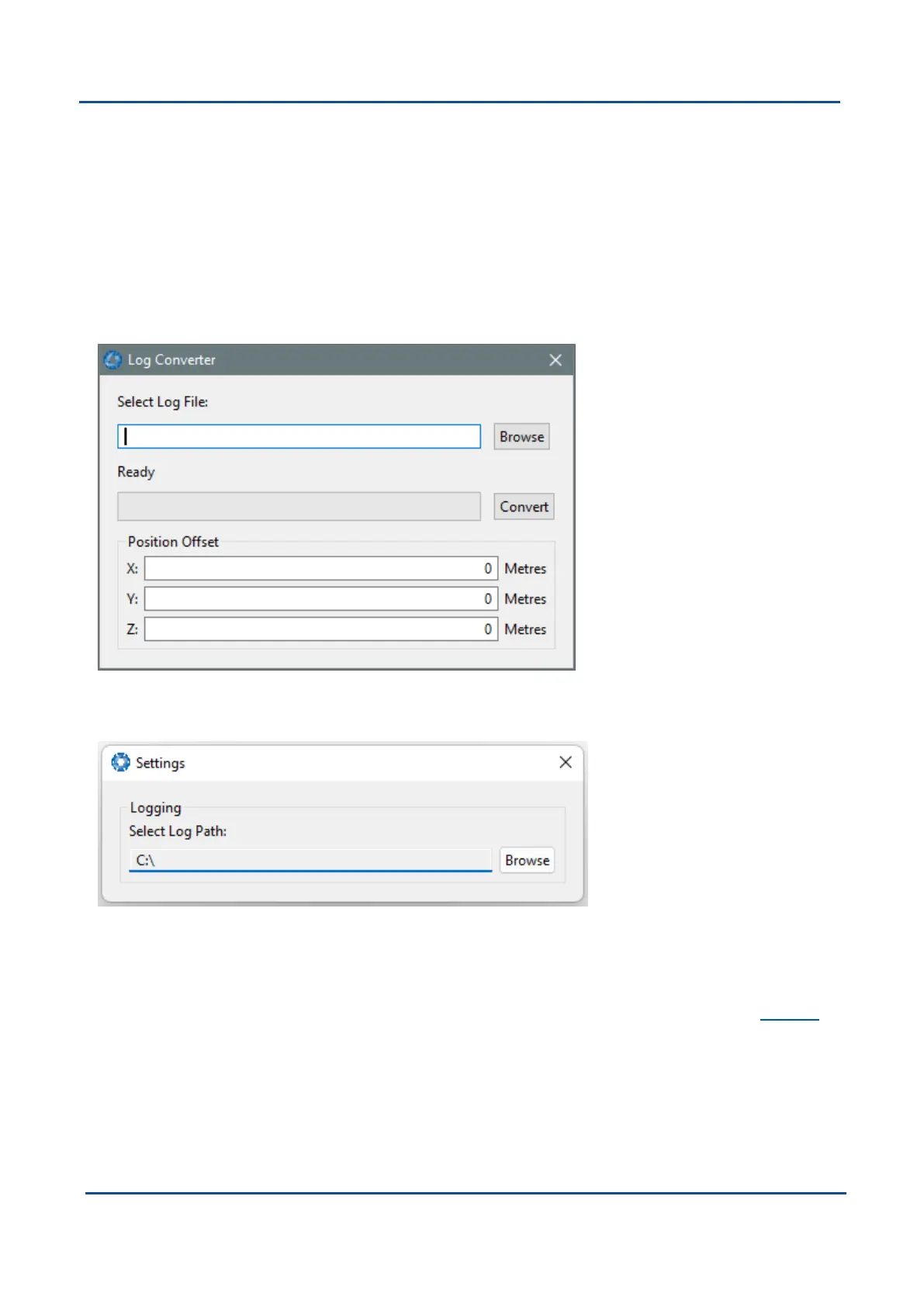
This tool allows the user to convert Boreas log files into various standard formats that are readable by many
programs. The offset is used to project the exported position to a point other than the centre of the Boreas unit.
For most users these values should be left at zero.
Figure 70: Boreas Manager Log Converter Dialogue
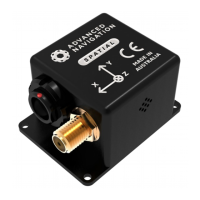
To configure the Log path, navigate to Settings, under the File menu.
Figure 71: Settings menu for configuring Log Path
9.2.8.4 NTRIP Client
The NTRIP client can be used to connect to a network DGPS or RTK service to stream correction data to
Boreas for DGPS or RTK. The NTRIP client requires an internet connection to function. Contact Support for
guidance on getting set up with network DGPS or RTK.
v1.2 Page 85 11 Oct 2022
Boreas Reference Manual • Configuring and Monitoring Boreas


 To Next Page