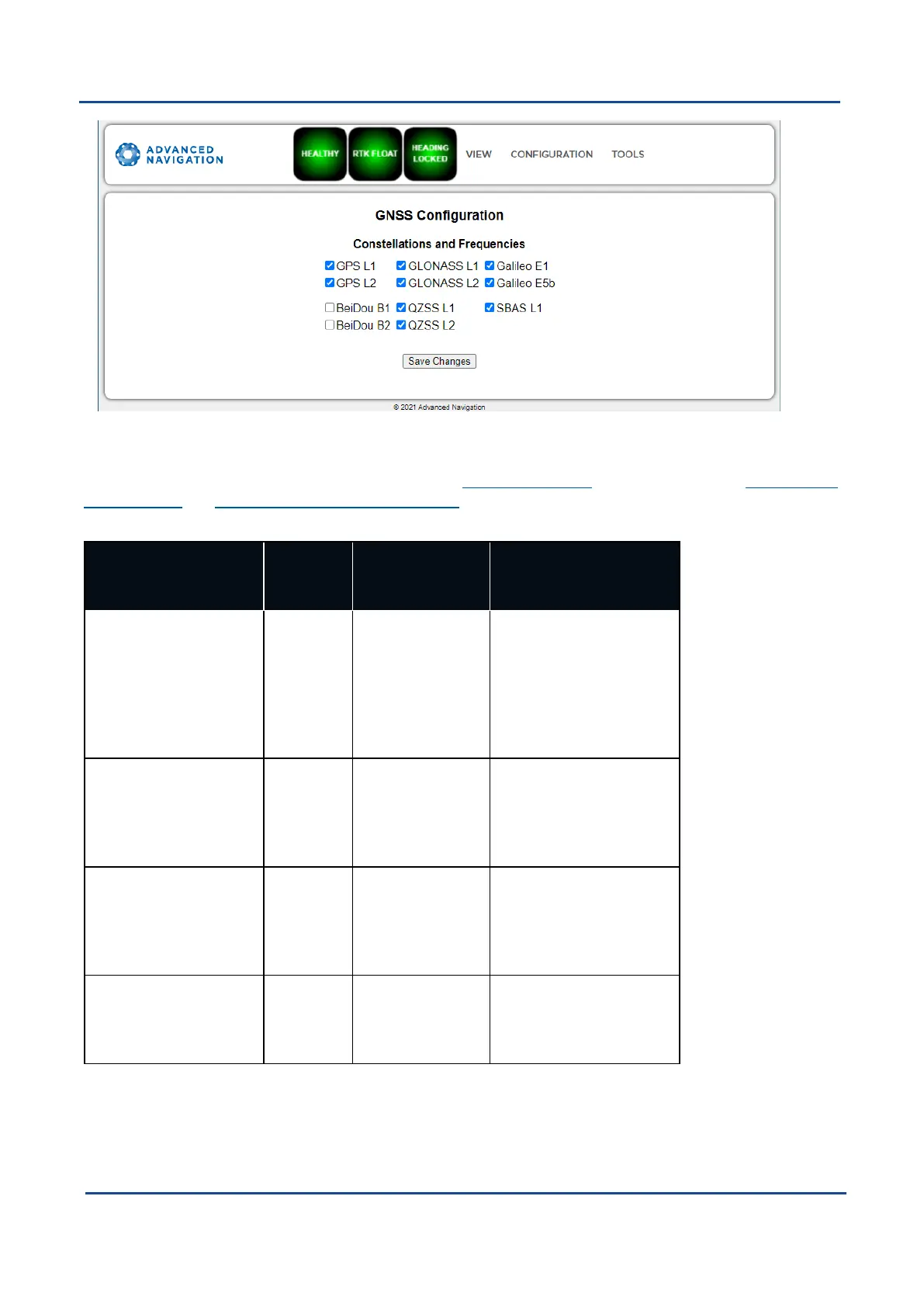
Figure 51: Boreas Web UIAries GNSSConfiguration Page
The table below lists the supported constellations and the corresponding GNSSsample period depending upon
the number of constellations selected. When setting the 9.1.3.2 Data Ports, the packet rate of the 11.4.10 Raw
GNSS Packet and 11.4.37 Raw Satellite Data Packet are automatically adjusted to the next lower integer
multiple of the sample period.
# of Constellations
Configured
Sample
Period
Example Effect-
ive Packet 60
Rate
Supported Con-
stellation Con-
figurations
1 50 ms 1 ms - 99 ms = 50
ms (20 Hz)
100 ms - 149 ms
= 100 ms (10 Hz)
150 ms - 199 ms
= 150 ms (6.67
Hz)
GPS
Galileo
GLONASS
BeiDou
2 80 ms 1 ms - 159 ms =
80 ms = 12.5 Hz
160 ms - 239 ms
= 160 ms (6.25
Hz)
GPS&Galileo
GPS & GLONASS
GPS & BeiDou
3 100 ms 1 ms - 199 ms =
100 ms (10 Hz)
200 ms - 299 ms
= 200 ms (5 Hz)
GPS, GLONASS &
Galileo
GPS, GLONASS &
BeiDou (no correction
services)
4 125 ms 1 ms - 249 ms =
125 ms (8 Hz)
250 ms - 374 ms
= 250 ms (4 Hz)
GPS, Galileo, GLONASS
& BeiDou
Table 26: Aries Supported GNSS ConstellationConfigurations
Trimble BD992 GNSSReceiver
When using a Trimble BD992 GNSSreceiver, the following configuration rules are applicable:
v1.2 Page 69 11 Oct 2022
Boreas Reference Manual • Configuring and Monitoring Boreas


 To Next Page