x930 Series Installation Guide for Virtual Chassis Stacking
135
6. Insert the four anchors into the holes.
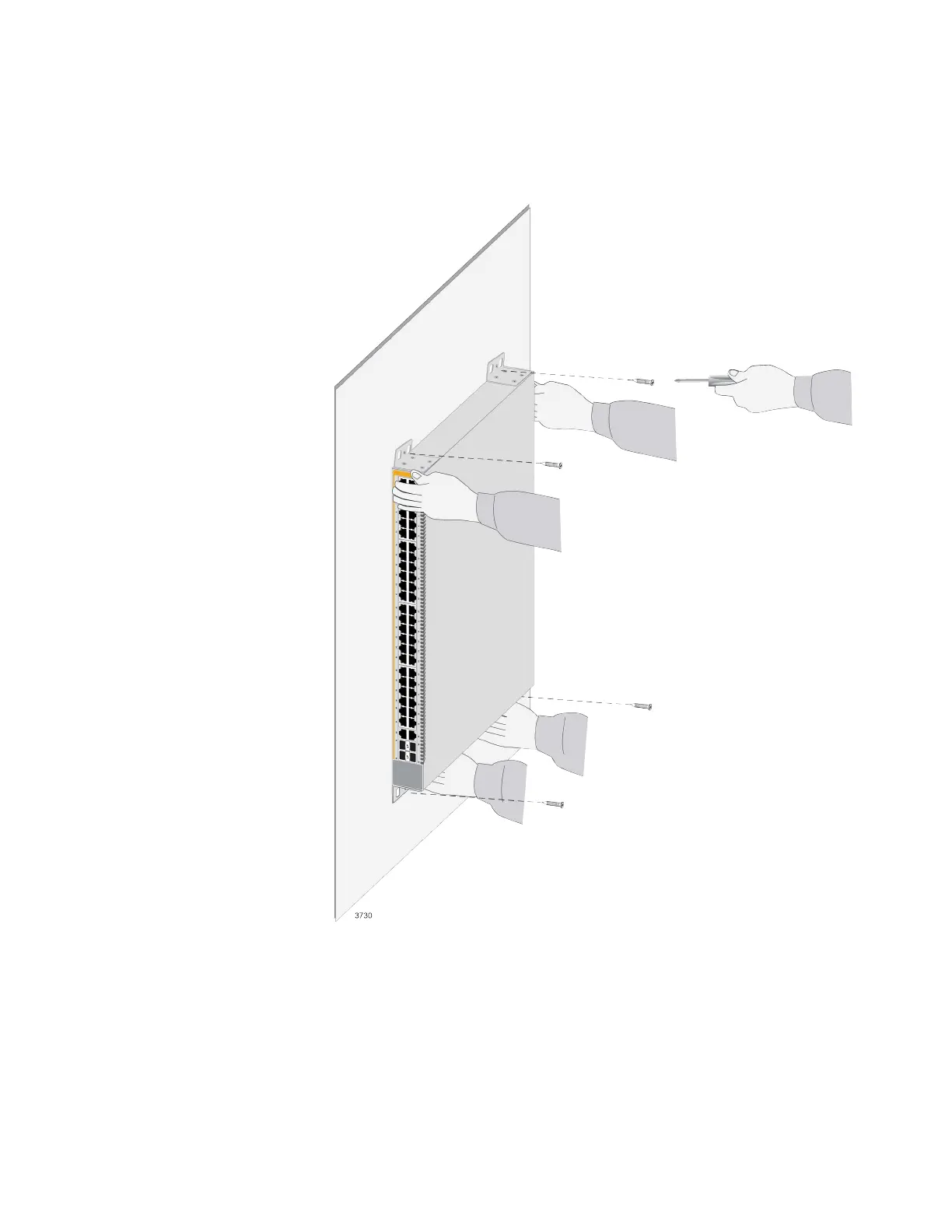
7. Have two people hold the switch at the selected wall location while you
secure it with the four provided screws. Refer to Figure 65.
Figure 65. Installing the Switch on a Concrete Wall
8. Repeat this procedure for any other switches that are to be installed on
concrete walls.



 To Next Page
 Loading...







