x930 Series Installation Guide for Virtual Chassis Stacking
107
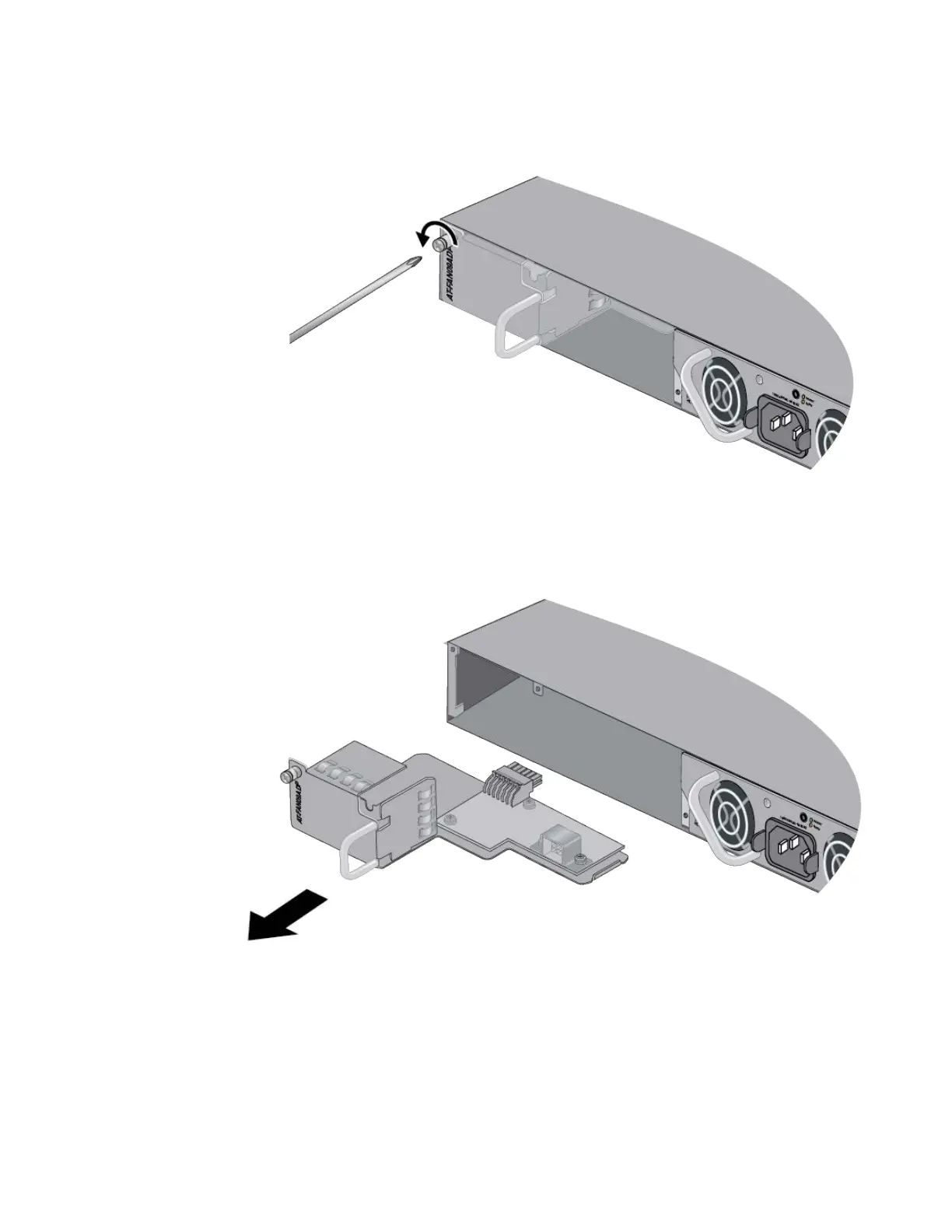
5. Use a cross-head screwdriver to loosen the captive screw on the AT-
FAN09ADP Module. Refer to Figure 43.
Figure 43. Loosening the Captive Screw on the AT-FAN09ADP Module
6. Carefully pull the AT-FAN09ADP Module from the switch. Refer to
Figure 44.
Figure 44. Removing the AT-FAN09ADP Module



 To Next Page
 Loading...







