6-45
Sterilizer Operation Operator Manual 387366-389
D
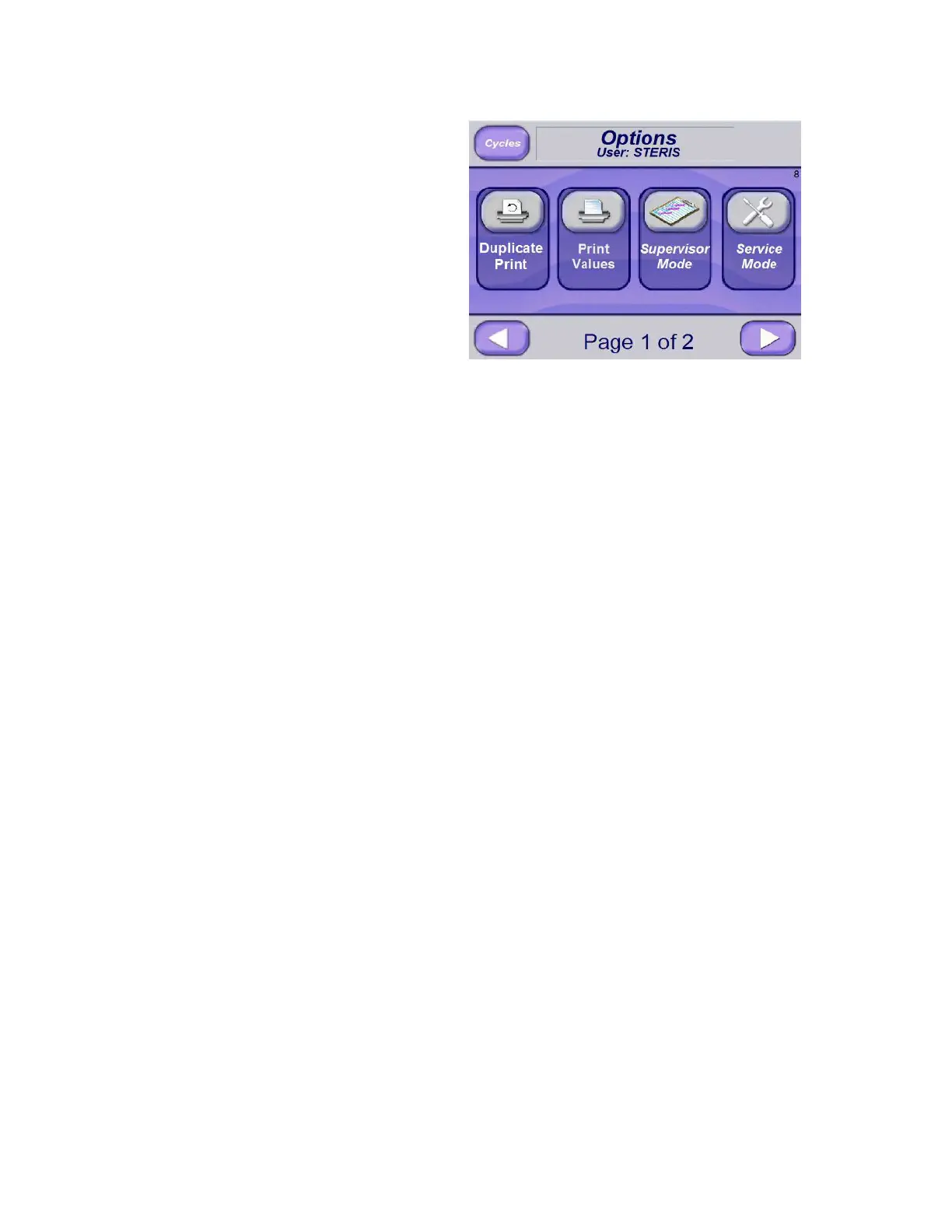
6.19.1 Duplicate Print To obtain a reprint of last cycle run, press Duplicate Print button (on
the Options Menu). Reprint prints before current cycle tape and
includes text, “DUPLICATE PRINT.” An exception is when physical
duplicate print button is pressed on printer.
An automatic duplicate print can be obtained after cycle is run and
original printout is complete. To accomplish this, in Change Values
screen, set Automatic Duplicate Print to ON.
A duplicate print can also be obtained from PHASE: COMPLETE
screen; simply Press Duplicate Print button located at upper right of
the screen. Note that original printout must complete before pressing
this button.
6.19.2 Print Values To print sterilizer status:
1. Press Options Menu button to access Options screen (#65).
2. Press Print Values button.
All cycle parameters print.
6.19.3 Supervisor Mode
(Accessing)
To access Supervisor Mode:
1. Press Options Menu button to access Options screen (#65)
2. Press Supervisor Mode button.
6.19.4 Service Mode Important: Service Mode is only to be used by qualified service
technicians. The mode is not to be used by operators or supervisors
unless they have been properly trained and qualified to service
sterilizer. Contact STERIS for additional information.
Press right arrow to show second page of Options screen.






 To Next Page