4-15
Operator Instructions Operator Manual 387366-389
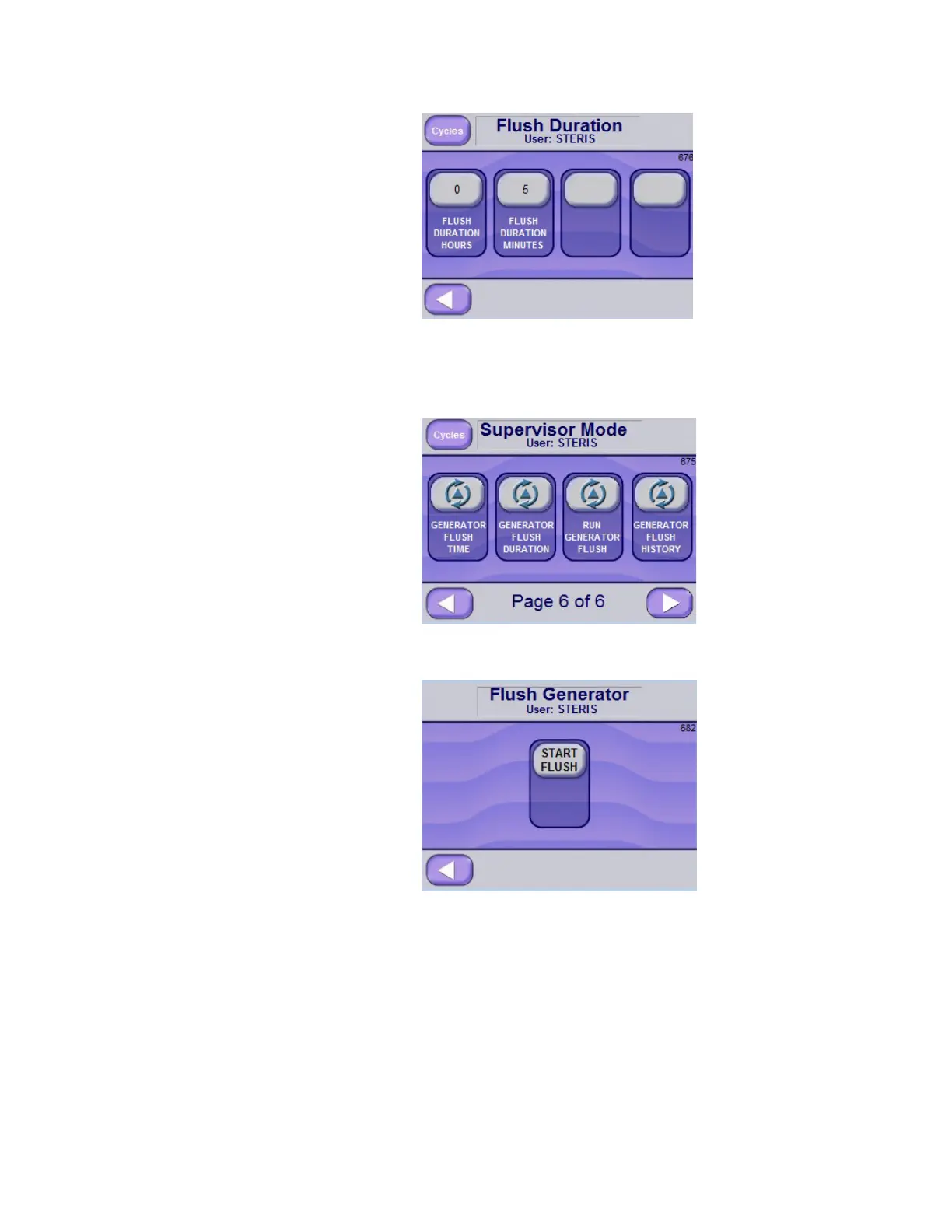
4.7.3 Run Generator Flush To run the Generator Flush Cycle:
1. Access Supervisor Mode.
2. Advance to Screen Page 6 of 6.
3. Select the RUN GENERATOR FLUSH button to access the
Flush Generator screen.
4. Press the START FLUSH button to start the generator flush cycle.
The phases are described in S
ECTION 4.7.4, GENERATOR FLUSH
C
YCLE (DESCRIPTION OF PHASES), PAGE 4-16.






 To Next Page