5-2
387366-389 Operator Manual Control Interface
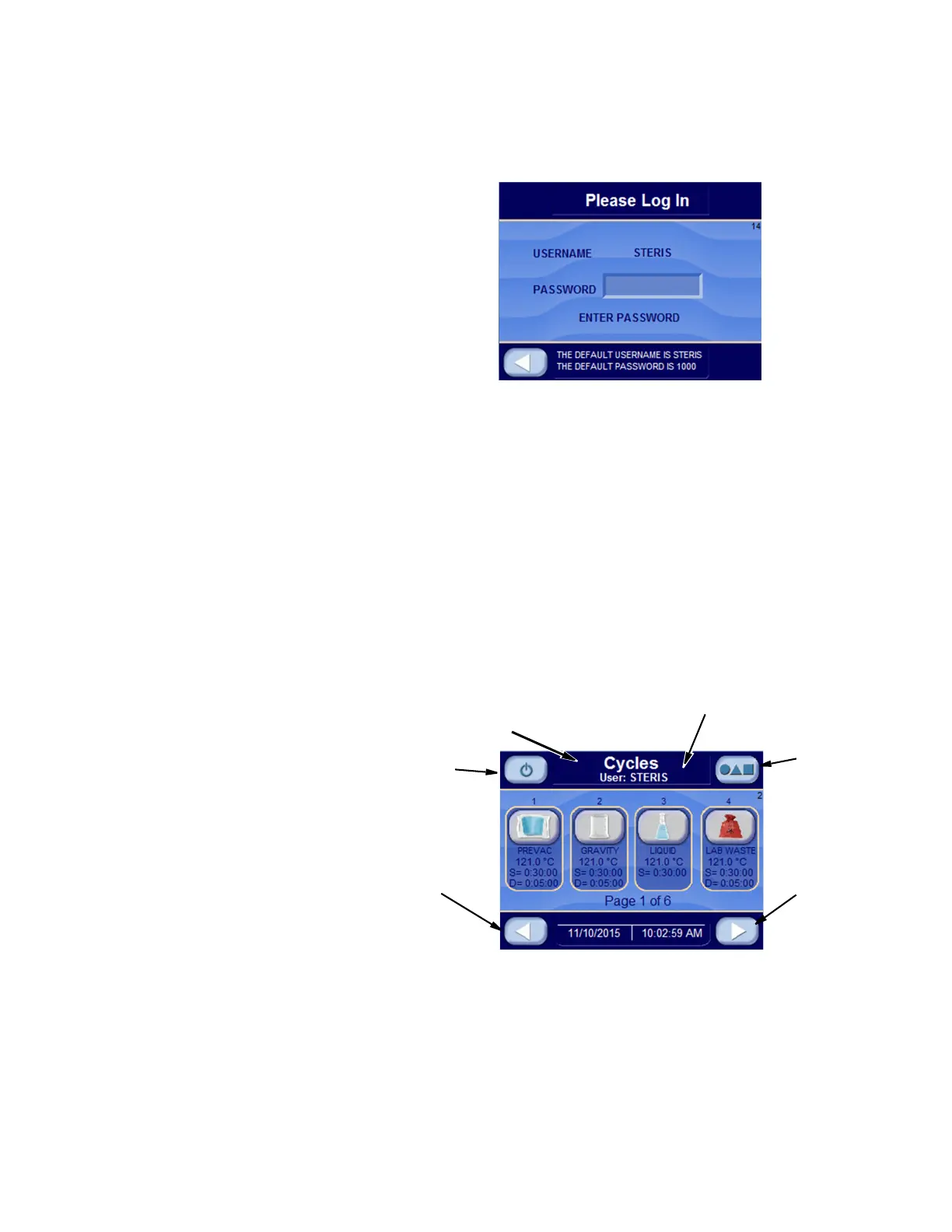
5.1.2 Password Entry After entering the Username, touch the white area next to Password.
An alpha-numeric touch screen is displayed. Enter password and
press ENTER.
NOTE: When using Password Screen, the following apply:
1) If username and/or password are invalid, INVALID
USERNAME or INVALID PASSWORD is shown on Screen 14.
Re-enter username and/or password or press left arrow button
to return to Standby Screen.
2) After username and password have been successfully
entered, every screen during Operating Mode displays username
(login name).
3) Default username is STERIS and password is 1000. This
username and password gains entry to the operating, supervisor
and service modes. Once logged in, this username and password
may be changed by supervisor.
The Operating Mode Screen appears.
5.1.3 Options Menu Press the Options Menu button (preceding figure) to access the
Options Screen (# 65). Refer to
SECTION 6.19, OPTIONS SCREEN for details
pertaining to the Options screen.
Standby
Options
Menu
Next
Screen
Previous
Screen
Status Screen
(See S
ECTION 5.3, STATUS BUTTONS)
Email Diagnostic Screen






 To Next Page