6-96
387366-389 Operator Manual Sterilizer Operation
button to have network automatically assign IP address. Press OK
when complete.
Press Close until first screen is shown.
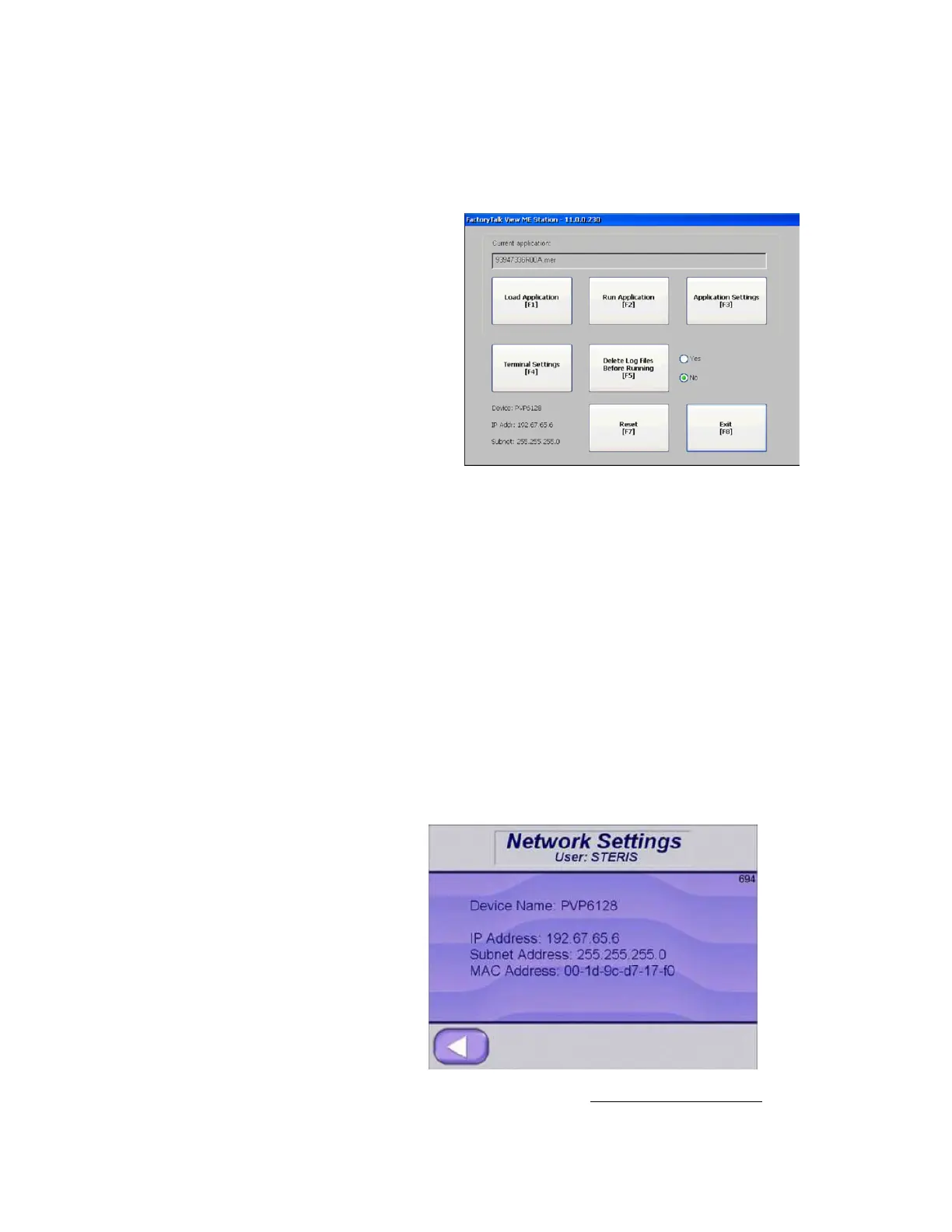
Device name, IP Address and Subnet will be shown on this screen. If
any changes were made, new values will be shown on Reset or a
power cycle.
6.20.22 Remote Viewing Sterilizer control is preset at factory to allow Remote Viewing of display.
Control can also be set for Remote Control, but this setup requires a
Supervisor.
To use Remote Viewing, follow these steps:
NOTE: An Ethernet connection is required.
1. Connect Ethernet cable to Email Alert port on back of control
box.
2. Cycle power off and on. Control acquires a DHCP address from
building's server.
3. Note IP address, displayed on screen (following figure).
4. Go to following website: http://www.tightvnc.com/






 To Next Page