6-97
Sterilizer Operation Operator Manual 387366-389
5. Download free remote control software package, TightVNC.
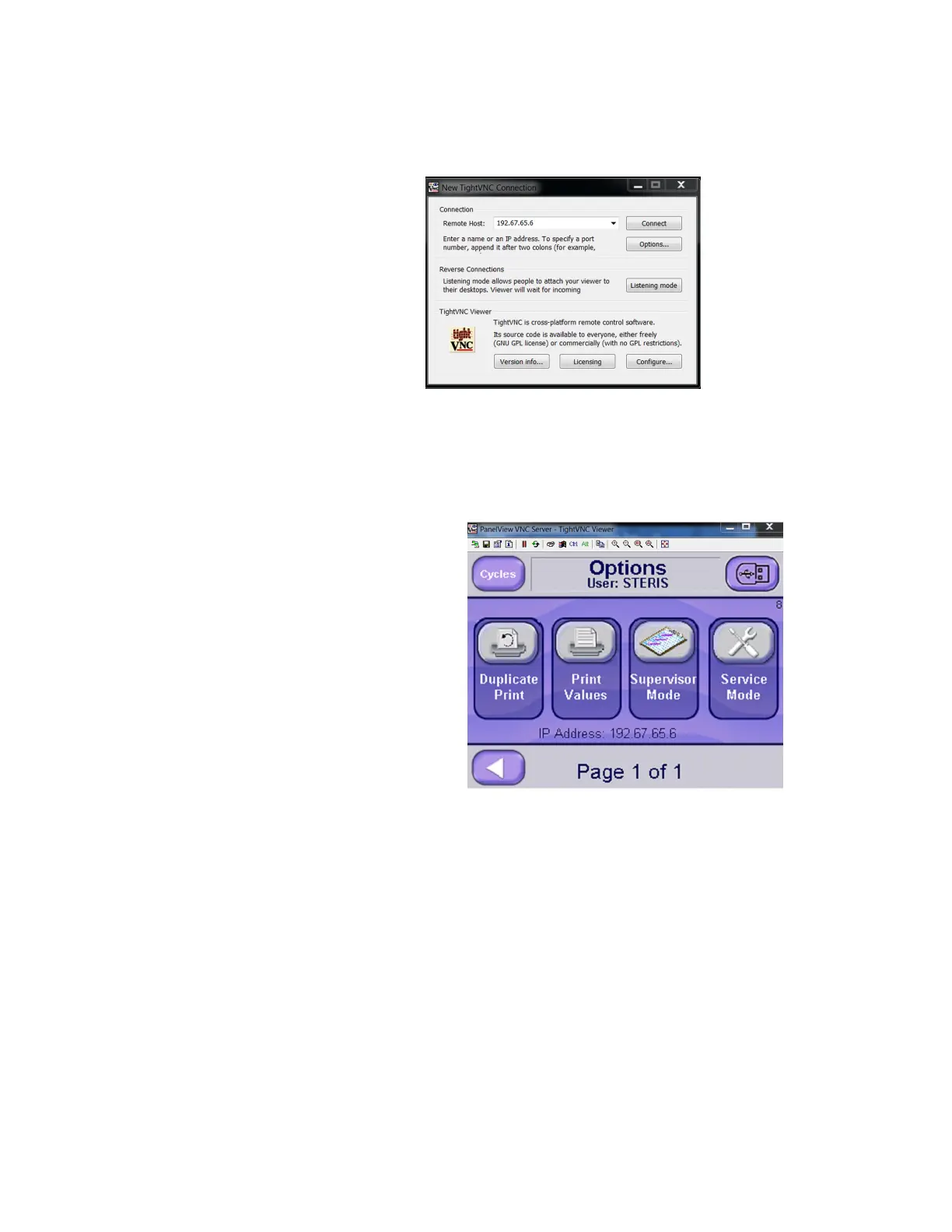
6. Run TightVNC on a PC (or other device). A screen displays, see
following figure.
7. In Remote Host box, enter IP address shown on OPTIONS
screen (screen 8)
8. Press Connect.
Remote Viewing is now active and sterilizer control screen shows on
PC monitor.
6.20.23 Serial Output Pressure and temperature data is outputted serially during a cycle but
not during complete phase. Serial output feature is disabled if sterilizer
is configured for a double door since serial port is reserved for second
display.
Data can be viewed using communication/terminal emulation software
capable of receiving serial data, for example, HyperTerminal,
represented in following figure.






 To Next Page