5-10
387366-389 Operator Manual Control Interface
5.3 Status Buttons Status screens are accessed by pressing the following buttons:
• PRES/TEMP ,
• MACHINE I/O
• GRAPH
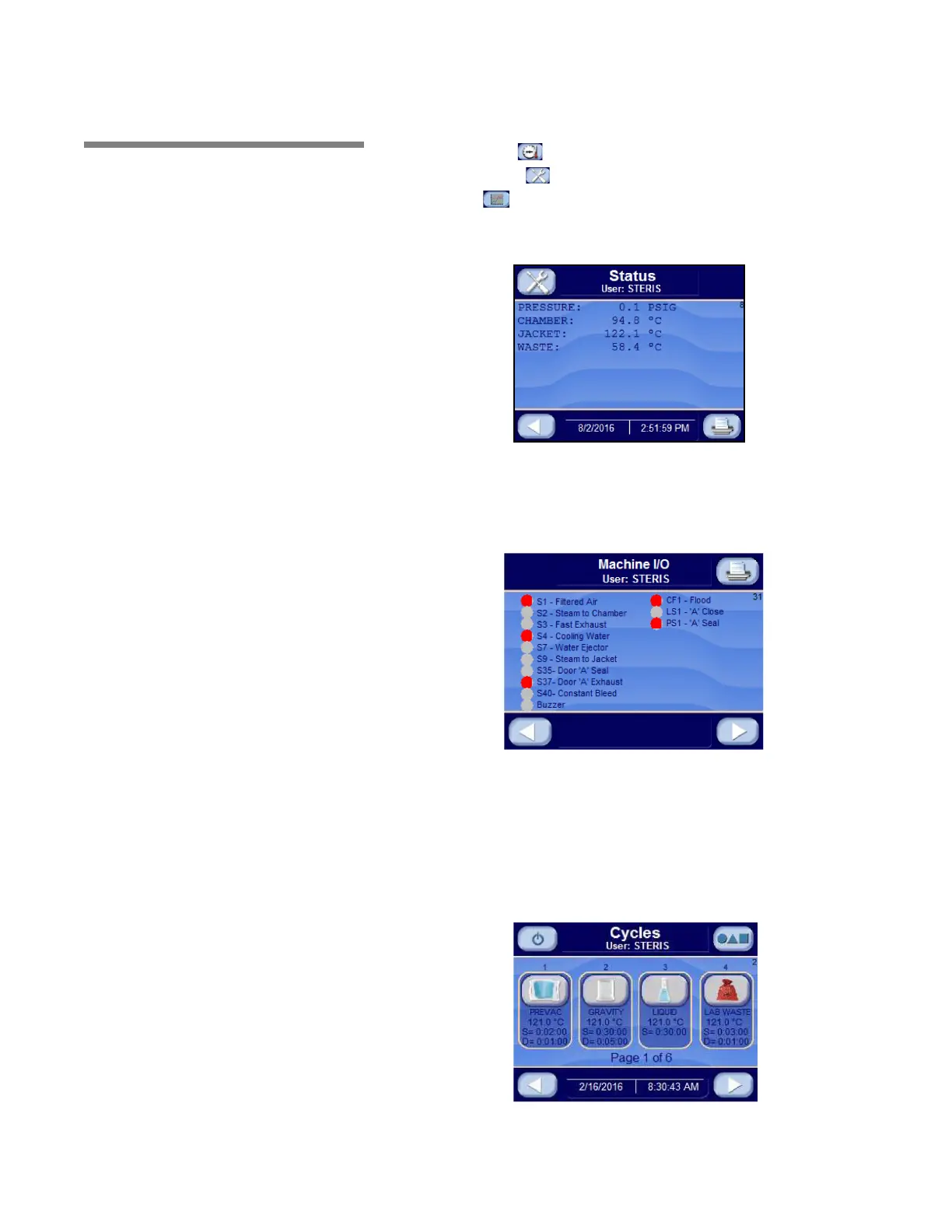
1. Press PRES/TEMP button to show pressure/temperature Status
Screen.
The status screen shows the current pressure and temperatures.
Press EXIT button to return to the previous screen.
2. Press MACHINE I/O button to display Machine I/O Status
Screen.
Gray circle next to device indicates that device is OFF or OPEN.
When circle turns red the device is ON or CLOSED.
Press LEFT ARROW button to return to previous screen. Press
LEFT ARROW button again to return to Operating Mode Main
Menu Screen.
3. Press middle of CYCLES on any cycle select screens (following
image) to display Pressure / Temperature status screen.






 To Next Page