4-18
387366-389 Operator Manual Operator Instructions
If the operator aborts the cycle an associated printout results:.
* GENERATOR 9:25:51 AM
FLUSH ABORT
If an alarm occurs during cycle, the alarm prints and the cycle
aborts.
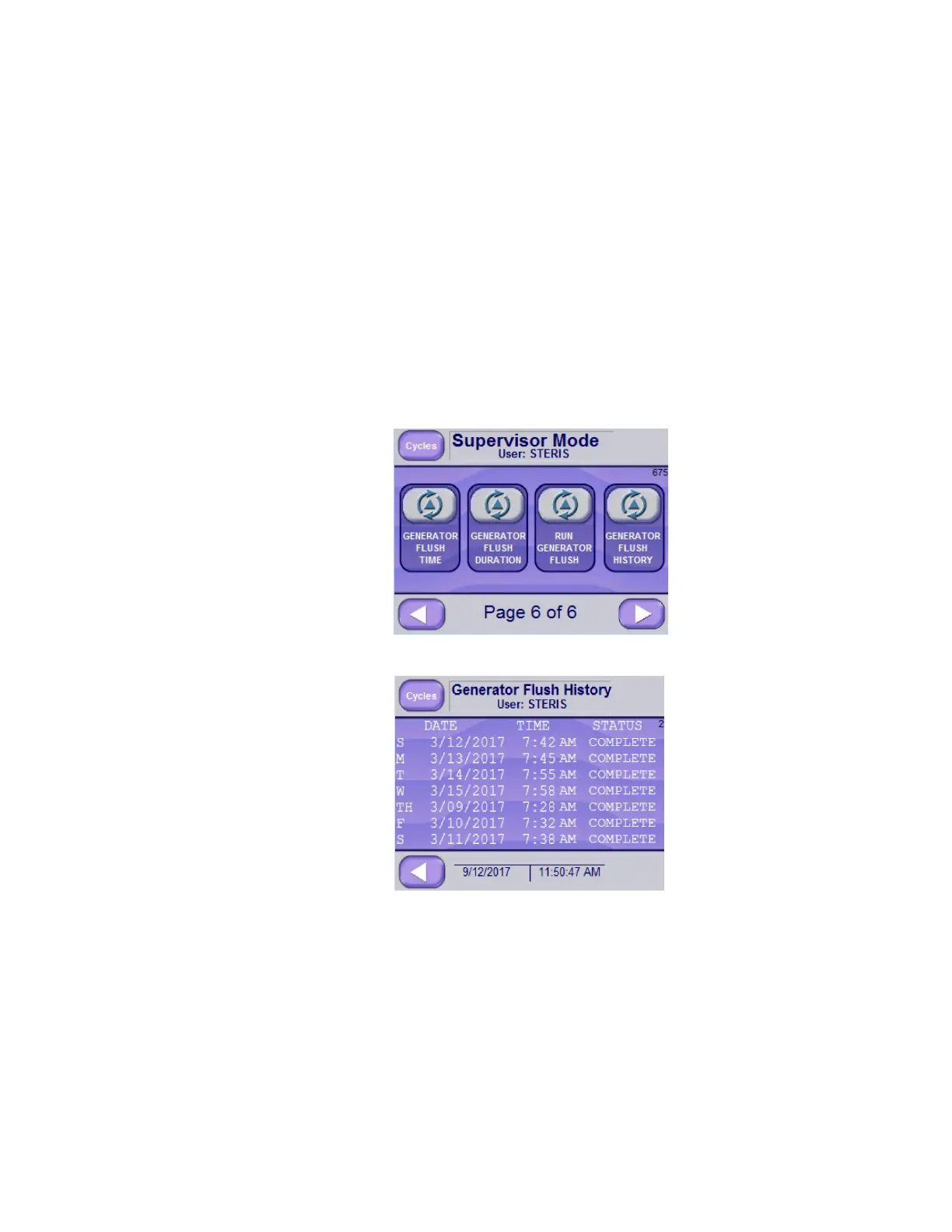
4.7.5 Generator Flush History Generator Flush History shows a flush status of COMPLETE or
ABORT for a one week period.
To view Generator Flush History:
1. Access Supervisor Mode.
2. Advance to Screen Page 6 of 6.
3. Select GENERATOR FLUSH HISTORY button.
Days of week, first column in preceding screen image, are
designated as follows:
S - Sunday/Saturday W - Wednesday
M - Monday Th - Thursday
T - Tuesday F - Friday
The screen displays date, time and status of the flush. Date and time
are saved when the flush is either completed or aborted. If the flush
was aborted, but later successfully completed, only the complete
status is shown. If the flush was done multiple times, only the first






 To Next Page