6-63
Sterilizer Operation Operator Manual 387366-389
10. Press Format [F1] to select format that you want.
11. Press OK, Close, Close, Close and then Run Application
(not shown).
New time and date formats now display on screens and subsequent
printouts.
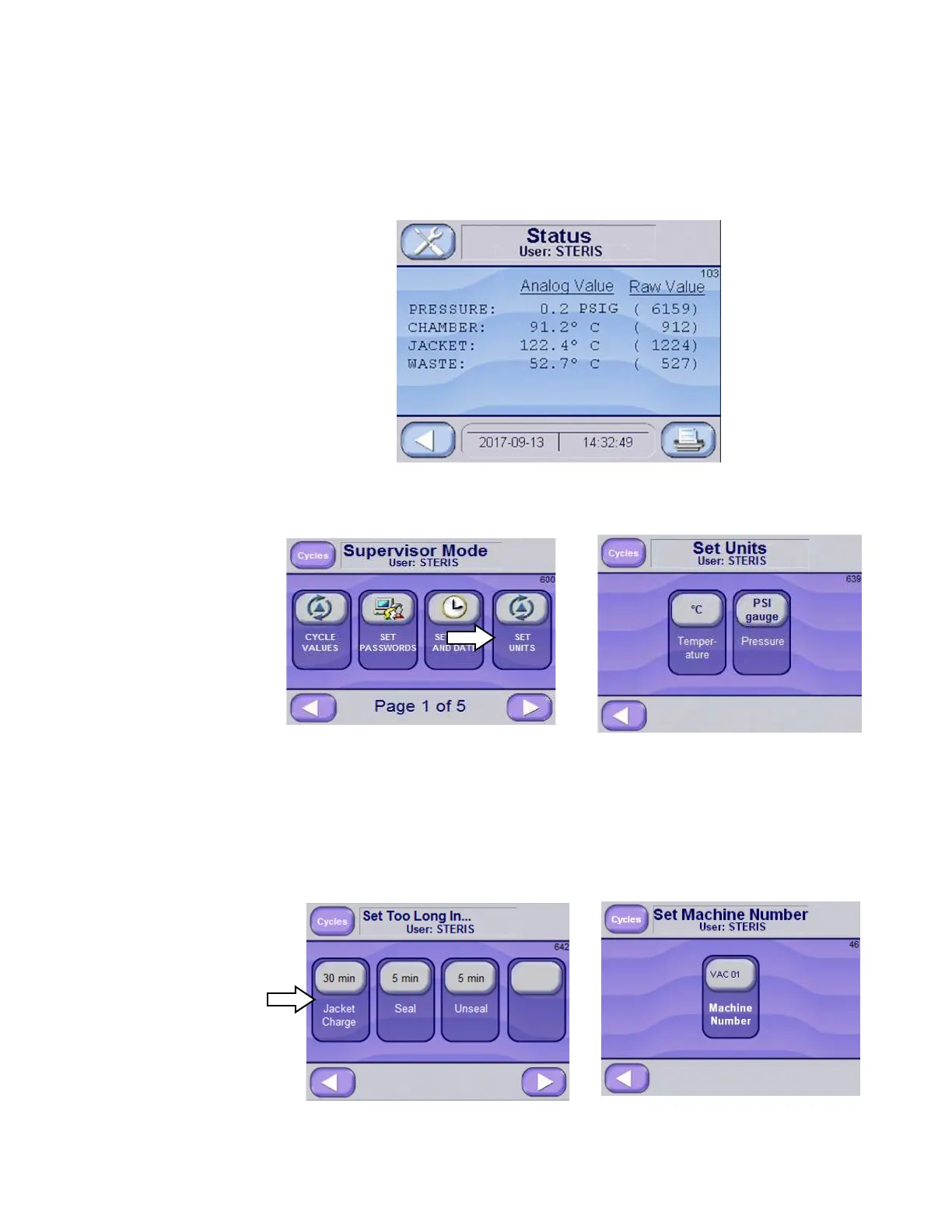
6.20.6 Set Units From Supervisors Mode Screen (Screen 600), press SET UNITS button
to change or view set units. Set Units Screen (Screen 639)is displayed.
Press buttons to change units. Value is shown on button: Temperature
units are °C and °F; Pressure units are psig/inHg and bar. Press LEFT
ARROW to return to Supervisors Mode Screen (Screen 600).
6.20.7 Machine Number From Supervisors Mode Screen (Screen 600), press SET MACHINE
NUMBER button. Set Machine Number Screen (Screen 46) is
displayed.
Press top/lighter region of Machine Number button. Enter numeric
value and press ENTER. New value is shown.






 To Next Page