6-3
Sterilizer Operation Operator Manual 387366-389
6. Close printer access door. Printer records sterilizer type.
7. Enter Operator Mode (refer to Section 5.1, General description
for Log In and Password Entry).
NOTE: Once operating mode is entered, steam enters sterilizer
jacket and heats jacket to 115°C (239°F). Also, the isothermal
mode does not turn jacket on.
8. Load chamber as outlined in S
ECTION 6.1.1, LOAD STERILIZER.
6.1.1 Load Sterilizer 1. Open chamber door.
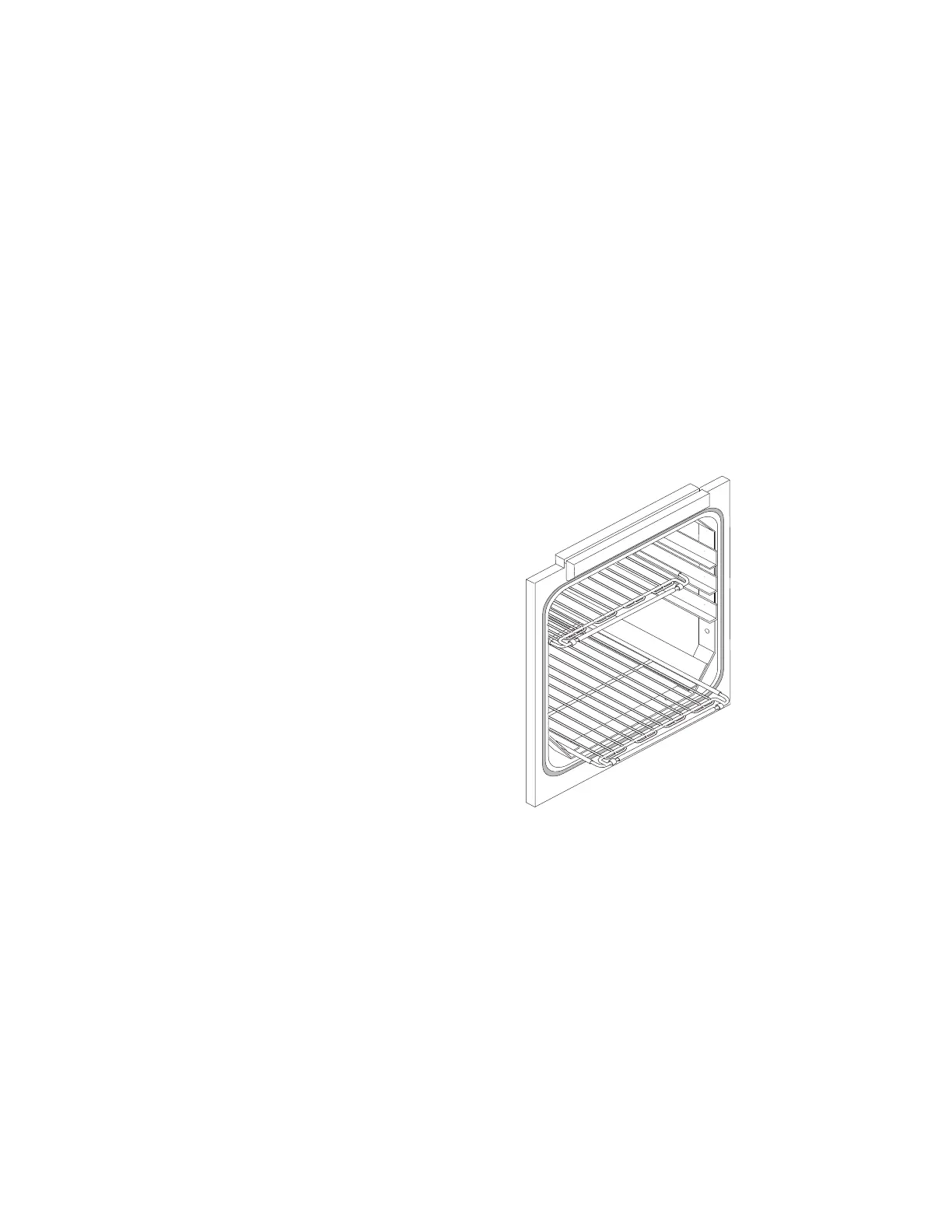
2. Slide shelf half way out of sterilizer chamber (F
IGURE 6-3).
3. Place load on shelf and slide shelf back into chamber. Ensure
shelves are completely inside chamber before closing door.
4. Close chamber door. Sterilizer is now ready to run a processing
cycle. Refer to appropriate Cycle Operation Instructions
included in this section, for instructions on running the cycle.
Figure 6-3. Slide Shelf Half Way Out of Chamber






 To Next Page